RDS Control Panel
H000002007-RDS User Manual │Version 5.0.0 (2018-09-17) │47
Third party setup software and preferred order of networks
Some computers may use by default a specific management software for Wi-Fi instead of
Windows®. Such management software may not be able to communicate with ROMER Wi-
Fi. In such a case, it is necessary to deactivate it, and to use Windows® management for
the Wi-Fi
The Wi-Fi of the computer may be managed by specific software for the device. In this case,
refer to its manual to connect to the arm network and setup the IP address.
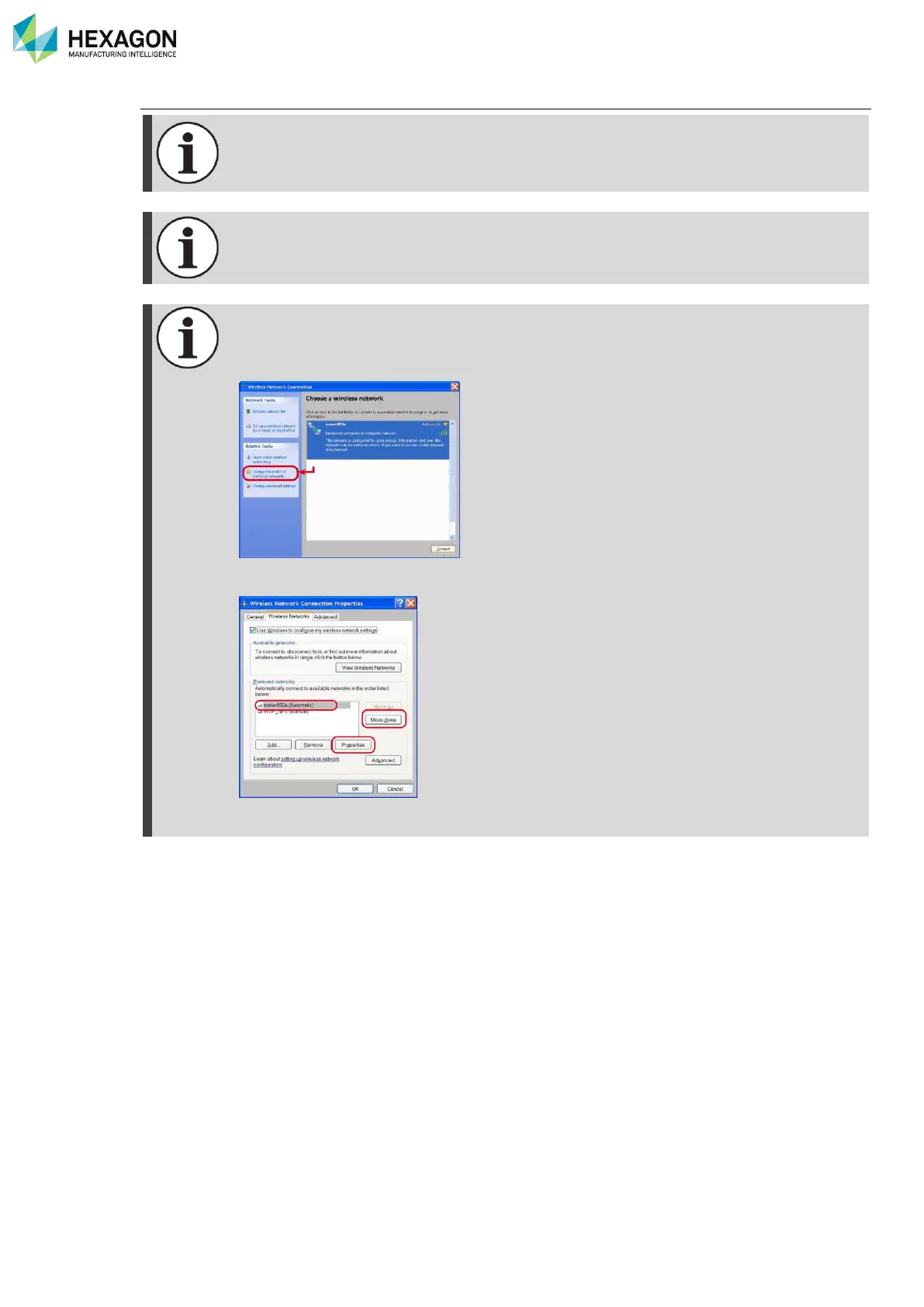
If the Wi-Fi of the computer manages preferred order for networks, make sure that the arm
network is at the top of the list.
Ex: if Windows® manages the Wi-Fi, in the wireless configuration, select “change the order
of preferred networks”
You access then to the following window: select then the arm network and click on “Move
up” until it becomes at the top of the list.
Here, using “Properties”, you can also switch the “T-UN-FF” network as automatic
connection if it is not



 To Next Page