NOTICE
• When searching for a parking
space, the system may not be
able to find a parking space if
there is no vehicle parked, a park‐
ing space is available after driving
by or a parking space is available
before driving by.
• The system may not operate nor‐
mally in the following conditions:
1. When the sensors are frozen
2. When the sensors are dirty
3. When it snows or rains heavily
4. When a pillar or object is near
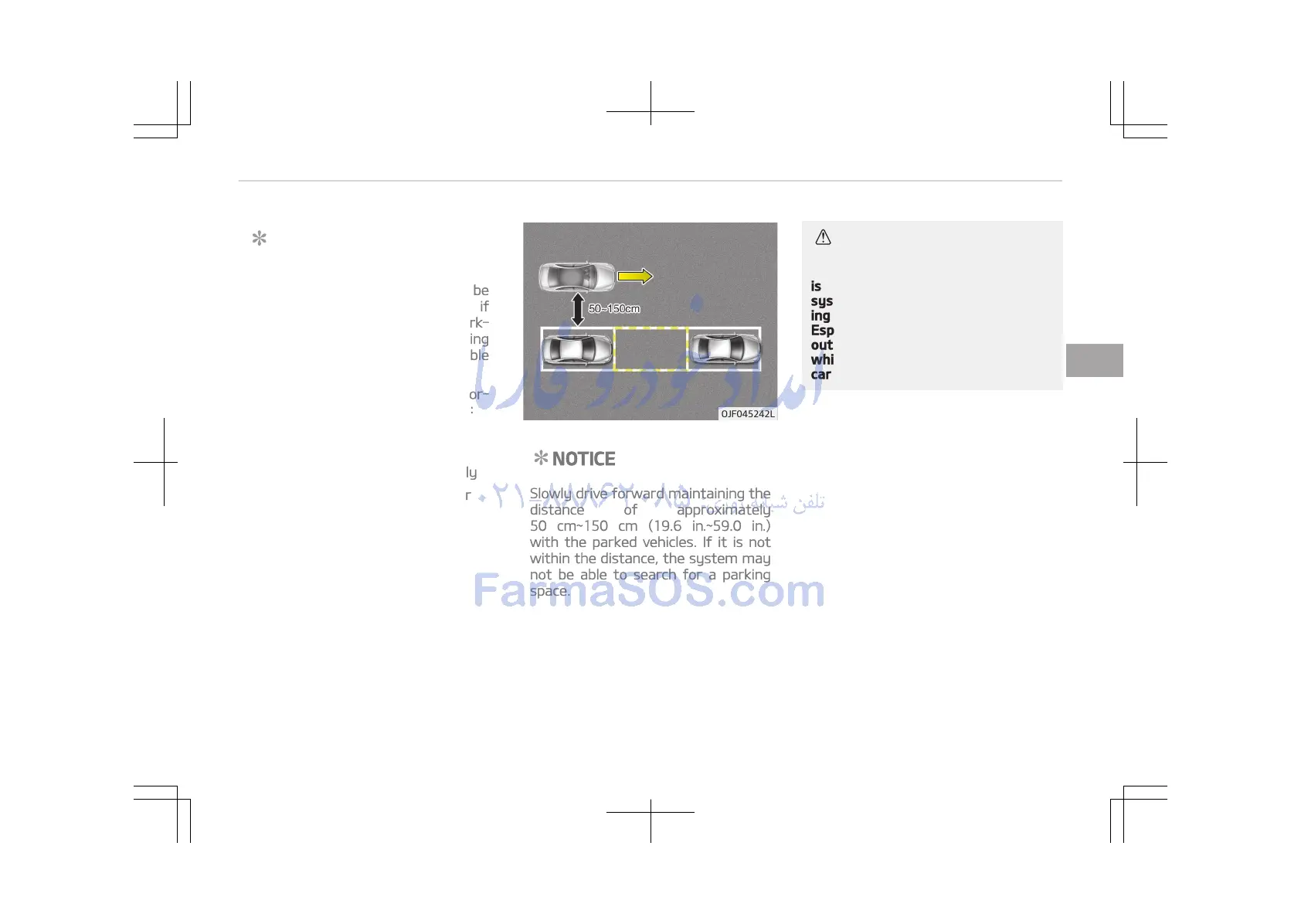
NOTICE
Slowly drive forward maintaining the
distance of approximately
50 cm~150 cm (19.6 in.~59.0 in.)
with the parked vehicles. If it is not
within the distance, the system may
not be able to search for a parking
space.
CAUTION
After searching for a parking space
is completed, continue using the
system after checking the surround‐
ing area.
Especially, check the distance of the
outside rearview mirror and objects
while using the system to prevent
careless accidents.
4-113
4
Features of your vehicle















 To Next Page