. If no frequencies are
received, then the most recently re‐
ceived frequency will be broadcast.
Media mode
With the Media Mode Button
Press the
button to change the
mode in order of CD USB (iPod
®
)
AUX My Music
*
BT Audio
*
.
The folder/file name is displayed on the
screen.
*
if equipped
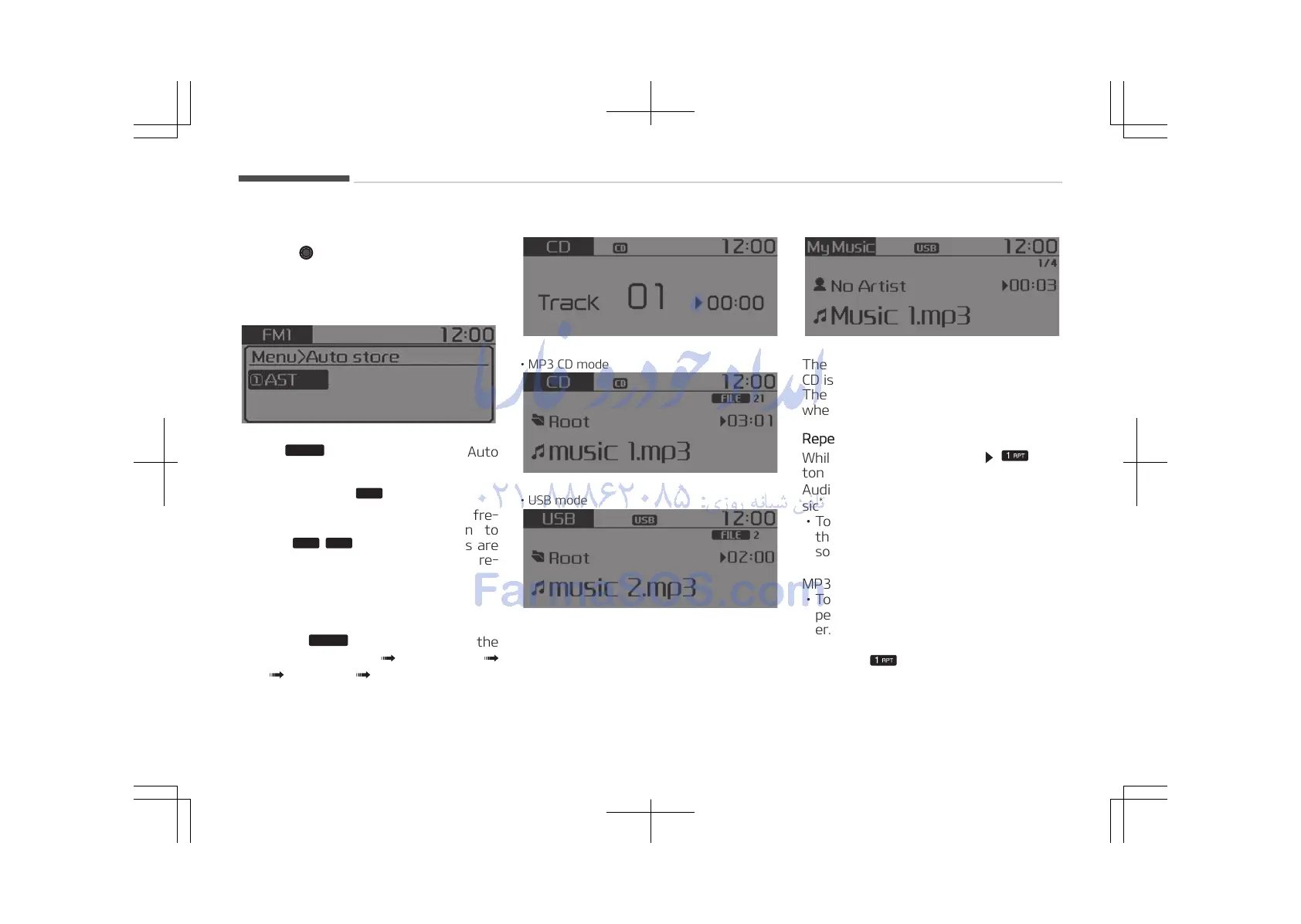
• Audio CD mode
• MP3 CD mode
• USB mode
• My Music mode
The CD is automatically played when a
CD is inserted.
The USB music is automatically played
when a USB is connected.
Repeat
While song (file) is playing
but‐
ton
Audio CD, MP3 CD, USB, iPod
®
, My Mu‐
sic
*
mode: RPT on screen
• To repeat one song (Shortly pressing
the button): Repeats the current
song.
MP3 CD, USB mode: FLD.RPT on screen
• To repeat folder (pressing twice): re‐
peats all files within the current fold‐
er.
Press the button again to turn off
repeat.
*
if equipped
Audio system
5-24















 To Next Page