Clock Display when Power is OFF
Select [Clock Disp.(Pwr Off)]
Set [On/
Off].
• [On]: Displays time/date on screen.
• [Off]: Turn off.
With the Phone Button (if
equipped)
Press the button Select
[Phone].
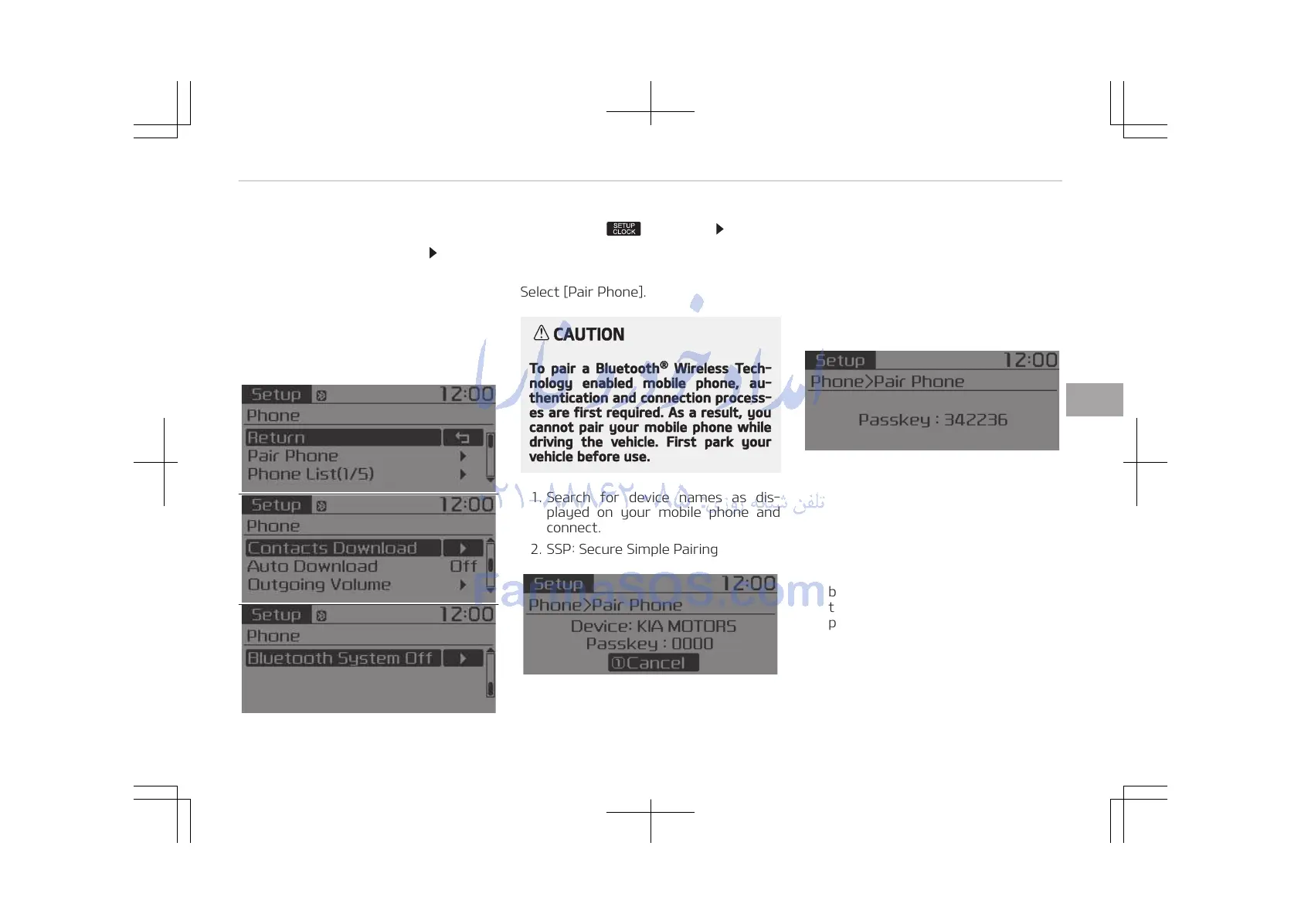
Pair Phone
Select [Pair Phone].
CAUTION
To pair a Bluetooth
®
Wireless Tech‐
nology enabled mobile phone, au‐
thentication and connection process‐
es are first required. As a result, you
cannot pair your mobile phone while
driving the vehicle. First park your
vehicle before use.
1. Search for device names as dis‐
played on your mobile phone and
connect.
2. SSP: Secure Simple Pairing
• Non SSP supported device:
After a few moments, a screen is
displayed where the passkey is
entered.
Enter the passkey 0000 to pair
your Bluetooth
®
Wireless Tech‐
nology device with the car audio
system.
• SSP supported device:
After a few moments, a screen is
displayed 6 digits passkey.
Check the passkey on your Blue‐
tooth
®
Wireless Technology de‐
vice and confirm.
The device name and passkey will
be displayed on the screen for up
to 3 minutes. If pairing is not com‐
pleted within the 3 minutes, the
mobile phone pairing process will
automatically be canceled.
3. Pairing completion is displayed.
In some mobile phones, pairing will
automatically be followed by con‐
nection.
5-45
5
Audio system















 To Next Page