It is possible to pair up to five Blue‐
tooth
®
Wireless Technology enabled
mobile phones.
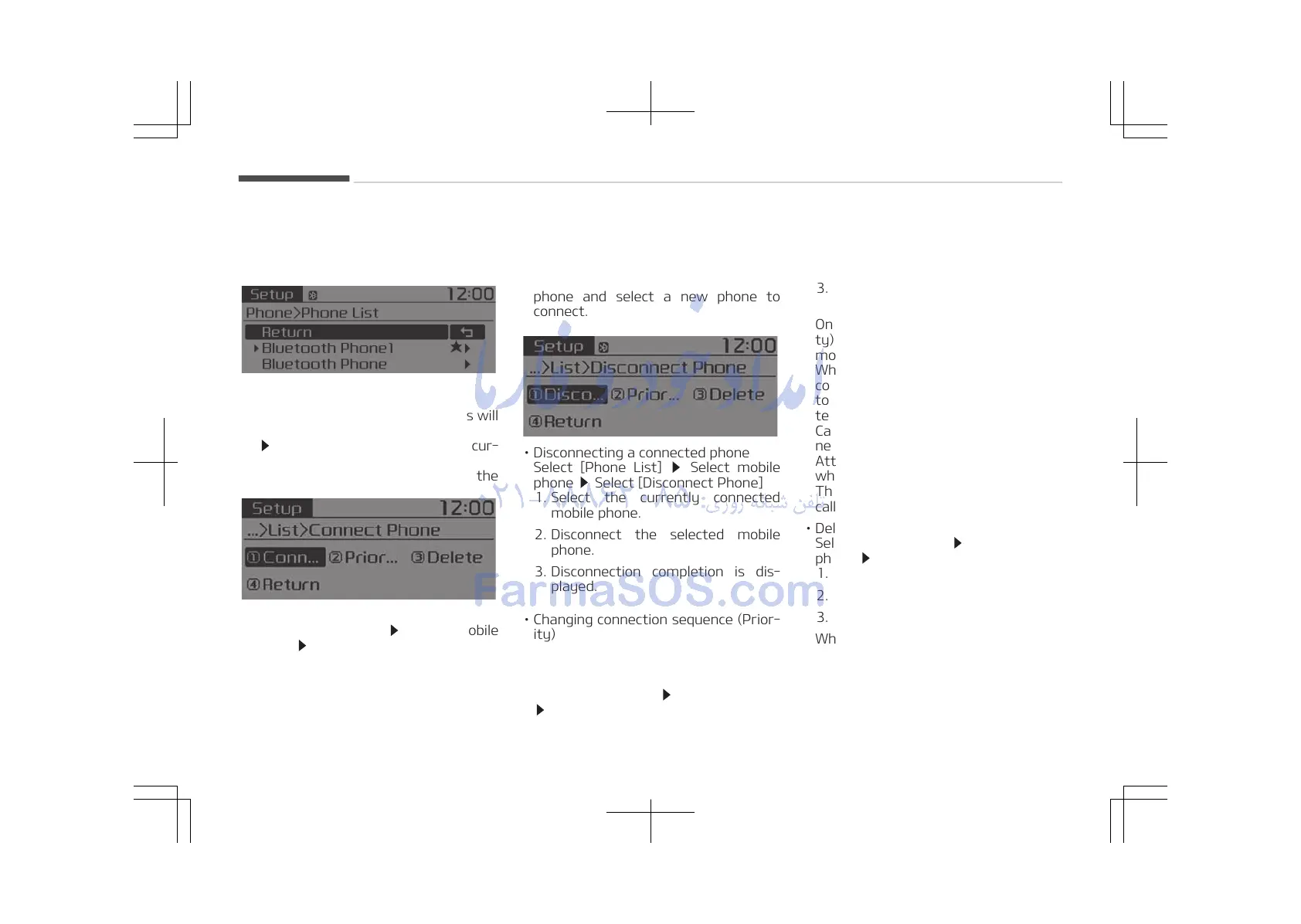
Phone List
The names of up to 5 paired phones will
be displayed.
A [
] is displayed in front of the cur‐
rently connected phone.
Select the desired name to setup the
selected phone.
• Connecting a phone
Select [Phone List]
Select mobile
phone Select [Connect Phone]
1. Select a mobile phone that is not
currently connected.
2. Connect the selected mobile
phone.
3. Connection completion is dis‐
played.
If a phone is already connected, dis‐
connect the currently connected
phone and select a new phone to
connect.
• Disconnecting a connected phone
Select [Phone List] Select mobile
phone Select [Disconnect Phone]
1. Select the currently connected
mobile phone.
2. Disconnect the selected mobile
phone.
3. Disconnection completion is dis‐
played.
• Changing connection sequence (Prior‐
ity)
This is used to change the order (pri‐
ority) of automatic connection for
the paired mobile phones.
Select [Phone List]
Select [Priority]
Select No. 1 Priority mobile phone
1. Select [Priority].
2. From the paired phones, select the
phone desired for No.1 priority.
3. The changed priority sequence is
displayed.
Once the connection sequence (priori‐
ty) is changed, the new no. 1 priority
mobile phone will be connected.
When the no. 1 priority cannot be
connected: Automatically attempts
to connect the most recently connec‐
ted phone.
Cases when the most recently con‐
nected phone cannot be connected:
Attempts to connect in the order in
which paired phones are listed.
The connected phone will automati‐
cally be changed to No. 1 priority.
• Delete
Select [Phone List] Select mobile
phone Select [Delete]
1. Select the desired mobile phone.
2. Delete the selected mobile phone.
3. Deletion completion is displayed.
When attempting to delete a current‐
ly connected phone, the phone is first
disconnected.
Audio system
5-46















 To Next Page