NOTICE
• Up to 1,000 phone book entries
can be copied into car phone book.
• Upon downloading phone book da‐
ta, previously saved phone book
data will be deleted.
• Downloading is not possible if the
phone book download feature is
turned off within the Bluetooth
®
Wireless Technology device. Also,
some devices may require device
authorization upon attempting to
download. If downloading cannot
be normally conducted, check the
Bluetooth
®
Wireless Technology
device setting or the screen state.
• Caller ID information will not be
displayed for unsaved callers.
• The download feature may not be
supported in some mobile phones.
Check to see that the Bluetooth
®
Wireless Technology device sup‐
ports the download feature.
Bluetooth
®
Wireless Technology
(Type B-2 or Type B-2 for
Colombia model without
harman-kardon)
When No Devices have been Paired
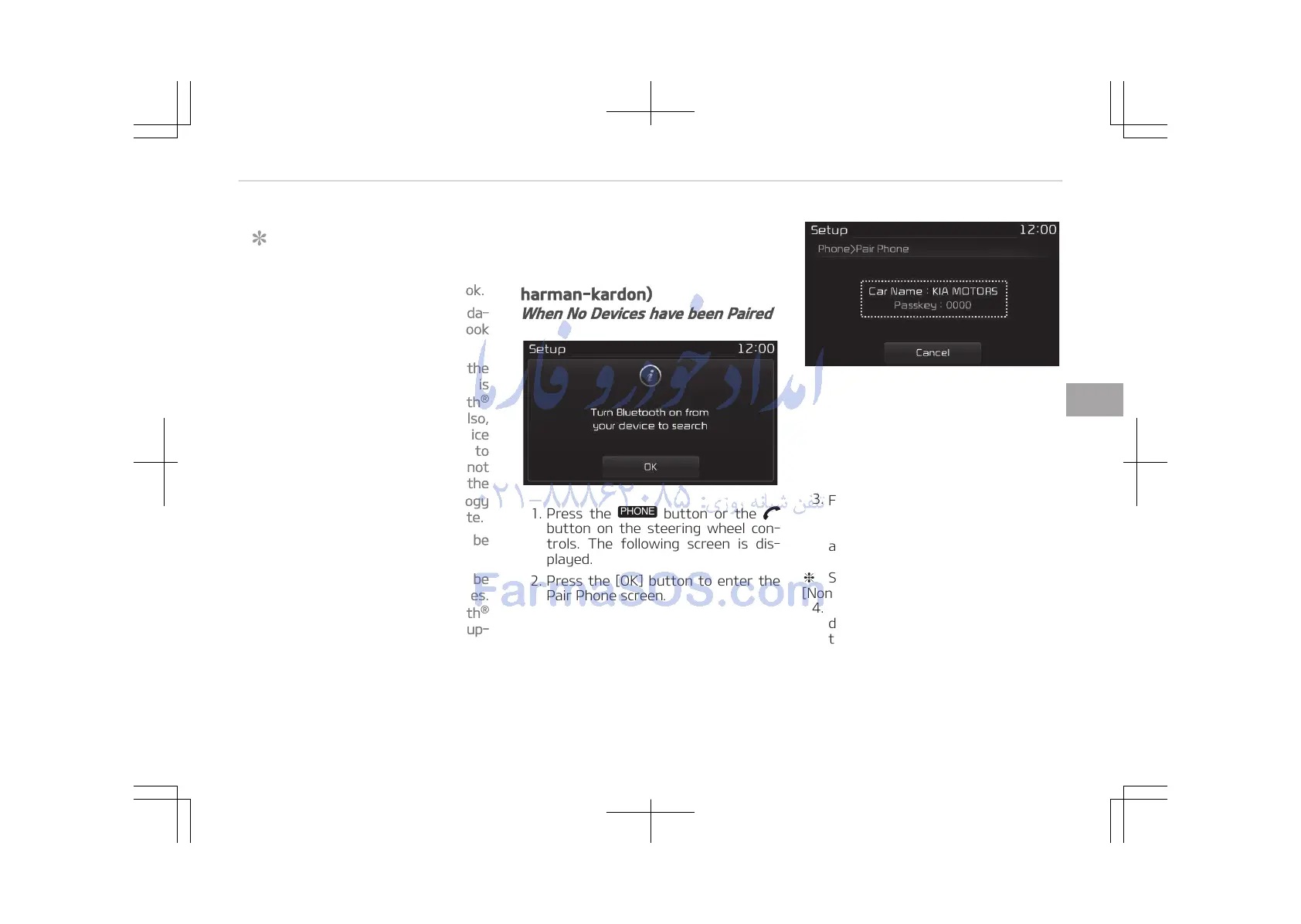
1. Press the
button or the
button on the steering wheel con‐
trols. The following screen is dis‐
played.
2. Press the [OK] button to enter the
Pair Phone screen.
• Car name: Name of device as
shown when searching from your
Bluetooth
®
Wireless Technology
device
• Passkey: Passkey used to pair
the device
3.
From your Bluetooth
®
Wireless
Technology device (i.e. Mobile
Phone), search and select your car
audio system.
❈ SSP: Secure Simple Pairing
[Non SSP supported device]
4. After a few moments, a screen is
displayed where the passkey is en‐
tered.
Enter the passkey 0000 to pair
your Bluetooth
®
Wireless Technolo‐
gy device with the car audio sys‐
tem.
5-89
5
Audio system















 To Next Page