3.10 Replace Battery
Each KDC comes with a rechargeable, Lithium-polymer (KDC20/100/200) or Lithium-ion
(KDC30/250/270/280/300/350/400/470/500) battery. The battery may be recharged from any
USB port or KDC charging cradle, and may be recharged about 300 times before it needs to be
replaced. KOAMTAC recommends replacing the battery annually, as a declining battery will
cause noticeable performance degradation in the KDC. Replacement batteries may be
purchased from a KDC reseller. Batteries should be disposed of properly as according to the
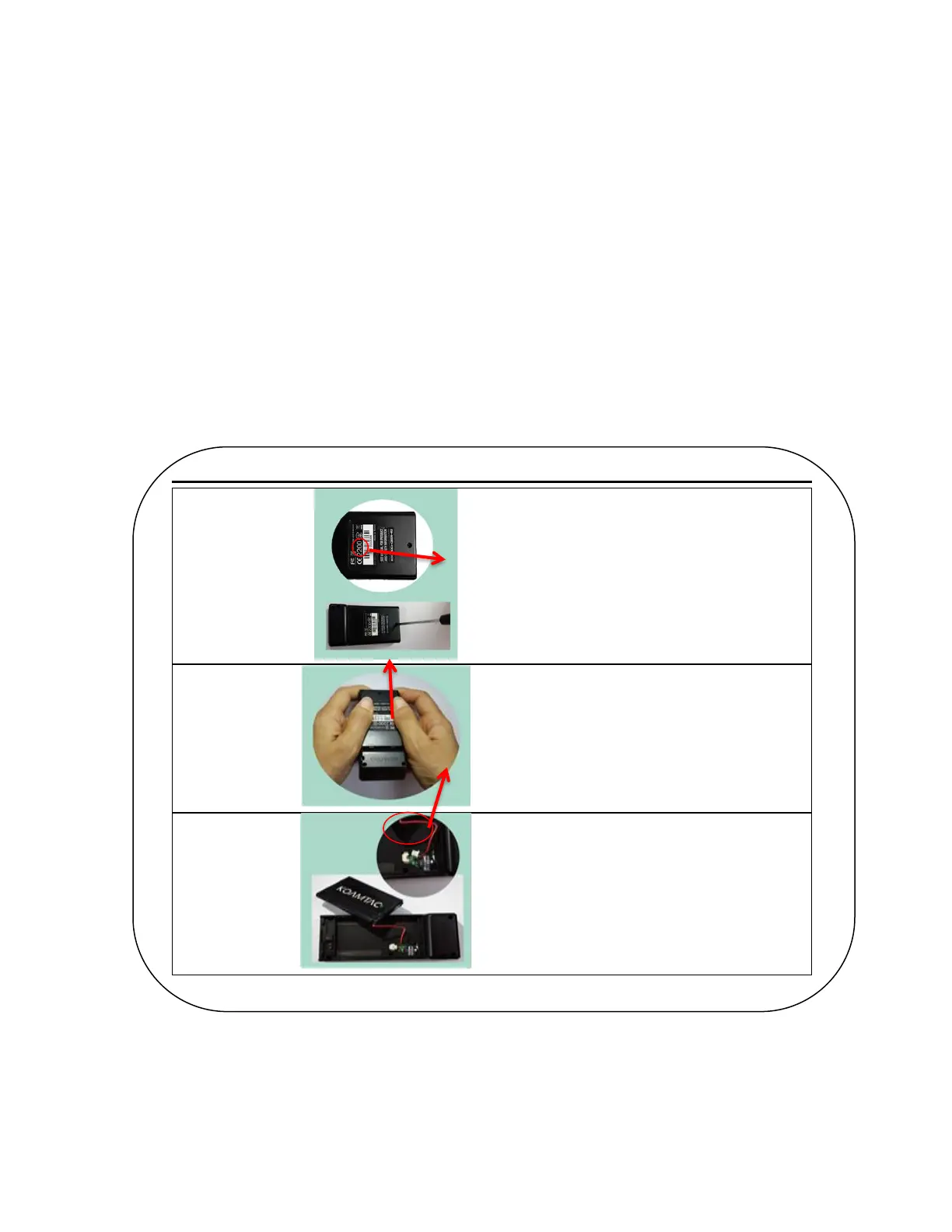
WEEE regulation. The steps for replacing a battery are as follows.
1. Disassemble the KDC back cover by unscrewing the middle screw.
2. Remove the old battery and replace with a new battery.
3. Reassemble the back cover.


 To Next Page