179
7. Application Generation
KDC FW2.85 does not support the Application Generation feature. Users should
upgrade FW2.85 to FW2.86 or FW3.0+ to use Application Generation feature.
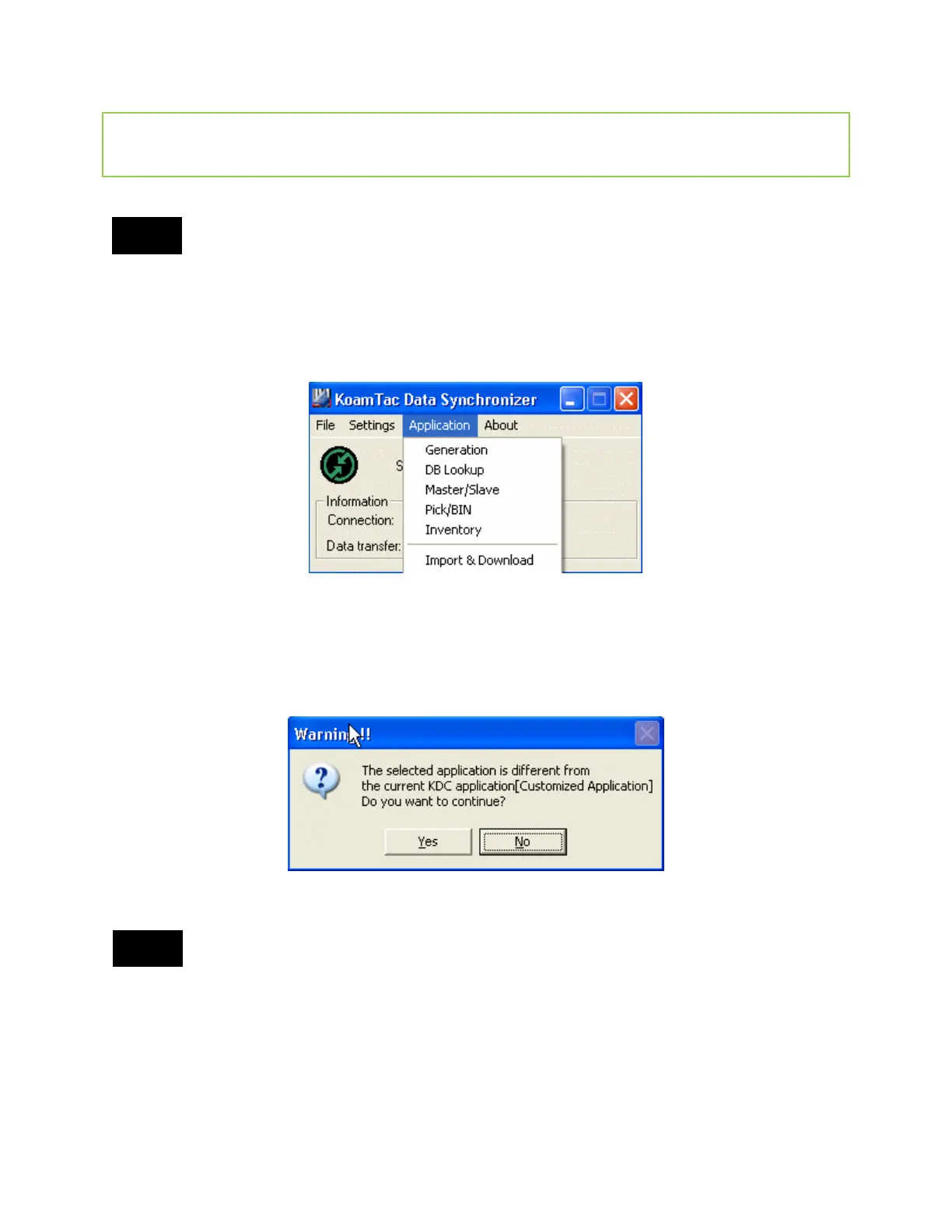
When you select the Application menu from the KTSync, the user may choose from the
following five Applications: Generation, DB Lookup, Master/Slave, Pick/BIN, and Inventory.
Users may also download saved programs using the Import & Download option.
When the Application tool is selected, the KDC will beep once to acknowledge a connection
between the KDC and the Application tool. The following KTSync warning window will pop up if
the downloaded application in KDC does not match with KTSync application tool.
KDC will wedge barcode data to the host in application mode if “wedge and store
always” option in data process menu is selected and KDC firmware version is higher
than 2.86.xxx.G or 3.0+.


 To Next Page