KDC User Manual SYNCHRONIZATION
169
Keyboard Wedge
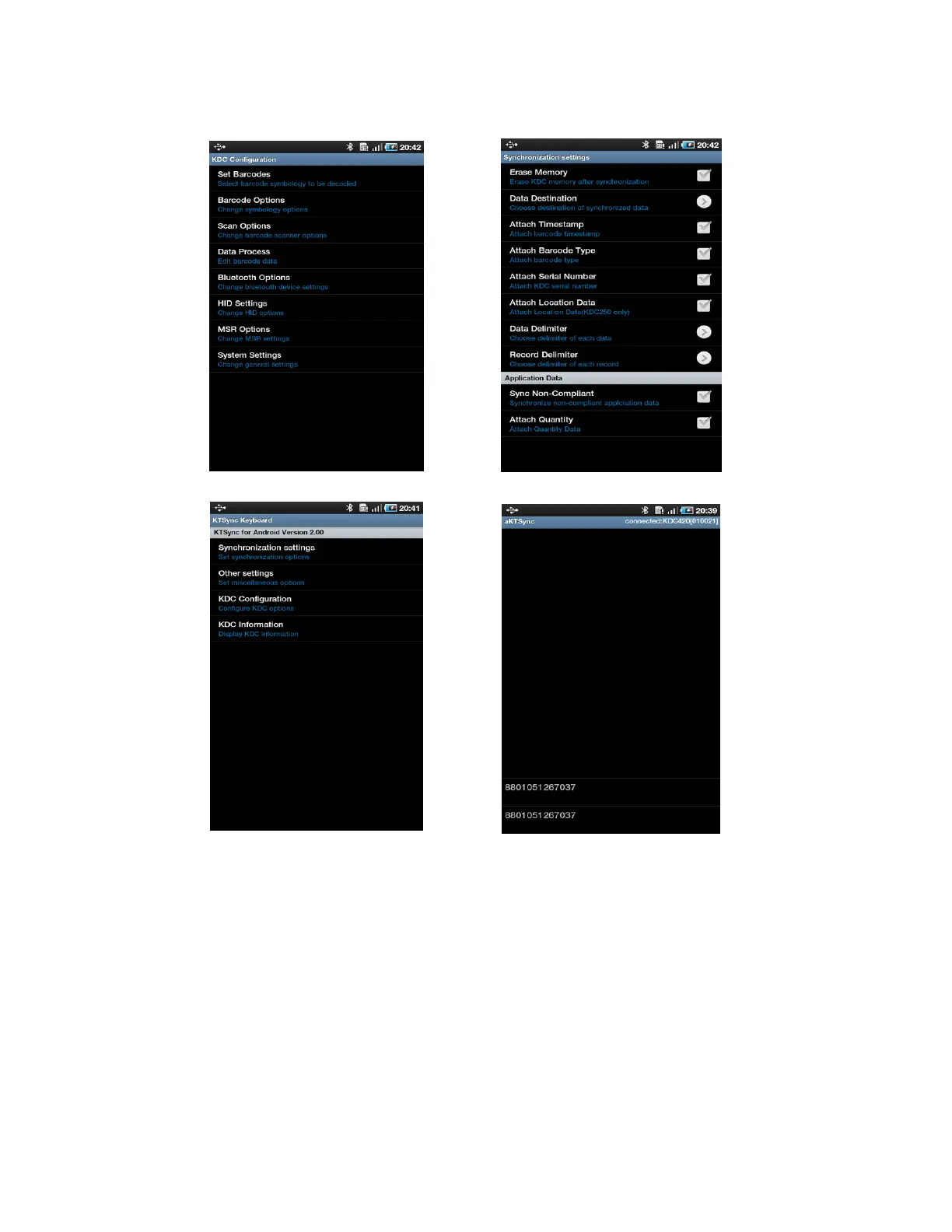
1. Launch Settings on the Android device.
2. Select Language and Keyboard (or Input method).
3. Select KTSync Keyboard.
4. Launch the application and touch the input box to focus.
5. The barcode will be wedged to the input box upon scanning a barcode.


 To Next Page