EasyManua.ls Logo

KoamTac KDC20 - Turn ON;OFF KDC20;30;270;280;350;400;470;475;500 Power

KoamTac KDC20
386 pages
Print Icon
To Next Page IconTo Next Page
To Previous Page IconTo Previous Page
Loading...
koamtac
.com
KDC User Manual
INTRODUCTION
35
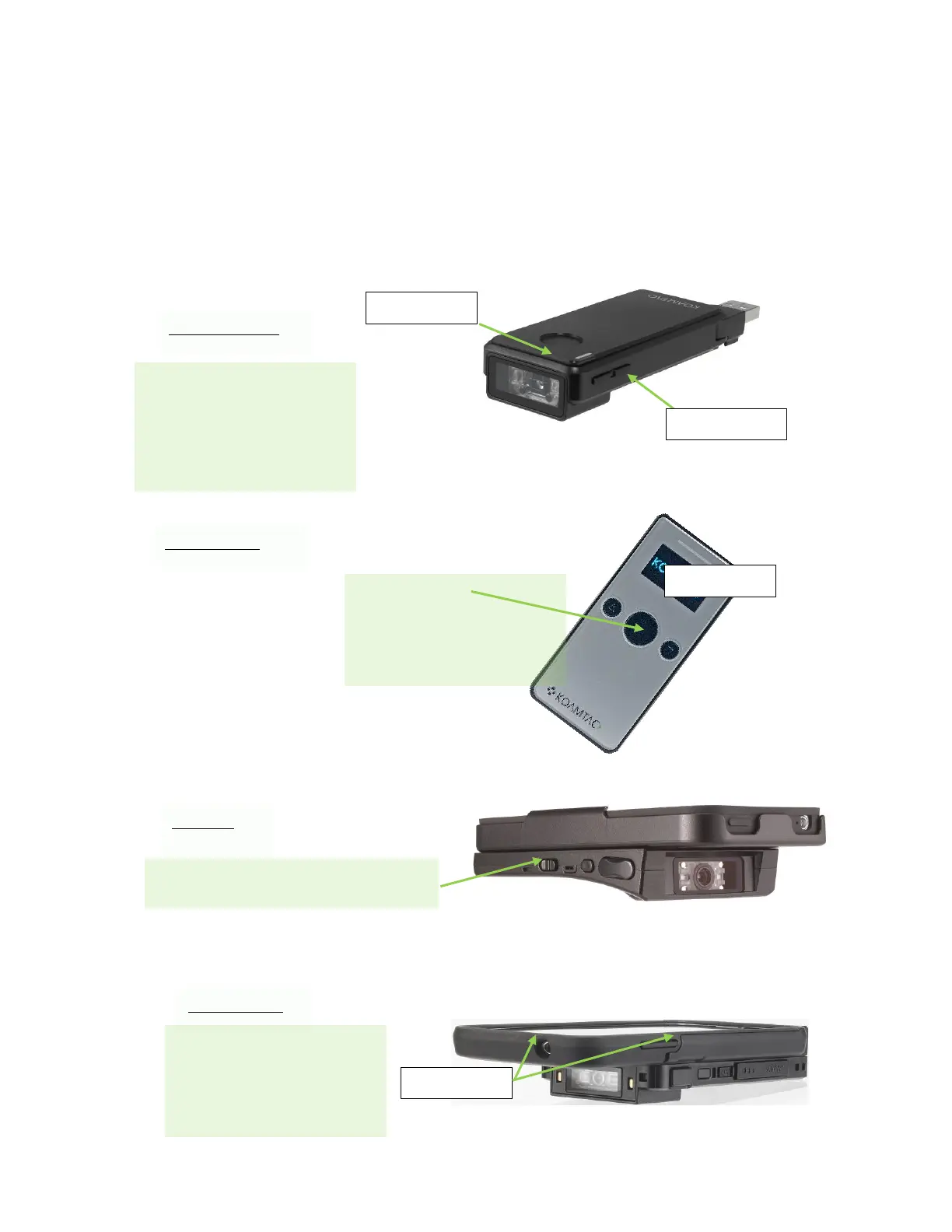
1.6 Turn ON/OFF KDC20/30/270/280/350/400/470/475/500 power
KDC20/30/270/350/400/470/500 have power on/off switch. Please turn on the power first before
using the device.
Press SCAN and DOWN
buttons simultaneously
for 5 seconds. The user
will hear a beep sound
when it is turned ON or
OFF
SCAN Button
DOWN Button
KDC400
KDC20/30/350
Press SCAN button for 5
seconds. The user will
hear a beep sound when
it is turned ON or OFF
SCAN Button
KDC270/280
Press any SCAN button
for 5 seconds. The user
will hear a beep sound
when it is turned ON or
OFF
KDC470/475
SCAN Button
Slide POWER switch to the right.

Table of Contents

Related product manuals