Pairing
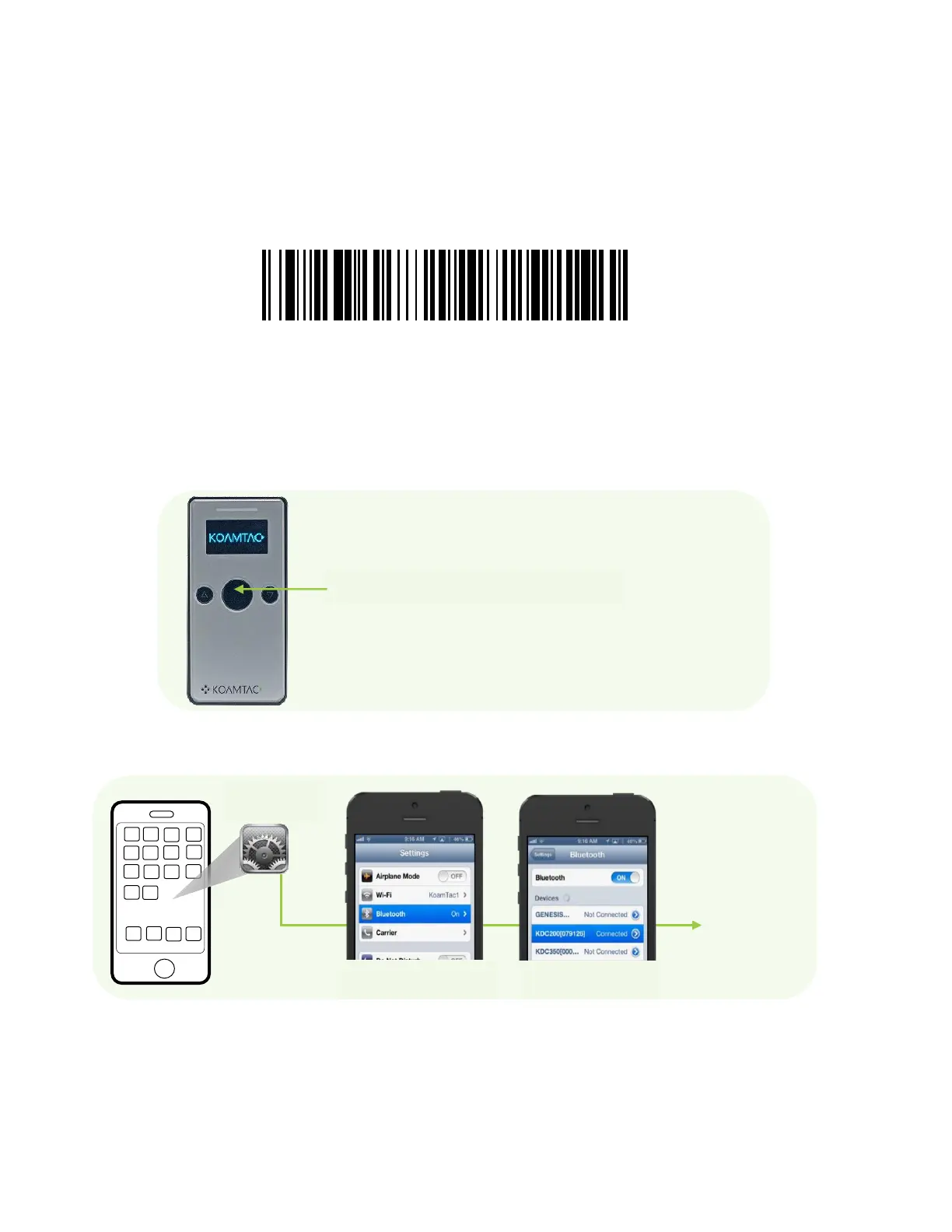
1. There are three ways to put KDC280 into Pairing mode.
⚫ Scan below Pairing barcode.
⚫ Select Pairing from the KDC280 menu.
KDC280 Main Menu → BT Service → Pairing
⚫ Press the Scan button for five seconds in order to enter into Pairing mode.
2. On the host device, go to Settings -> Bluetooth, and select the KDC280 that needs to be
paired. The KDC and host device will now communicate with each other.
3. After it has been paired, open application and select a paired device and connect to the
KDC280.



 To Previous Page