180
7.1 Application Generation
KDC Application Generation tool is a robust feature that enables the user to create custom
applications for collecting and managing barcode data. To create a custom application, select
the Generation submenu from the Application menu in KTSync
®
.
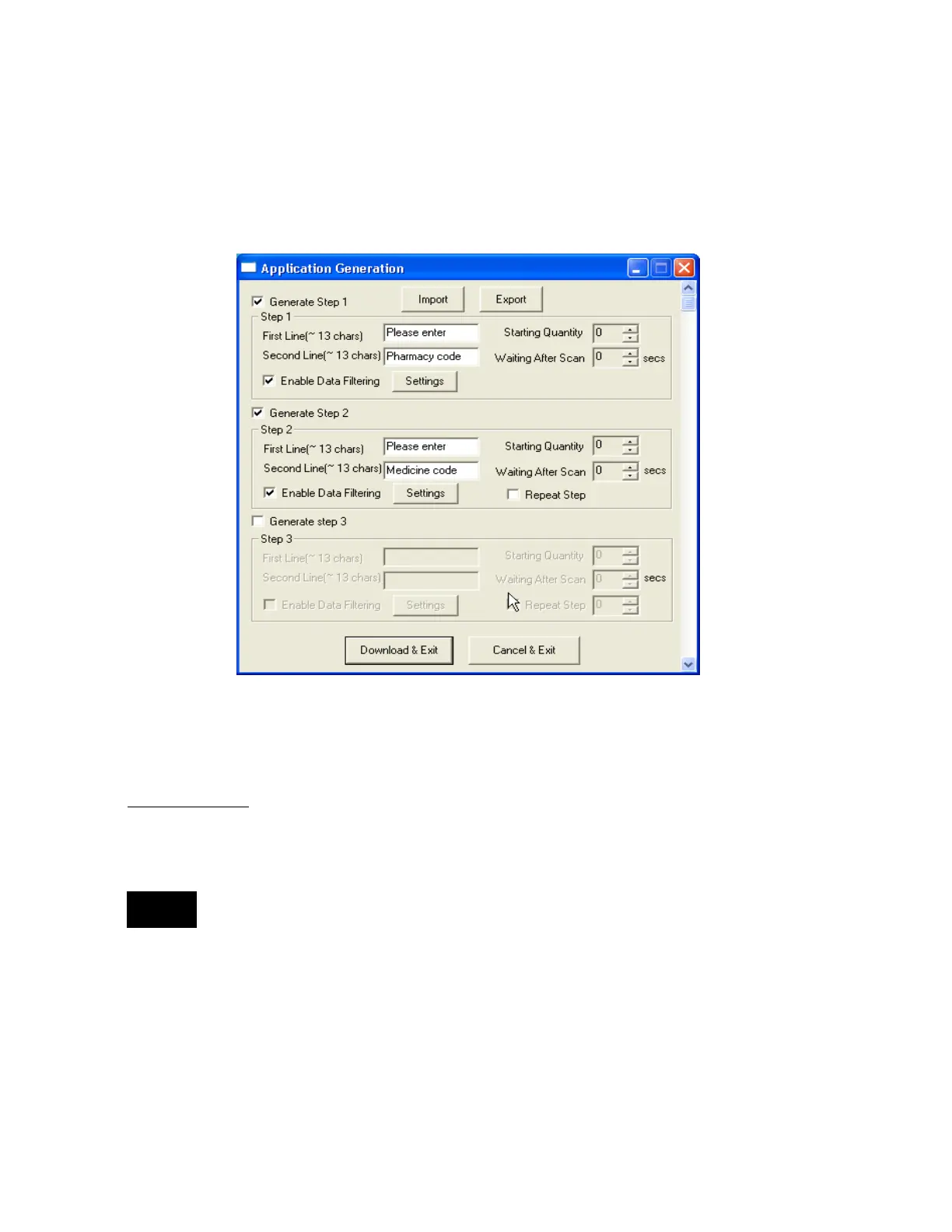
Generate Application
Generate step
1 - To generate a custom application, click on the Generate Step 1 box. This
enables the user to define the user prompts and data collection settings for Step 1 of the
custom application. Below is a description of each field. These prompts are the same when
selecting Generate step 2 and Generate step 3.
The custom application may include only Step 1.
⚫ First line
Enter up to 13 characters; these will display on the first line of the KDC.
⚫ Second line
Enter up to 13 characters; these will display on the second line of the KDC.
⚫ Starting quantity



 To Next Page