KDC User Manual BLUETOOTH
110
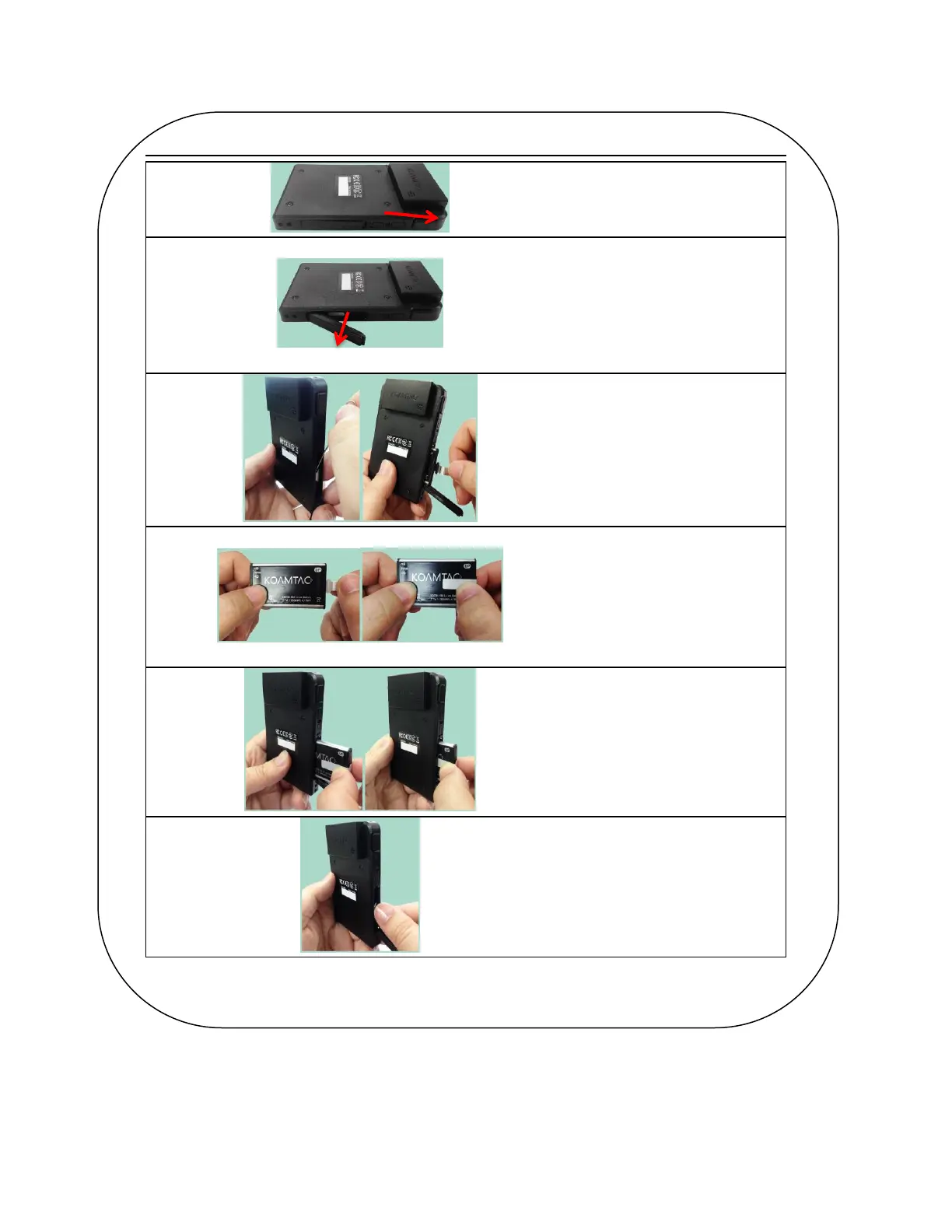
Unlock the battery cover by
sliding the lock switch right.
Open the cover as shown in the
picture.
For easy removal, use a
paperclip or similar tool to pull
on folded sticker.
Hold the sticker and remove
battery.
<Insert the battery>
Before inserting battery, fold
sticker over battery lengthwise.
Slide the lock switch up, open
the battery cover and slide in the
battery slowly.
Close the battery cover and slide
the lock switch down
Figure 18 - Replacing a Battery



 To Next Page