KDC User Manual BLUETOOTH
50
CONFIGURATION METHODS FOR KDC20/30/400/470
⚫ KTSync Software
⚫ Special Barcodes
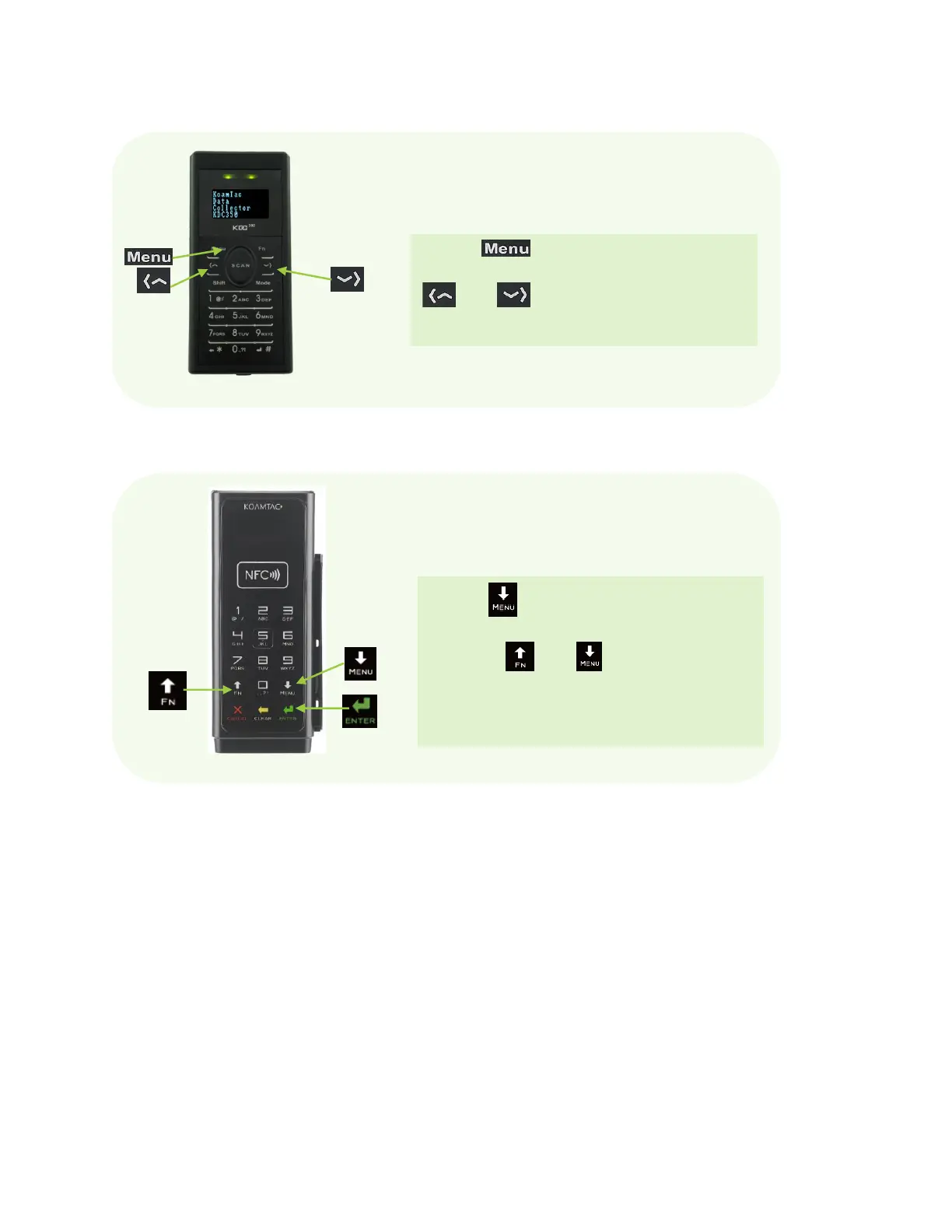
Press the Button to access the KDC menu.
Move the menu bar up and down by pressing the
and Buttons, and configure the KDC by
pressing the SCAN Button to select a menu.
Figure 13 - Location and use of buttons on a keypad (KDC350)
Press the Button for 5 seconds to access the
KDC menu. Move the menu bar up and down by
pressing the and Buttons, and configure
the KDC by pressing the SCAN Button to select a menu.
Figure 12 - Location and use of buttons on a keypad (KDC500)



 To Next Page