KDC User Manual
INTRODUCTION
31
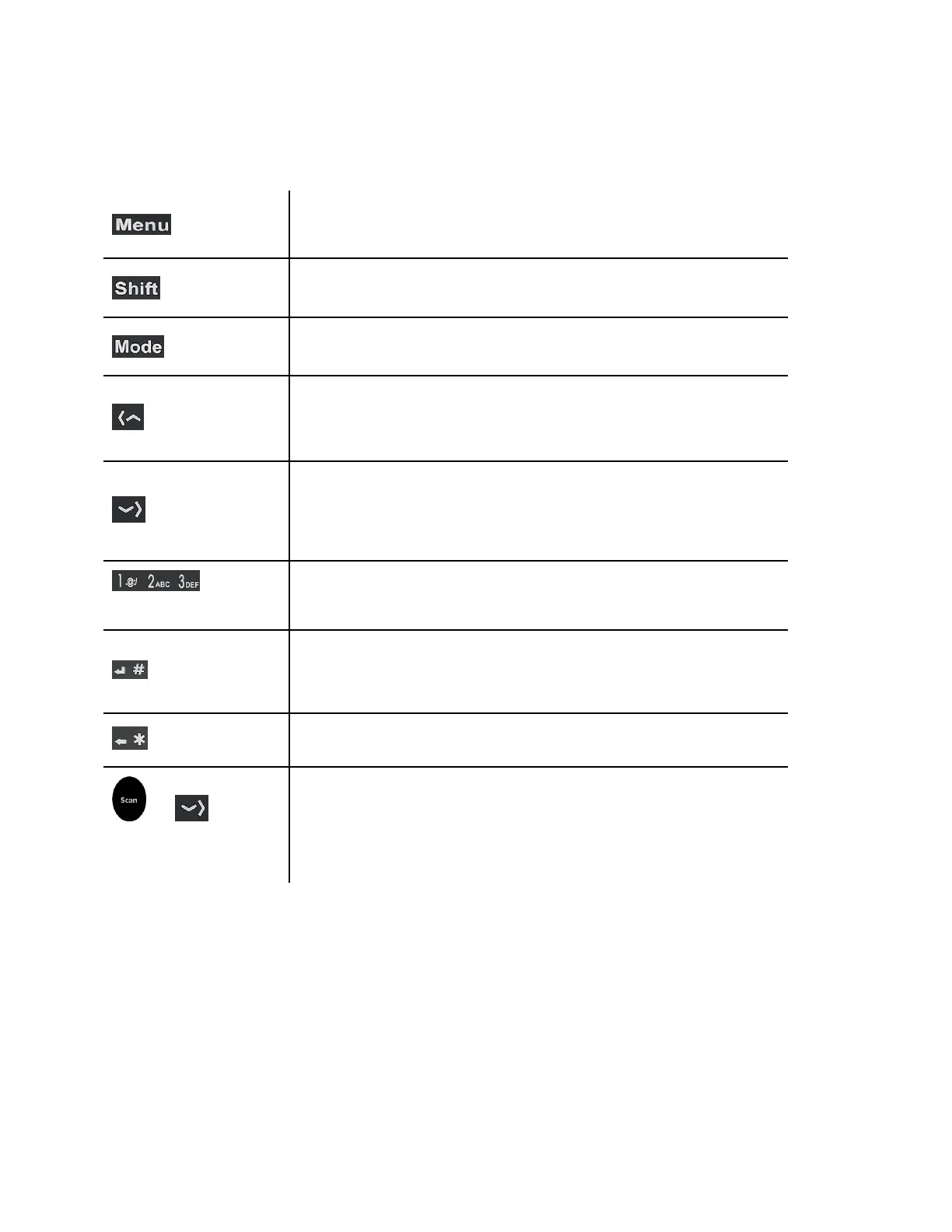
1.3 Keypad Functionality for KDC350
Enables the user to enter or exit the KDC Menu. While in menu
mode, press once to exit.
Enables the user to change character input mode from capital
letters to small letters, and vice versa.
Enables the user to switch between ABC and number input
mode.
While in the KDC menu, press this button to go up on the
selection bar. While on the main screen, press this button and
the KDC will try to connect to a BT host device.
While in the KDC menu, press this button to go down on the
selection bar. While on the main screen, press this button to
toggle the iOS soft keyboard (if the KDC is connected in HID-
iOS mode).
Input numbers or characters
Press to finish data input (if “Enter Key” option is disabled).
Press to finish data input and move cursor to next line (if “Enter
Key” option is enabled).
Press to delete the last character or number input
Press both Scan button and Down button for more than 5
seconds at the same time to turn KDC350 power on and off.



 To Next Page