KDC User Manual SYNCHRONIZATION
126
Pair/Connect KDC with Gear S3
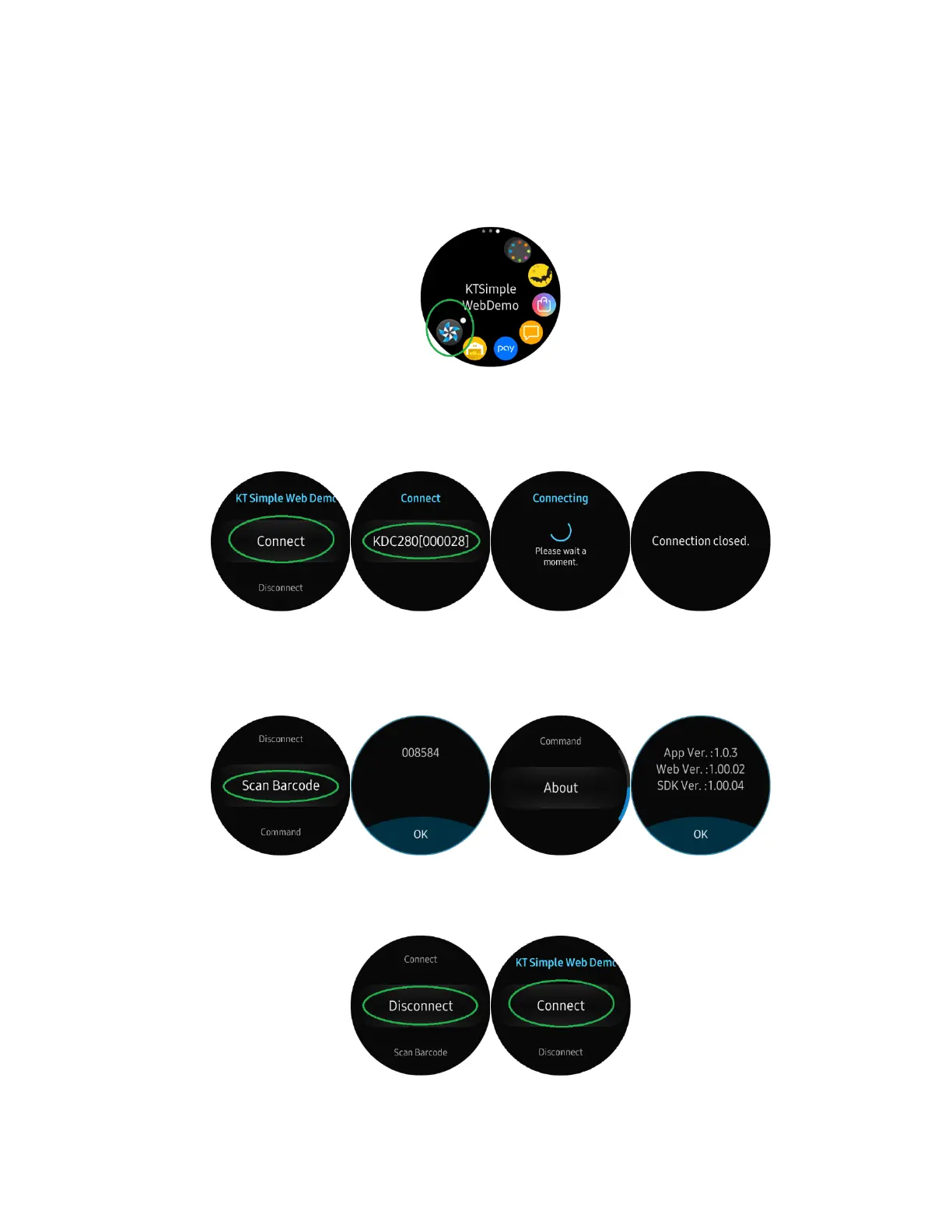
➢ Put KDC280C-BLE into OPEN mode (see Chapter 4 above)
➢ Run KTSimpleWebDemo on your Gear S3.
➢ Tap “Connect” and the available devices will be listed on your Gear S3. Tap the KDC
from the list of available devices to connect. The number between the brackets refers
to the serial number located on the back of the KDC.
➢ Now you can trigger the KDC scanner via the demo application or the KDC itself. Any
scanned bar code will be displayed on the Gear S3. There are also many commands
that can be used to view or set the configuration of the KDC.
➢ If the KDC becomes disconnected or if you disconnect the current KDC, you can
reconnect it later by selecting Connect from the Gear S3.



 To Next Page