KDC User Manual SYNCHRONIZATION
157
Configuration
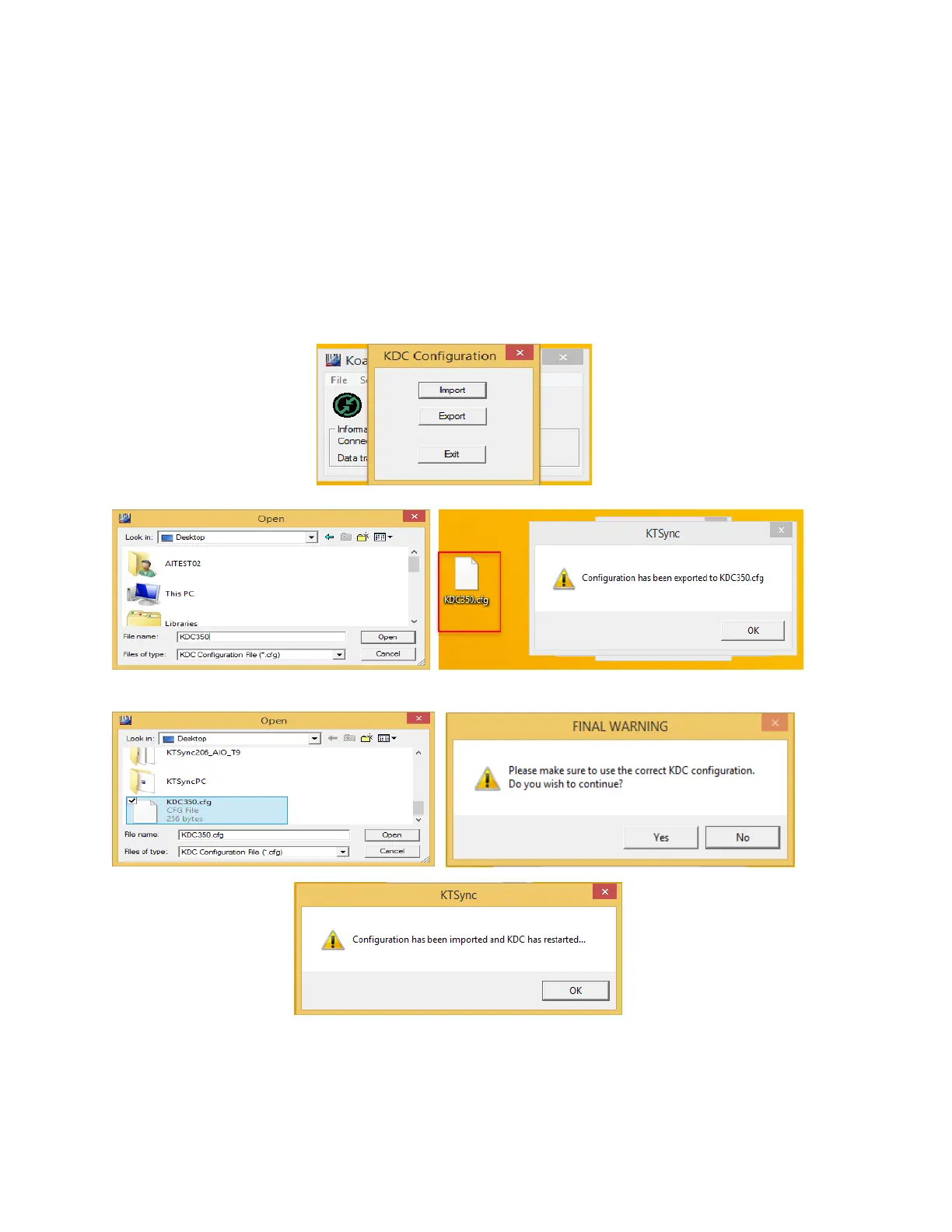
This menu is useful for the users who need to configure different KDCs with same settings. In
this menu, you may export settings from a KDC to your computer and import it to other KDCs.
When you select Configuration in File menu, you will need to choose either Export or Import.
First, select Export. You name the settings file, press Open, and it is exported to your computer.
Second, connect a different KDC to your computer and import the settings file to the KDC by
selecting Import in the Configuration menu. Once configuration has been finished, KDC will
restart.



 To Next Page