KDC User Manual SYNCHRONIZATION
138
Step 4. Setup SSL
• Unzip the certificates.zip and
1. Copy ‘server.crt’ into /xampp/apache/conf/ssl.crt
2. Copy ‘server.key’ into /xampp/apache/conf/ssl.key
3. Make sure the following 3 lines are in /xampp/apache/conf/extra/httpd-ssl.conf.
# SSL Engine Switch:
# Enable/Disable SSL for this virtual host.
SSLEngine on
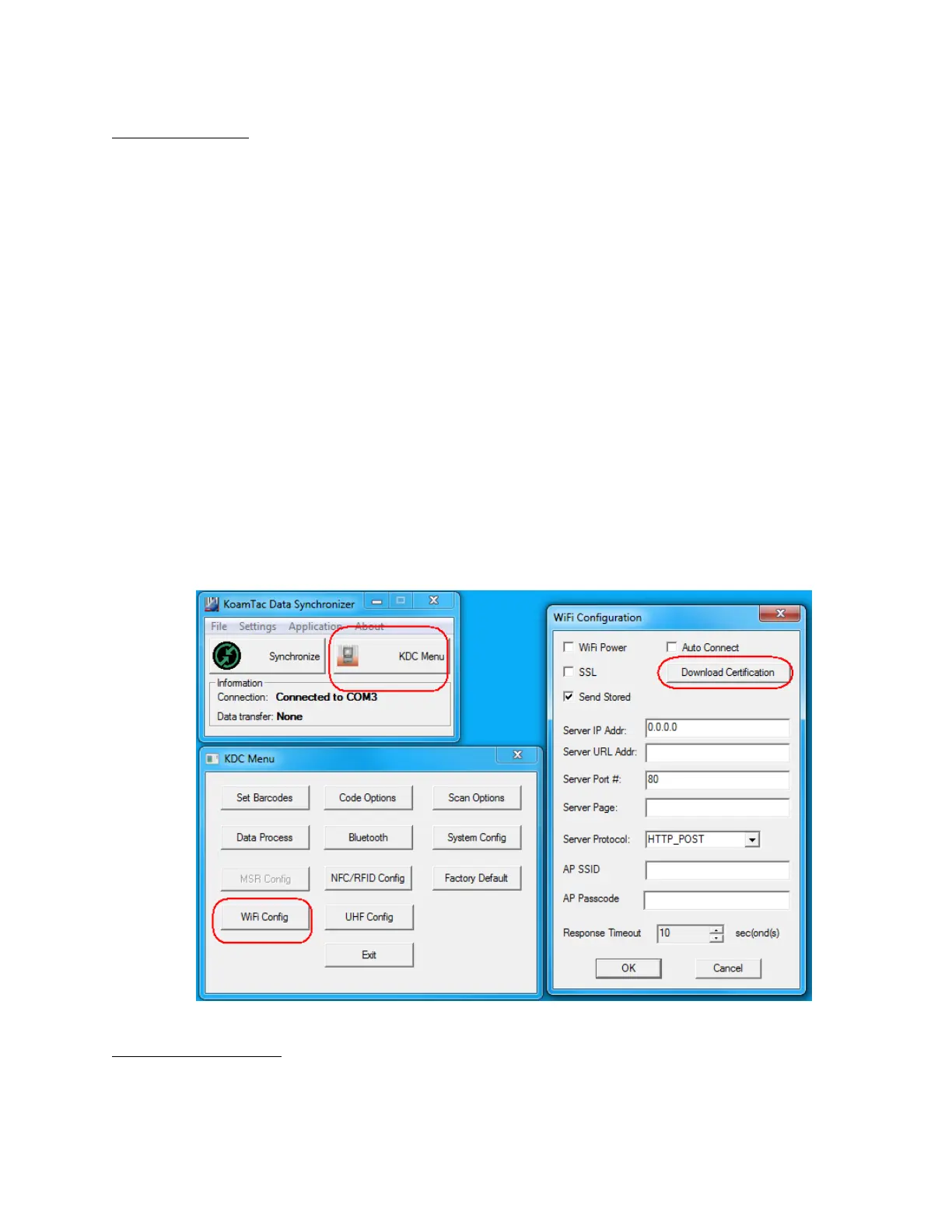
• Download ‘cacert.der’ into KDC using KTSync
1. Open KDC Menu and enter WiFi Config.
2. Select “Download certification” to download certification data into KDC.
3. KTSync will display “Download is done”.
Step 5. Setup SQL DB
• Enter the MqSQL configuration by pressing “Admin” in XAMPP as shown



 To Next Page