KDC User Manual BLUETOOTH
41
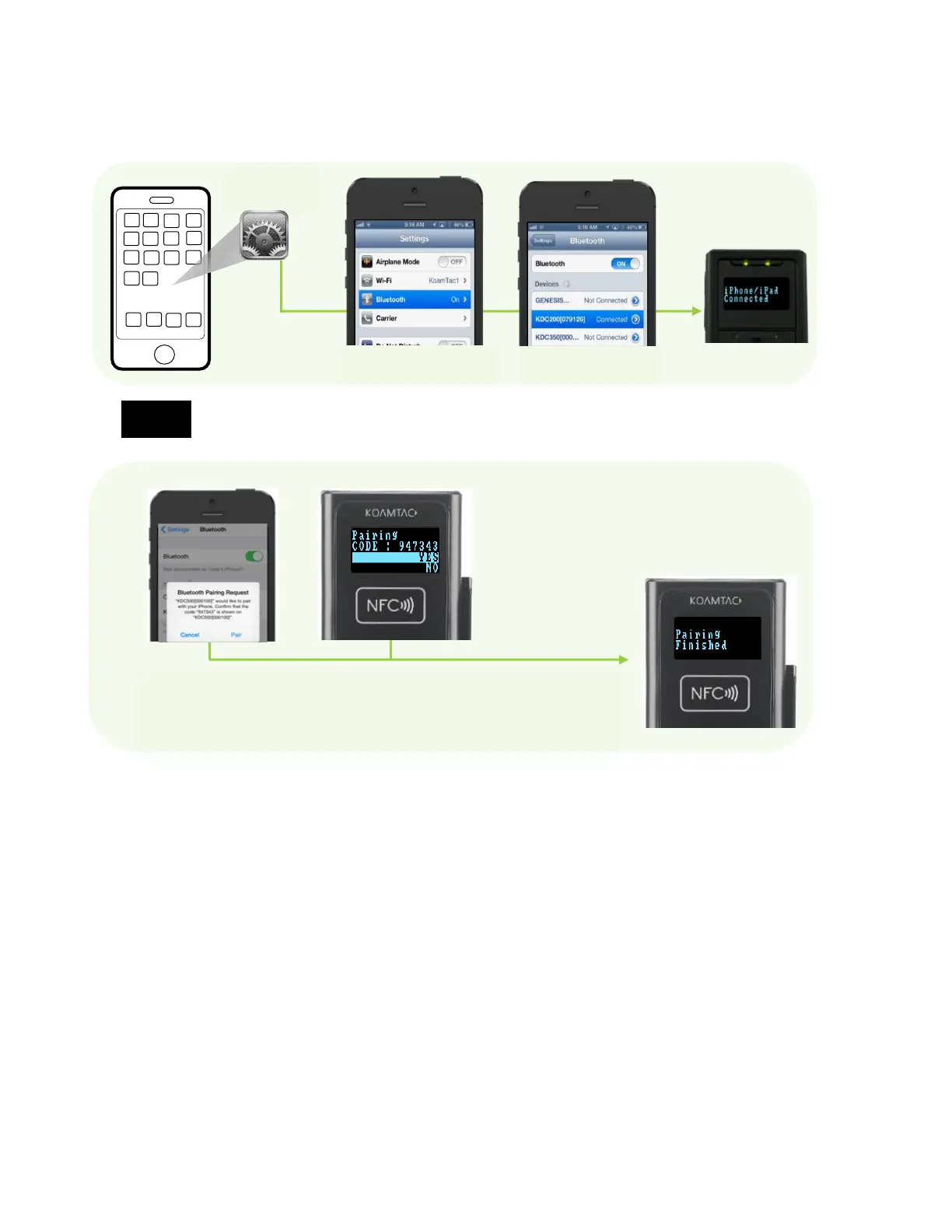
2. On the host device, go to Settings -> Bluetooth, and select the KDC that needs to be paired.
The KDC and host device will now communicate with each other.
For PCI PTS compliance, KDC500 requires Numeric Comparison method.
3. After it has been installed, open KTSync and it will automatically find and connect to the KDC.
(Refer to 2.2 KOAMTAC Installation Wizard for more information about installing KTSync).
Second Option: Connect the host device from the KDC by scanning a Special Bluetooth
MAC Address barcode
This method is recommended for advanced users or when the application or process requires
the pairing of multiple KDCs to multiple host devices on a regular basis.
1. Find the Bluetooth MAC Address of the host device.
If the host device and KDC500 shows the same 6digit
number, press Pair/YES button on each device.



 To Next Page