Initiate Loadbox Test:
1. To initiate the loadbox test, on the PSC PTU:
¤
Cursor to “Normal Operation” {enter}
¤
Cursor to “SELF LOAD ENGINE TEST” {enter}
¤
Arrow to ENTER LDBX {enter}
2. “CCU” should momentarily display at the bottom
of the screen. (This is a self-test indication).
3. Put the Selector Switch in NEUTRAL and depress
the accelerator pedal. RPM must be above 1300
RPM to pick up RP1.
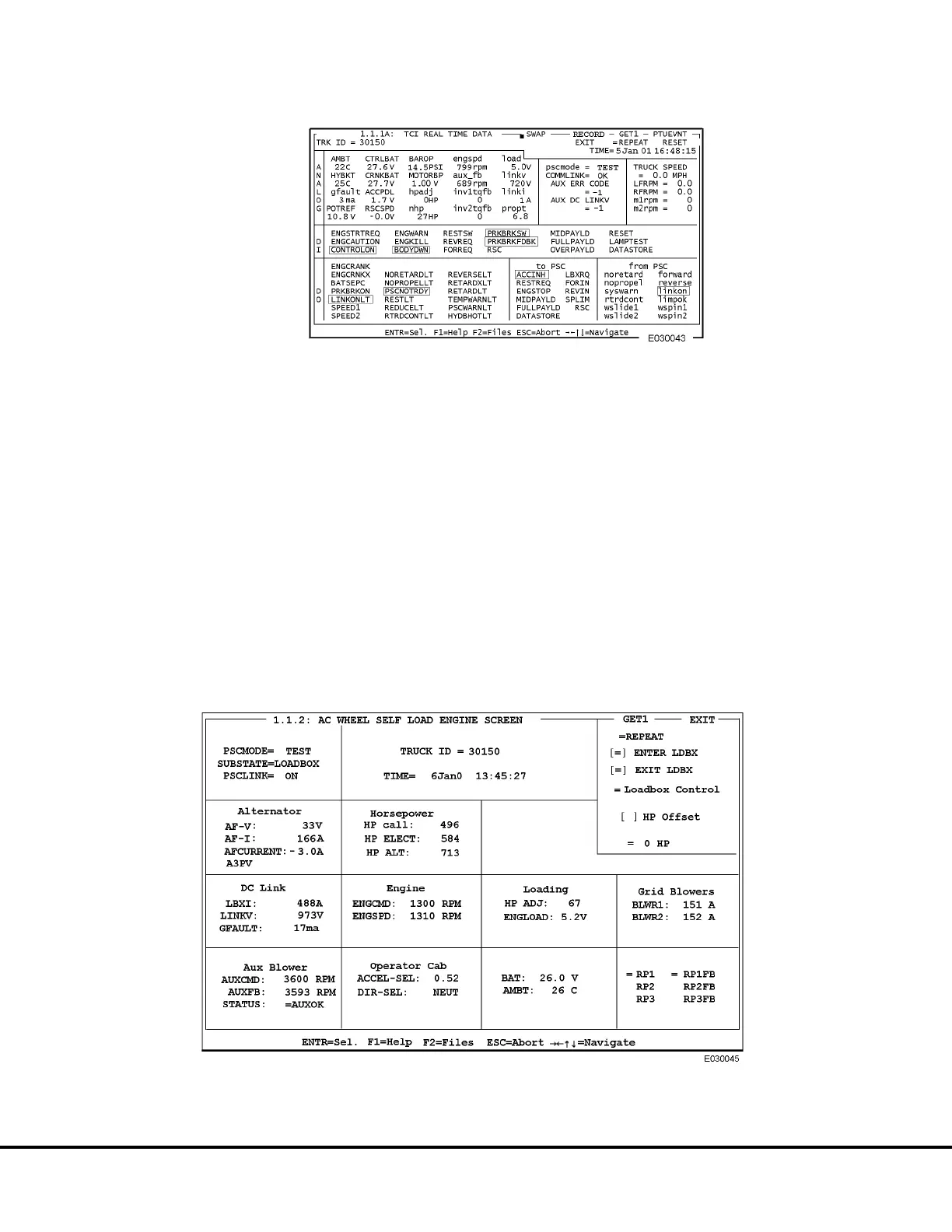
4. Compare the values on the Loadbox Screen to
the values shown in Figure 3-10.
FIGURE 3-9. TCI REAL TIME DATA SCREEN SAMPLE
FIGURE 3-10. SELF LOAD TEST SCREEN, RP1 PICKED UP
E03015 3/01 AC Drive System Electrical Checkout Procedure E3-31
(Release 17 Software)



 To Next Page