DISPLAY OF FAULT CODES
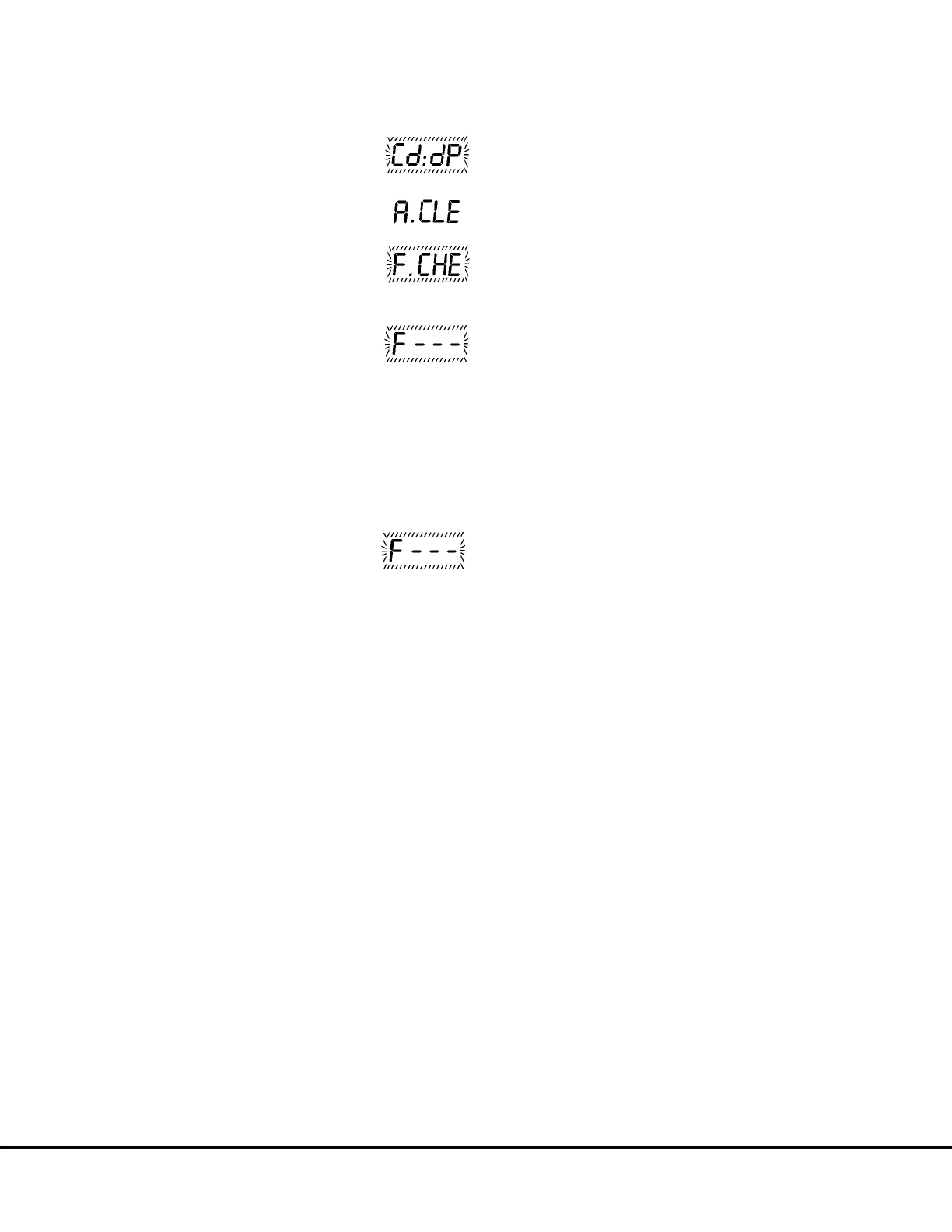
1. Press and hold the MODE switch
until "Cd:dP" is displayed.
2. Press the MODE switch once. The
display will show:
3. Press the MODE switch once. The
display will show:
4. Press the TOTAL/SFT switch.
If there are no faults or warnings,
the display will show for 6 seconds.
If there are current faults or warnings, the codes
will be displayed in order of their priority, the
highest priority first. Each code will flash for
6
seconds.
5. After the current codes have been displayed, past
history codes that have been reset will be dis-
played. Each code will flash for
3 seconds.
If there are no history codes or
after all history codes have been
shown , the display will show for 3
seconds:
The system will then proceed to the following
displays: Refer to Page 22 for details.
• Condition of the shift selector on mechanical trucks
or brake lock on electric trucks.
The panel will display: “C1:XX” for 3 seconds,
then indicate:
Mechanical trucks
“C1:oo” Shift selector is in "N".
“C1:– –” Shift selector is not in "N’.
Electric trucks
“C1:oo” Brake lock is on.
“C1:– –” Brake lock is off.
• Condition of the Body Up Switch signal.
The panel will display: “C2:XX” for 3 seconds,
then indicate:
“C2:oo” Body up switch is in up position.
“C2:– –” Body up switch is in down position.
• Condition of the Engine Oil Pressure signal.
The panel will display “:C3:XX” for 3 seconds,
then indicate:
“C3:oo” Engine is running.
“C3:– –” Engine is not running.
• Condition of Alternator ’R’ terminal signal.
The panel will display “C4:XX” for 3 seconds,
then indicate:
“C4:oo” Engine is running.
“C4:– –” Engine is not running.
• Condition of the Spare Analog Input 1 signal.
The panel will display “C5:XX” for 3 seconds
with XX: as an input signal (V).
• Condition of the Spare Analog Input 2 signal.
The panel will display “C6:XX” for 3 seconds
with XX: as an input signal (V).
• Condition of the Spare Digital Input 1 signal.
The panel will display “C7:XX” for 3 seconds,
then:
“C7:oo” High.
“C7:– –” Low.
• Condition of the Spare Digital Input 2 signal.
The panel will display “C8:XX” for 3 seconds,
then:
“C8:oo” High.
“C8:– –” Low.
4. Press the TOTAL/SFT switch to view faults again
or press the MODE switch to return to normal
operation.
M20007 10/00 Payload Meter II M20-19



 To Next Page