DVR Settings
Entering/Changing the Ethernet Options
Flashback3 & Flashback HD User’s Guide
L3 Mobile-Vision 6.23.2017 Page 173
7 Che
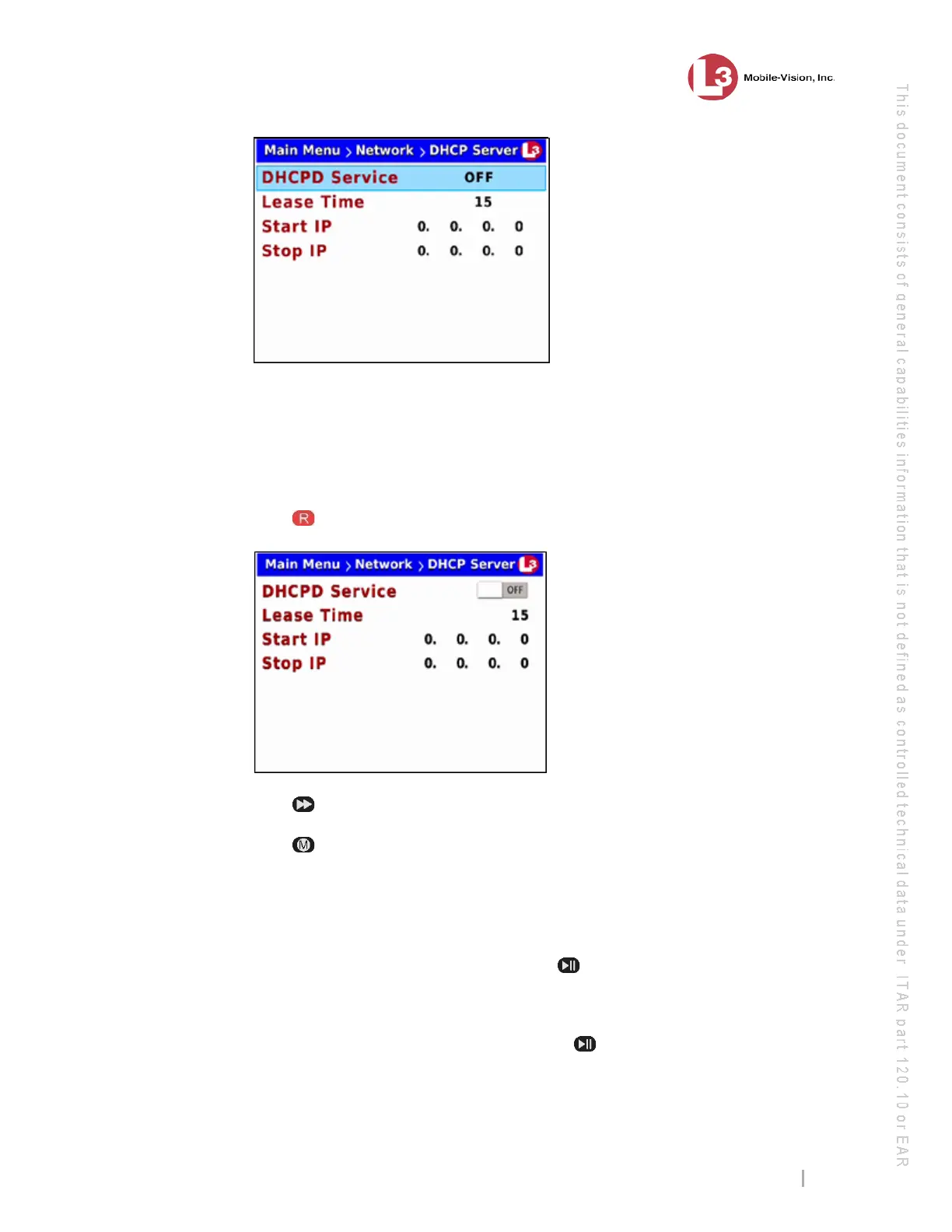
ck the value of the DHCPD Service field.
If the value of the DHCPD Service field is ON (default), skip to step 11.
– OR –
If the value of the DHCPD Service field is OFF, proceed to the next step.
8 Pr
ess to select the DHCPD Service field.
9 Pre
ss
to toggle the field value to ON.
10 Pr
ess .
Not
e the value in the Lease Time field. This field is used to select the amount of time,
in minutes, that you want the client to idle on the network before its IP address is
eligible for reassignment. System default is 15 minutes.
11 To keep the current Lease Time value, press twice to advance to the Start IP field.
Next, skip to step 16.
– OR –
To change the current Lease Time value, press to advance to the Lease Time
field.



 To Next Page