DVR Settings
Entering/Changing the Wireless Security Settings
Flashback3 & Flashback HD User’s Guide
Page 186 L3 Mobile-Vision 6.23.2017
5 P
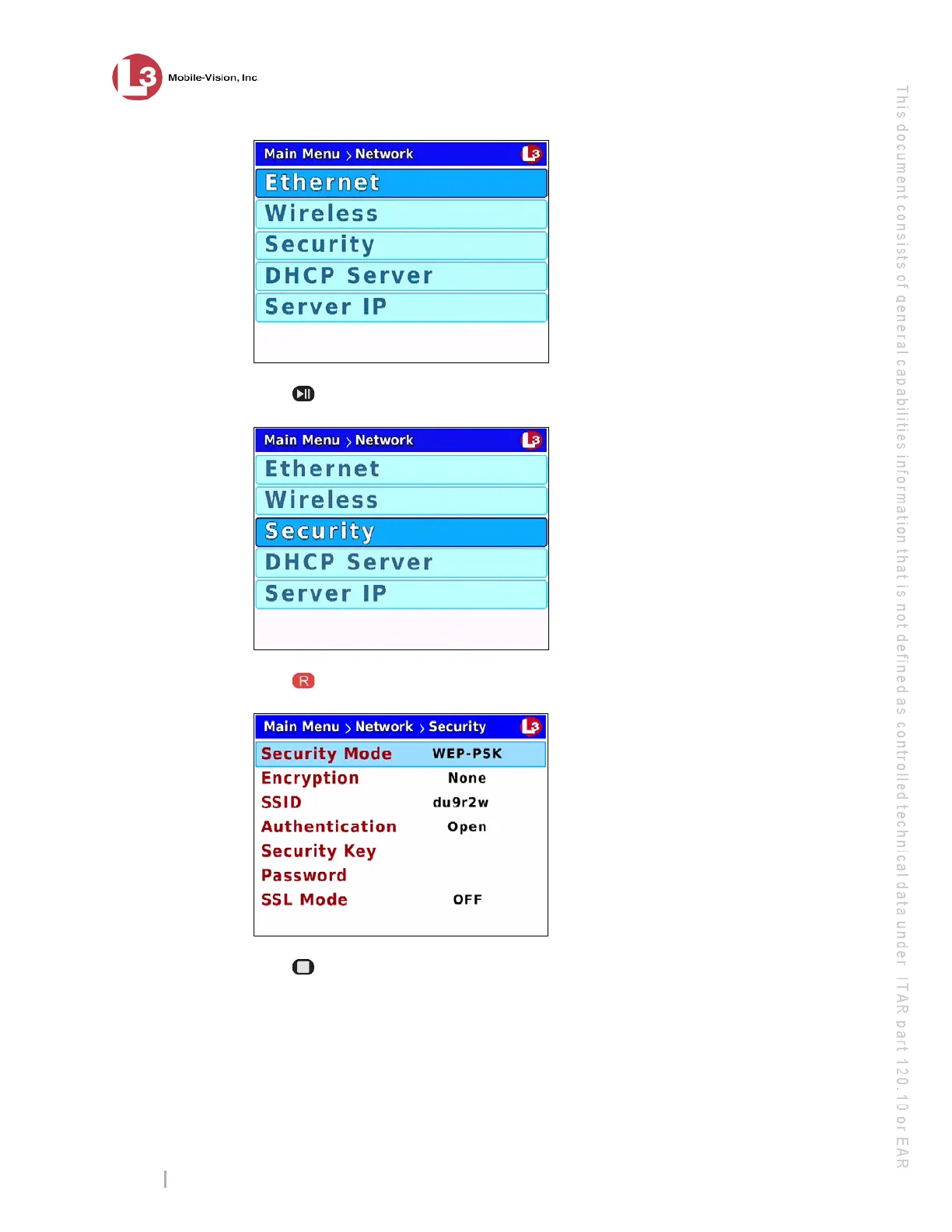
ress twice to advance to the Security option.
6 P
ress to select the Security option. The Security screen displays.
7 P
ress three times to advance to the Security Key field.



 To Next Page