DVR Settings
Entering/Changing the Wireless Security Settings
Flashback3 & Flashback HD User’s Guide
L3 Mobile-Vision 6.23.2017 Page 187
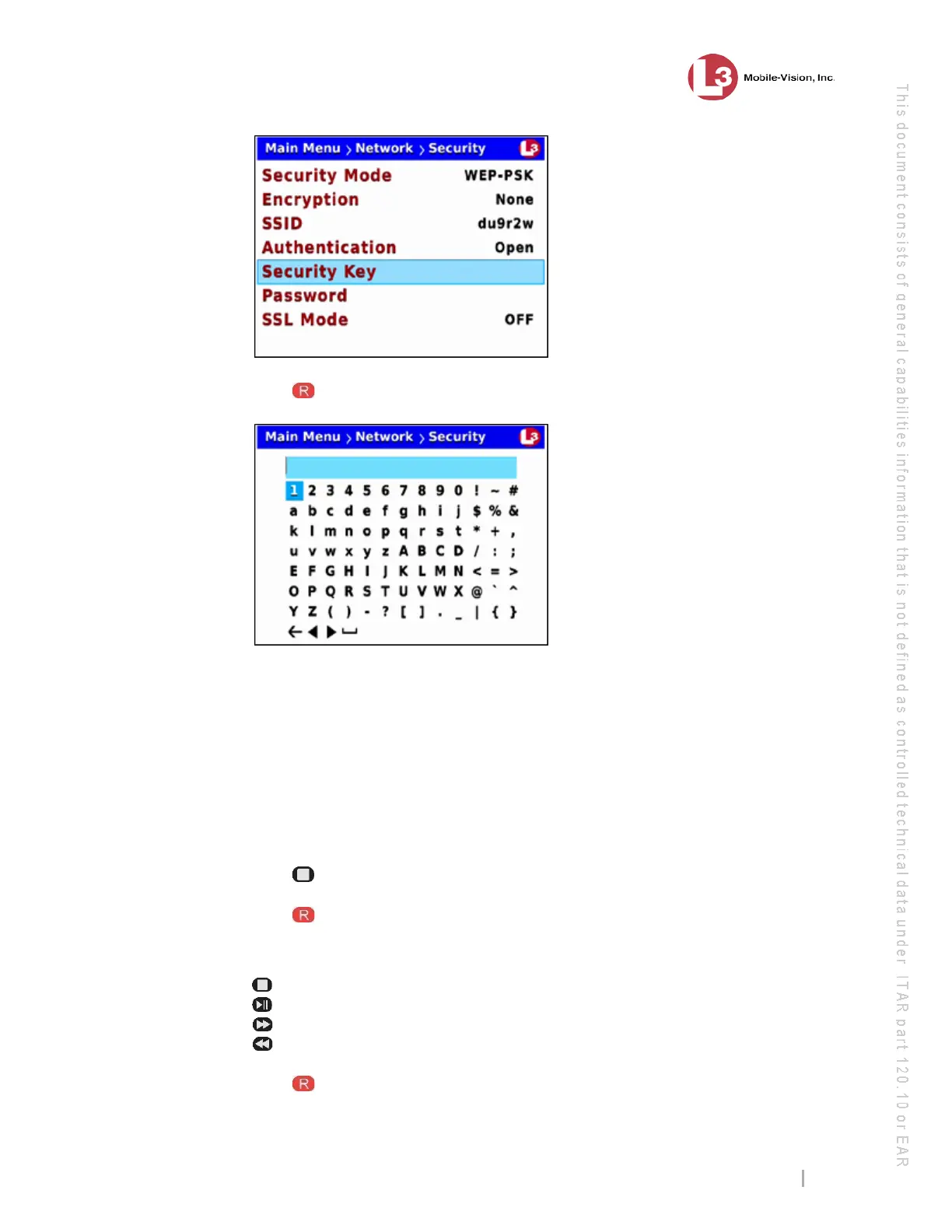
8 Press to select the Security Key field. A data entry keyboard displays.
Y
ou will be using this keyboard to spell out your key, which must be either 10 digits
long (for 64 bits/ascii) or 26 digits long (for 128 bits/hex). It may include any
combination of the on-screen characters.
9 I
f there is an existing key displayed at the top of this screen, you have to delete that
key first before you can enter a new one. Proceed to the next step for instructions.
– OR –
If there is no text displayed at the top of this screen, skip to step 12.
10 P
ress to highlight the icon.
11 P
ress several times until the existing key is deleted.
12 U
sing the following navigation buttons, highlight the first letter of your key.
....... Up
....... Down
....... Right
....... Left.
13 Press . The selected character displays at the top of the screen.



 To Next Page