DVR Settings
Entering/Changing System Settings
Flashback3 & Flashback HD User’s Guide
Page 202 L3 Mobile-Vision 6.23.2017
To insert a space, use the icon.
14 O
nce the correct Admin User ID displays, press twice to save your changes and
exit the data entry keyboard.
15 P
ress to advance to the Admin Password field.
16 P
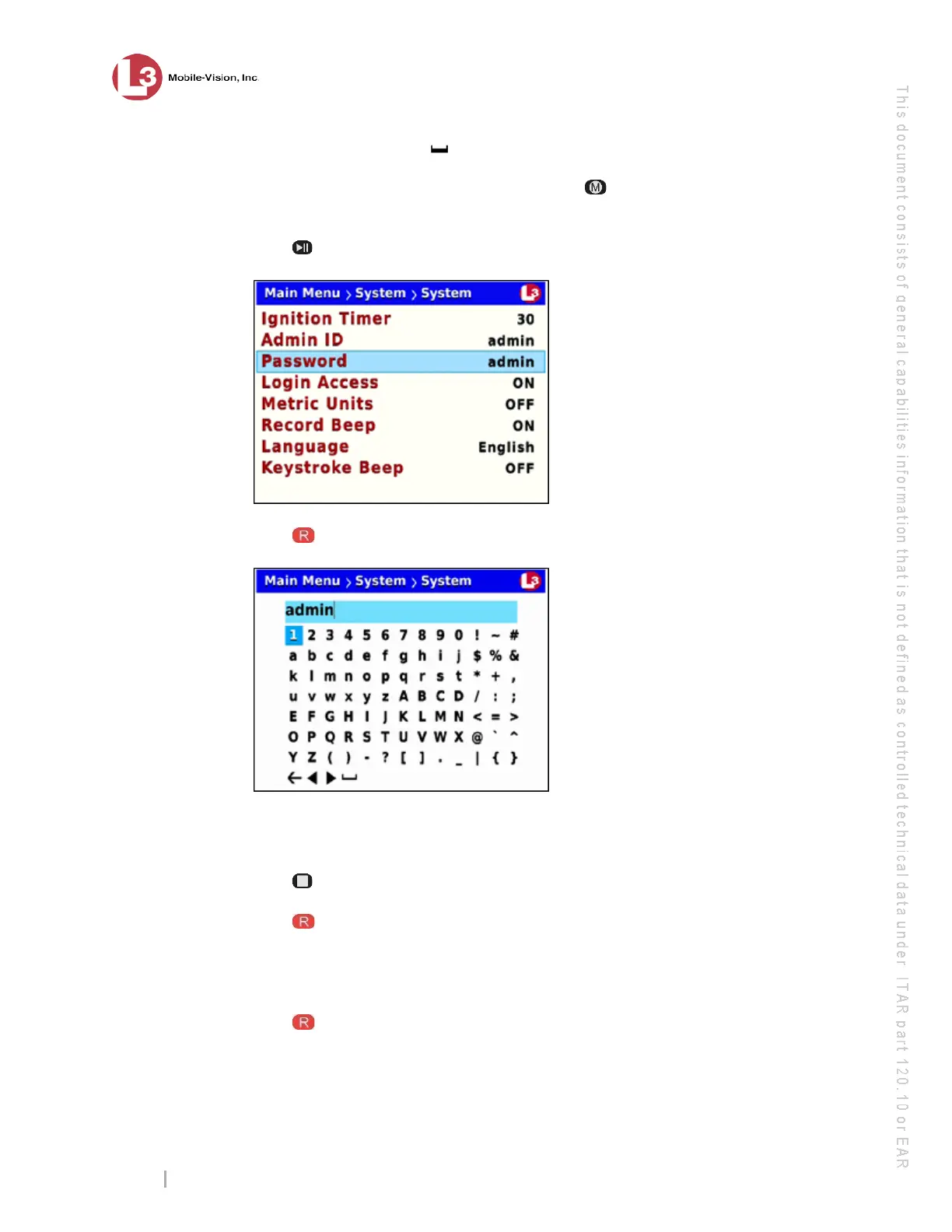
ress to select the Password field. A data entry keyboard displays.
Y
ou will be using this keyboard to spell out your DES Administrator’s password.
Begin by deleting the old password, as described in steps 17 and 18.
17 P
ress to highlight the icon.
18 P
ress
several times until the password is deleted.
19 U
sing the navigation buttons, navigate to the first letter of the new password you
wish to enter.
20 Press . The selected character displays at the top of the screen.



 To Next Page