Upgrading from Flashback2 to Flashback3 or FlashbackHD
Flashback3 & Flashback HD User’s Guide
L3 Mobile-Vision 6.23.2017 Page 247
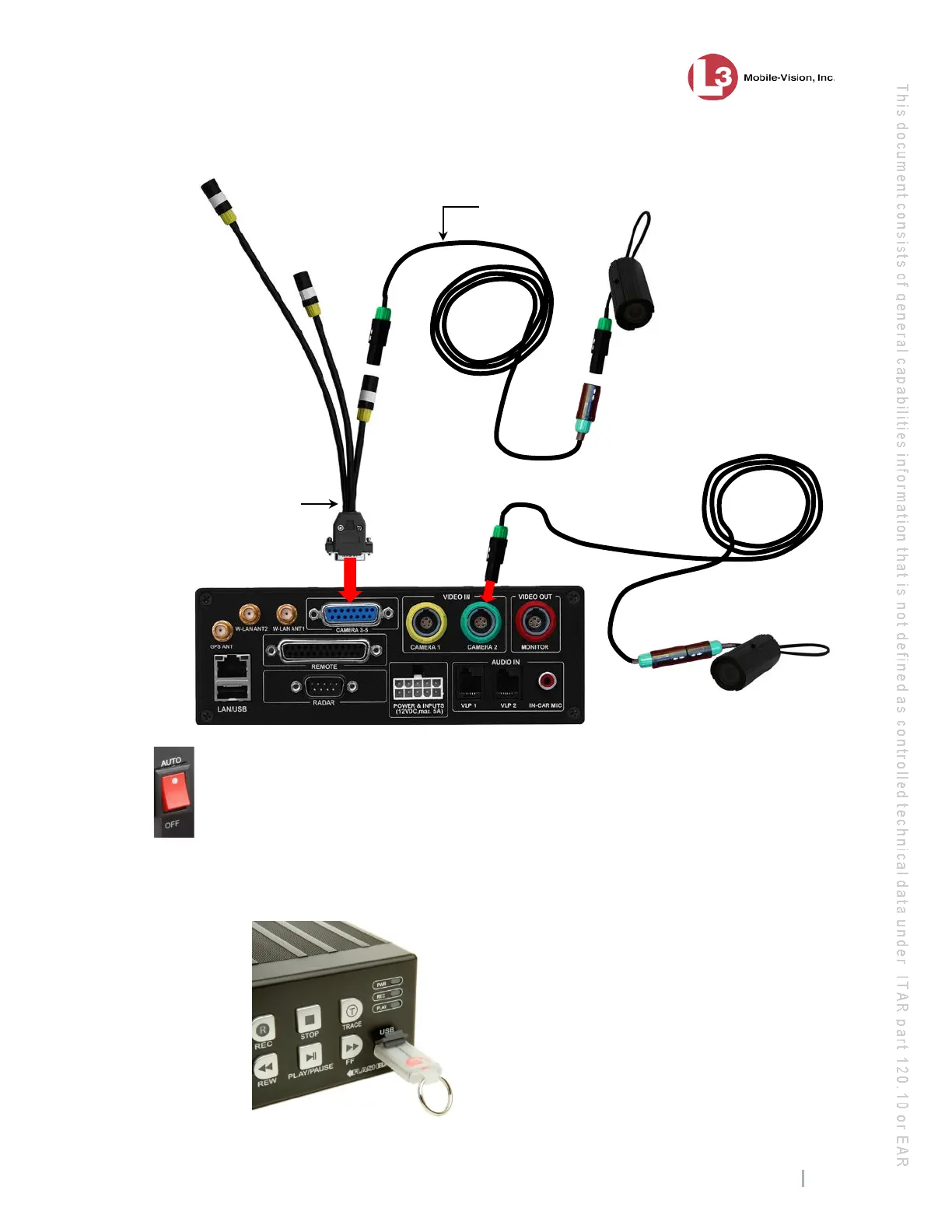
26 Make sure the door to the Flashback3 or FlashbackHD is open and the red power
switch is in the
AUTO (ON) position. If you are in a vehicle, turn the ignition on.
N
ext, copy the Flashback2 configuration file from the USB drive to your Flashback3
or FlashbackHD, as described in steps 27 – 34.
27 Take the USB drive that contains the Flashback2’s config.xml file and insert it into
the USB port on the front of the Flashback3 or FlashbackHD DVR.
camera
Camera Extension
cable (connectors
may be yellow)



 To Next Page