DVR Operation
Playing Back a Video
Flashback3 & Flashback HD User’s Guide
L3 Mobile-Vision 6.23.2017 Page 29
The
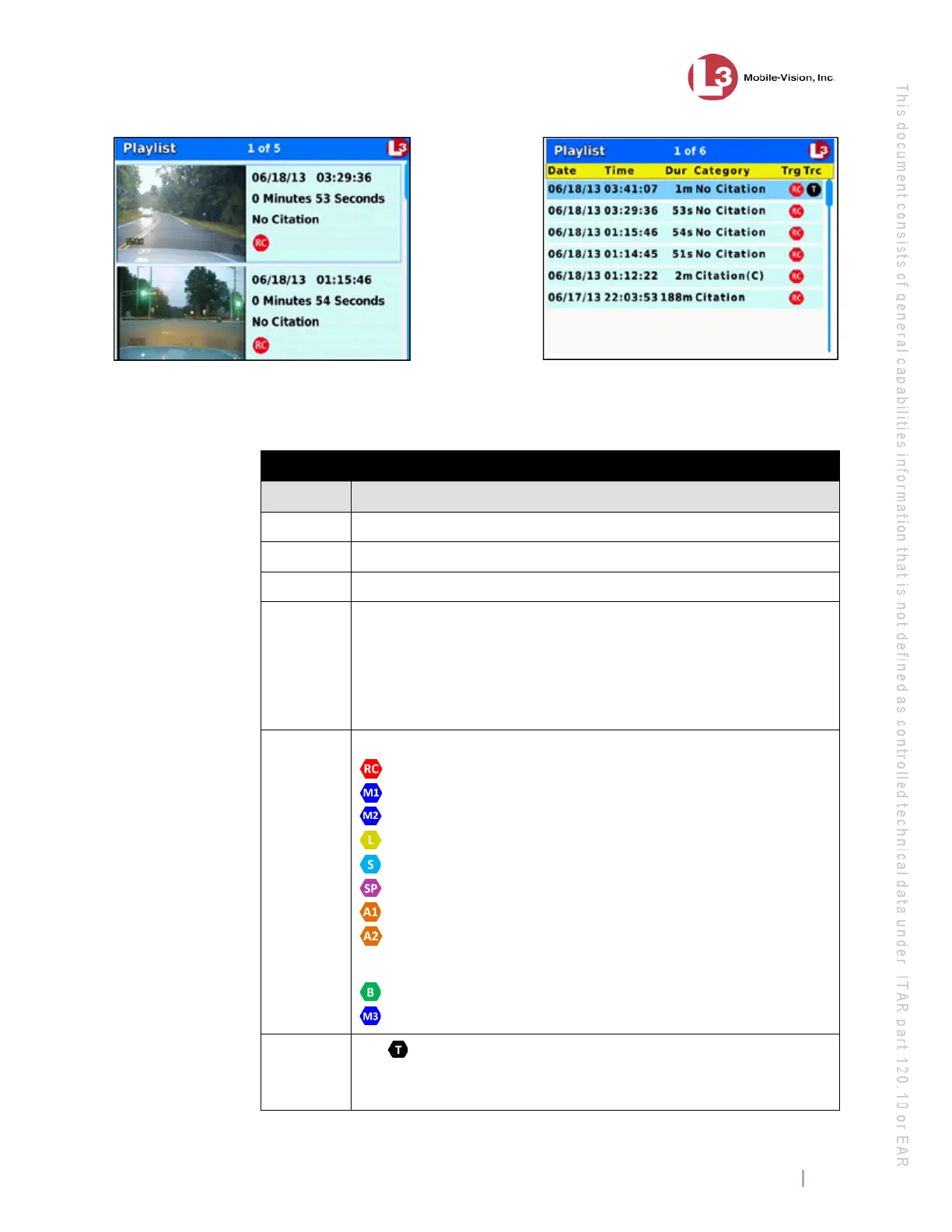
columns on the Playlist screen (list view) are described in the following table.
Playlist Screen
Column Description
Date Recording start date in YY/MM/DD format.
Time Recording start time in HH:MM:SS format.
Dur Duration of recording in seconds (s) or minutes (m).
Category If this is a Background Record video, Background(R) will display
here. If this is a Regular Record video, the video’s category will
display here. The default categories are: No Citation, Citation,
Search, Arrest, and Other. If a category name is followed by (C), it
indicates that the video is a continuation of the previous video. The
system automatically subdivides videos that are larger than 1G.
Trg The event that triggered the recording:
........ Record Button
........ Wireless microphone connected to input port VLP 1
......... Wireless microphone connected to input port VLP 2
......... Emergency lights
......... Siren
......... Speed
......... Auxiliary 1 device, such as the Crash Sensor
........ Auxiliary 2 device, such as a motion detector
Display-only events (i.e., events that do not trigger a recording)
......... Brakes
......... In-car microphone
Trc
If a displays here, it indicates that there is one or more Trace
Points embedded in this video. For more on Trace Points, see the
table on page 6.
Video Playlist in “image” view
Video Playlist in “list” view



 To Next Page