DVR Operation
Playing Back a Video
Flashback3 & Flashback HD User’s Guide
Page 30 L3 Mobile-Vision 6.23.2017
4 Press the or button until the correct file is highlighted.
5 Press . The default video/audio track begins playing. The default video track is
Camera channel 1 (forward-facing zoom camera), and the default audio track is VLP
1 port (VLP2 or VLX mic connected to VLP 1 port).
6 T
o select a different video and/or audio track, proceed to the next step. Otherwise
skip to step 18.
7 H
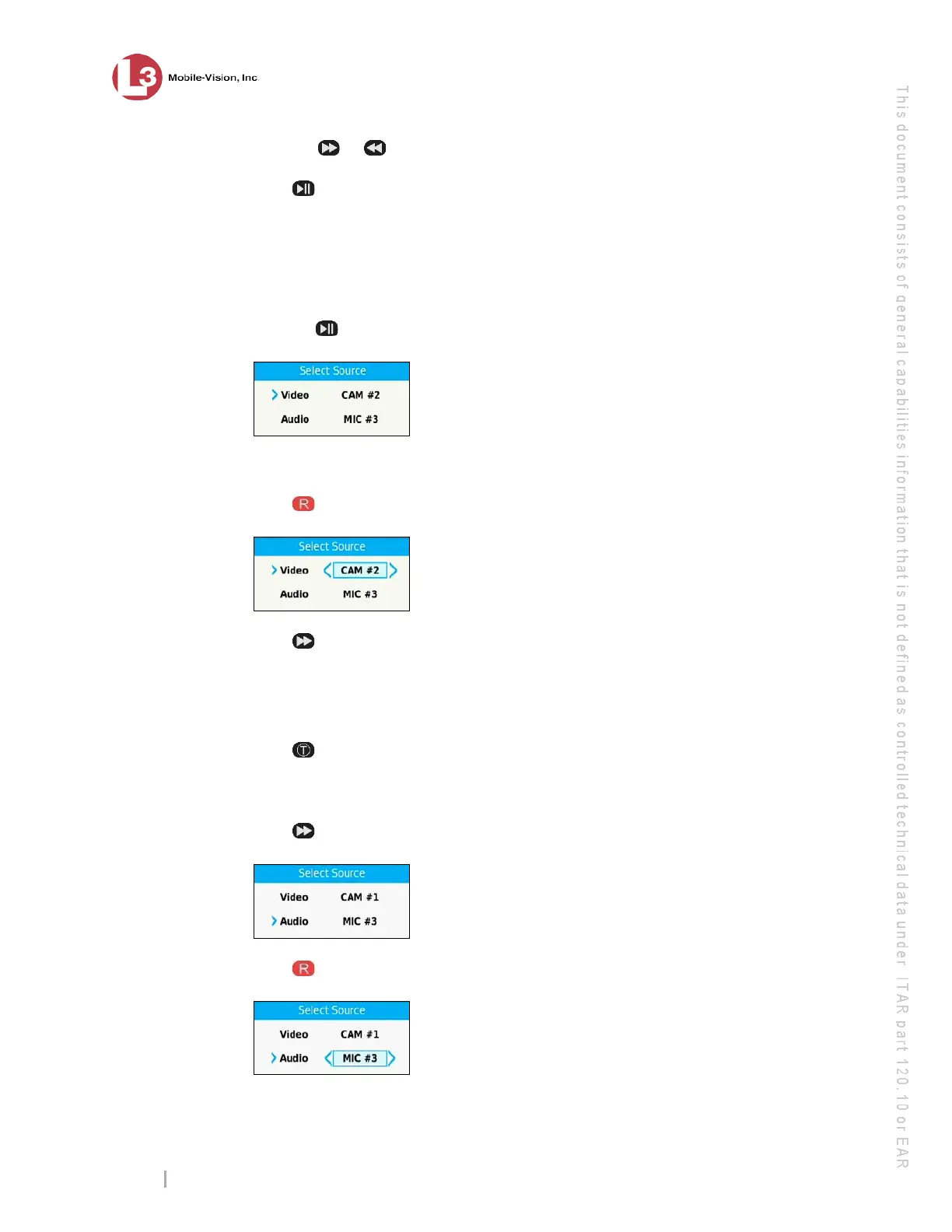
old the button down until the Select Source menu displays.
8 To select a different camera view, proceed to the next step. Otherwise skip to step 12.
9 P
ress to select the Video field.
10 P
ress to toggle between the two camera channels, as described below.
CAM #1. Display the view from the forward-facing zoom camera.
CAM #2. Display the view from all other cameras in a “split-screen” format. Thi
s
i
ncludes the Backseat camera and any Bullet camera(s).
11 Press to save your camera selection.
12 T
o select a different audio track, proceed to the next step. Otherwise skip to step 17.
13 Pr
ess to advance to the Audio field.
14 P
ress to select the Audio field.



 To Next Page