4-72 Service Manual
7541-03x
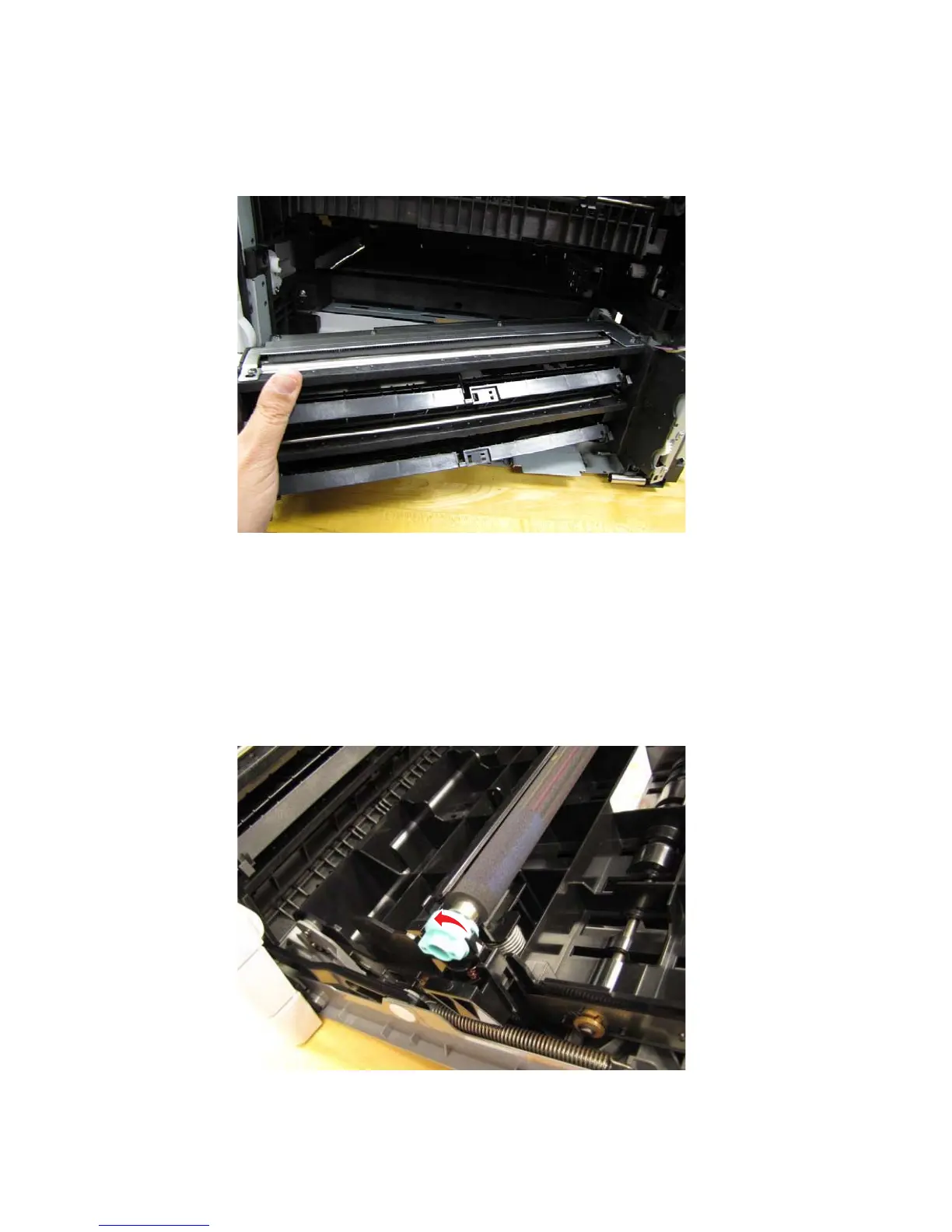
12.Carefully remove the paperfeed unit. Feed the cables through the printer frame while removing the unit.
Note: When routing the cables through the frame, be sure to make a note of where they go through the
frame.
Note: See “Paperfeed unit component removals” on page 4-177 for instructions to remove the paperfeed
unit sub-components.
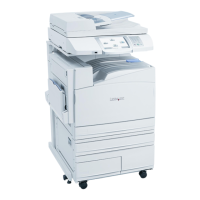
Transfer Roll - CRU
1. Open the right side cover / duplex unit.
2. Turn the transfer roll fasteners to the unlocked position.



 To Next Page