L-Gate User Manual 25 LOYTEC
Version 3.2 LOYTEC electronics GmbH
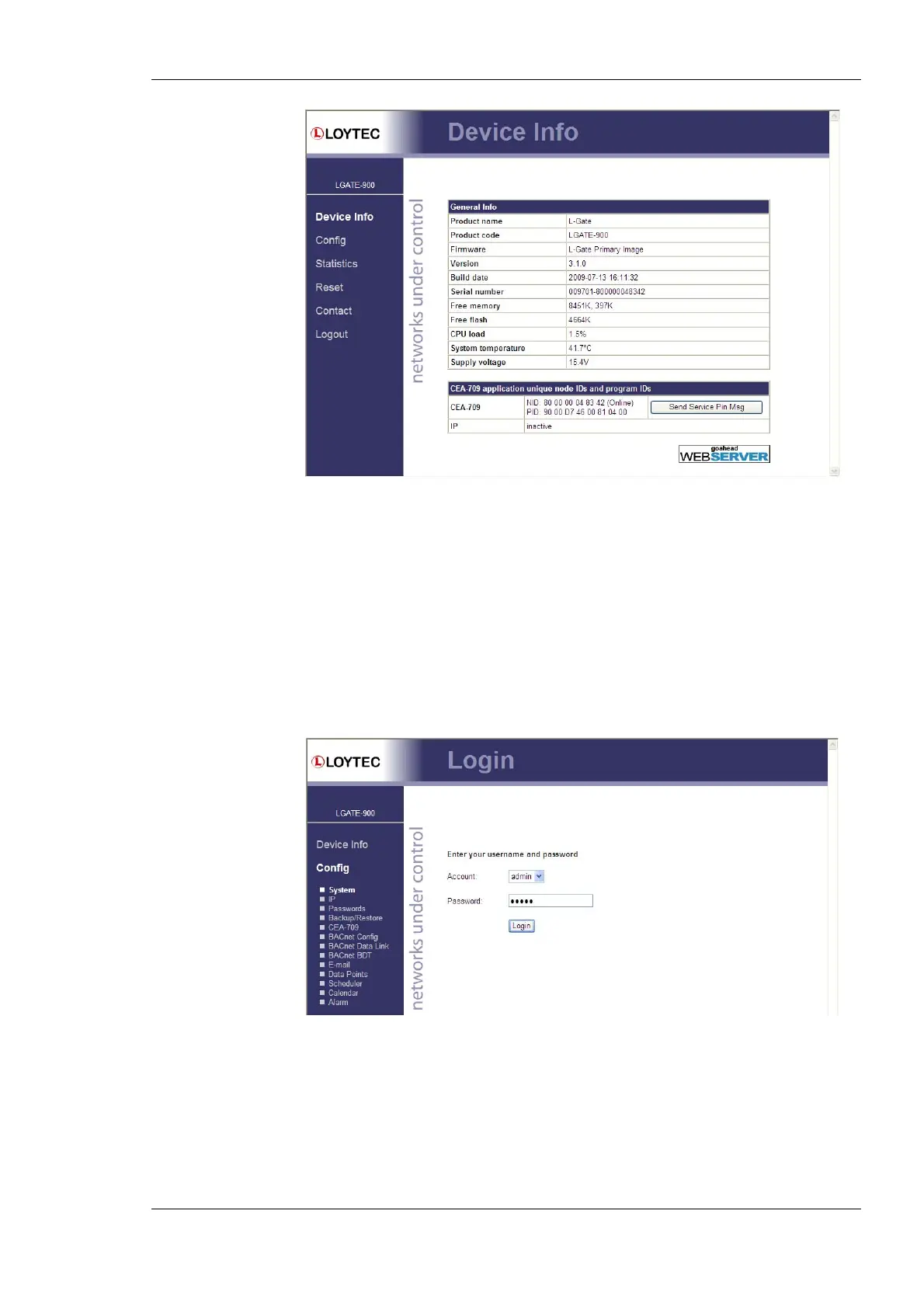
Figure 10: Device Information Page
The device information page shows information about the L-Gate and the current firmware
version. It includes the unique node IDs (“Neuron IDs”) of the CEA-709 network
interfaces. This page can also be used to send the CEA-709 service pin messages. This is a
useful feature when commissioning the L-Gate, since it is not necessary to be on-site to
press the device’s status button.
Click through the menus on the left hand side to become familiar with the different screens.
If you click on Config in the left menu you will be asked to enter the administrator
password in order to make changes to the settings as shown in Figure 11. Enter the default
administrator password ‘admin’ and select Login.
Figure 11: Enter admin as the default administrator password.
The Config menu opens. Click on Passwords in the Config menu, which opens the
password configuration page as shown in Figure 12. The L-Gate has three user accounts:
(1) guest allows the user to view certain information only, e.g., the device info page. By
default the guest user has no password. (2) operator is able to read more sensible
information such as calendar data. (3) admin has full access to the L-Gate and can make
changes to its configuration. Note that the user accounts are also used to log on to the FTP
and Telnet server.



 To Next Page