7 Additional settings
7.6.3.4 Necessary error reactions in the case of linear motors
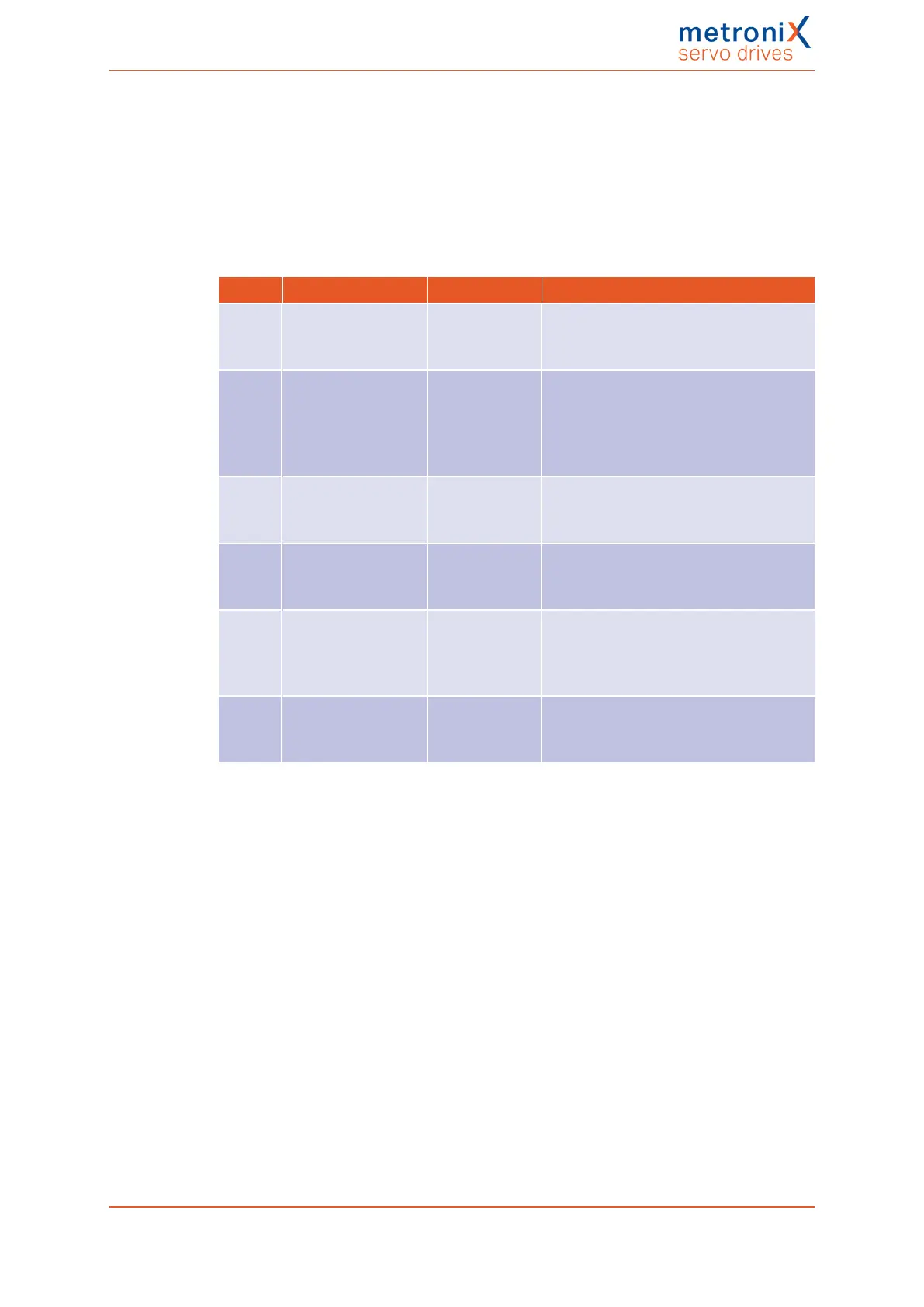
The window Error/Error management can be used to define the reactions of the servo drive
to various operating states. In the case of linear motors, a particularly "sharp" reaction
must be parameterised for some events:
The following error settings must be realised or verified prior to using the linear motor for
the first time:
No. Error Reaction Note
03-x Motor
overtemperature
(analogue or digital)
Disable servo
drive
08-x Angle encoder error Stop at
maximum
current
If this error occurs, the encoder system,
its supply line and the setting must be
checked:Parameters/Device
parameters/Angle encoder, tab: X2B /
X6.
17-0 Max. following error
exceeded
Stop at
maximum
current
To perform the setting, open the menu
Parameters/Safety parameters
27-0 Following error
warning threshold
Stop at
maximum
current
To perform the setting, open the menu
Parameters/Signals and select the tab
Following error.
31-x I²t check of the
motor, servo drive,
PFC and braking
resistor
Stop at
maximum
current
To perform the setting, open the menu
Parameters/Device parameters/Motor
data.
35-0 Overspeed
protection of linear
motor
Stop at
maximum
current
To perform the setting, open the menu
Parameters/Safety parameters
Product manual BL 4000-C Page 161 of 298



 To Next Page
 Loading...