Milestone Srl MA245-001 – ultraWAVE 3 – User Manual
121
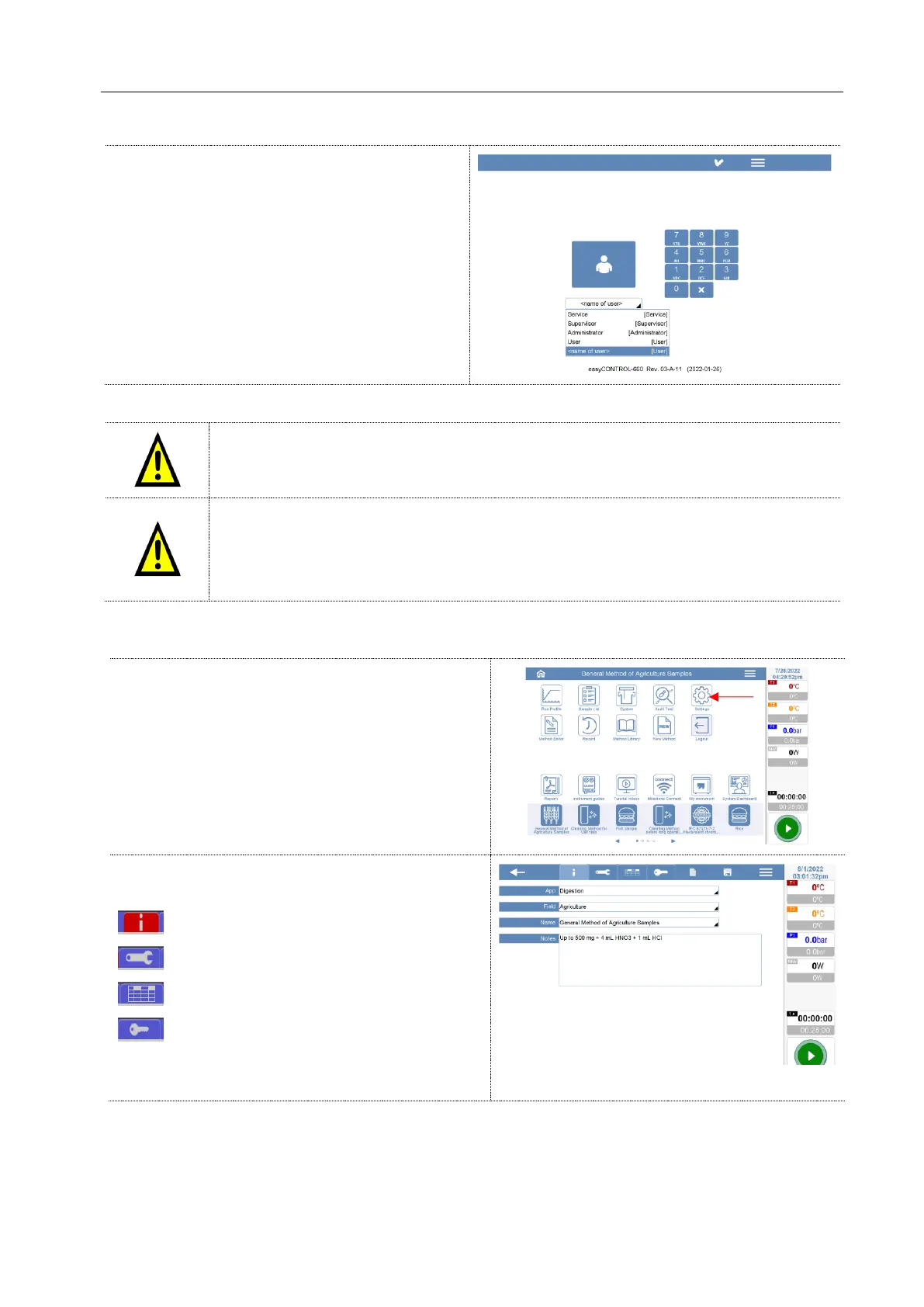
After switching on the unit, the system ask to
login introducing your ID access and Password.
If you have the
CFR Signature + password
configuration, the software will not allow access if
the signed USB is not connected to the terminal.
If the system remains in standby for more than 10
minutes, the software prompts you to reenter the
password.
After three errors of entering the password, the account will be locked and the unlocking
can only be performed by a higher level user or after 24 hours.
Leaving the unit stopped for more than 10 minutes, the software automatically log out
itself and asks to log in with a password.
If the system is running a digestion method, the software will not log out. It is the
logged user's responsibility to supervise the unit while it is operating.
Here below all the steps to create a new microwave method. The User profile access cannot create,
modify or delete the methods.
Open the Method Editor page
The method window is divided in others 4 different
windows.
Information
Rotor configurations
Microwave digestion method
Signature (only with 21CFR-11 mode)
See the above chapters for more details about the
settings of all the microwave options.



 To Next Page