Milestone Srl MA245-001 – ultraWAVE 3 – User Manual
122
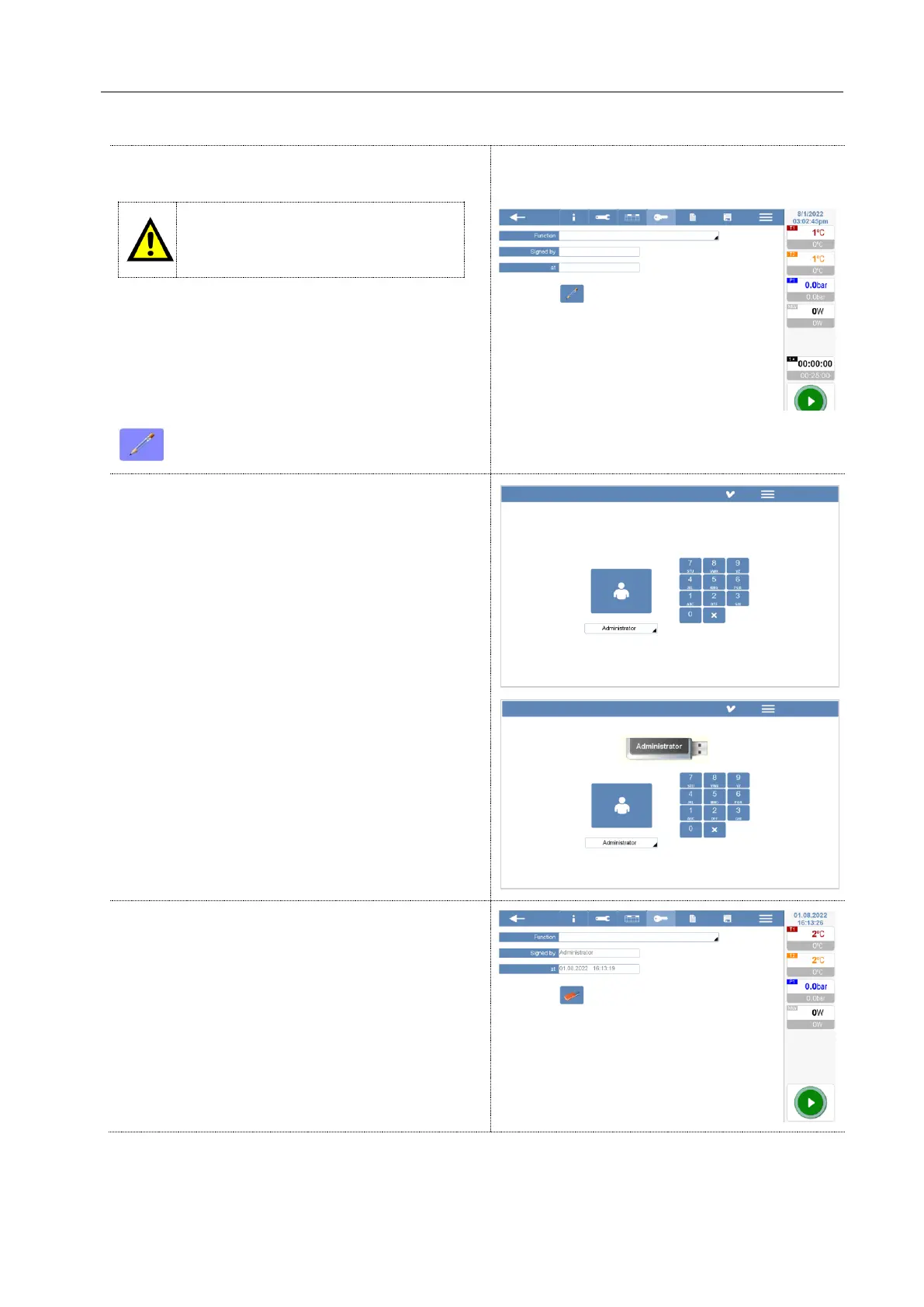
All methods must be signed by the person who
create it.
Users access profile can only open and
run the methods signed by the admin,
manager, service or supervisor.
Function: Write your name or your position (lab
manager, user, safety responsible, others…). This is
not a mandatory request.
Signed by: ID profile of the person how created the
method.
At: Date and time of creation.
To sign the method.
When you sign a method, the system asks for the
login password (or USB stick if you are working with
CFR Signature + password
option).
After entering the password, the method is signed
by date and time;
Press the “Floppy disc” icon to save the method.
The method will be save on an internal hard disk
inside the terminal.



 To Next Page