2 - L - 7
PAPER FEED UNIT
6. Replacing the Rubber of the Upper Paper Feed
Roller and the Feed Roller
a. Procedure
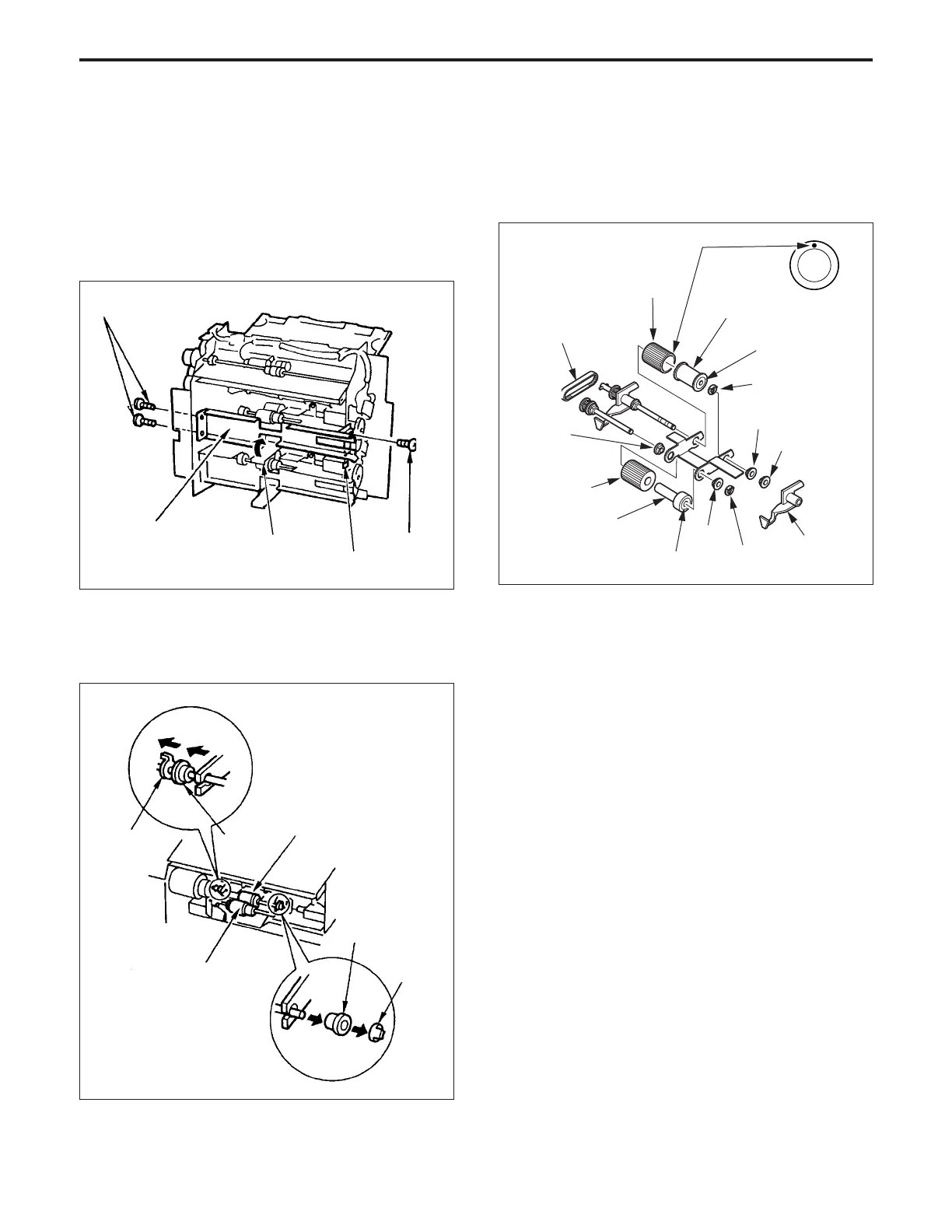
(1) Remove the paper feed unit.
(2) Raise the paper lifting plate while pushing the up-down
base lever.
(3) Remove the three set screws, then remove the upper
cassette rail (front).
(4) Remove SD1 (1st paper exit SD (upper tray)).
(5) Remove the two Stop rings, then shift the left and right
shaft bearings to the outside, and remove the upper
stage 1st paper feed roller unit.
(6) Pull out the three stop rings, the three shaft bearings,
the paper feed reference actuator and the two shafts of
the paper feed roller unit, then remove each roller.
(7) Remove the rubber from each roller (feed rubber A and
the double feed prevention rubber).
Set screws
Set screw
Paper lifting plate
Cassette rail (front)
Up-Down base lever
Stop ring
Paper feed roller
Shaft
bearing
Feed roller
Shaft bearing
Stop ring
(8) Re-install the rubber in the opposite sequence to
removal. (Be careful of the direction of the paint mark
on each rubber.)
Note:
1. Confirm that the mounting direction of each roller and
rubber is correct.
2. Be sure to return the paper lifting plate to its original
position.
(When returning the lifting plate, push the up-down
base release lever.)
Paper feed
reference
actuator
Paper feed roller
Feed rubber/A
Blue mark
Bearing
Stop ring
Stop ring
Bearing
Stop ring
Blue mark
Feed roller
Paper feed drive belt
Double feed prevention rubber
Paint mark
Bearing



 To Next Page