2 - L - 6
PAPER FEED UNIT
5. Replacing the 1st Paper Feed Solenoids (upper
and lower)
a. Procedure
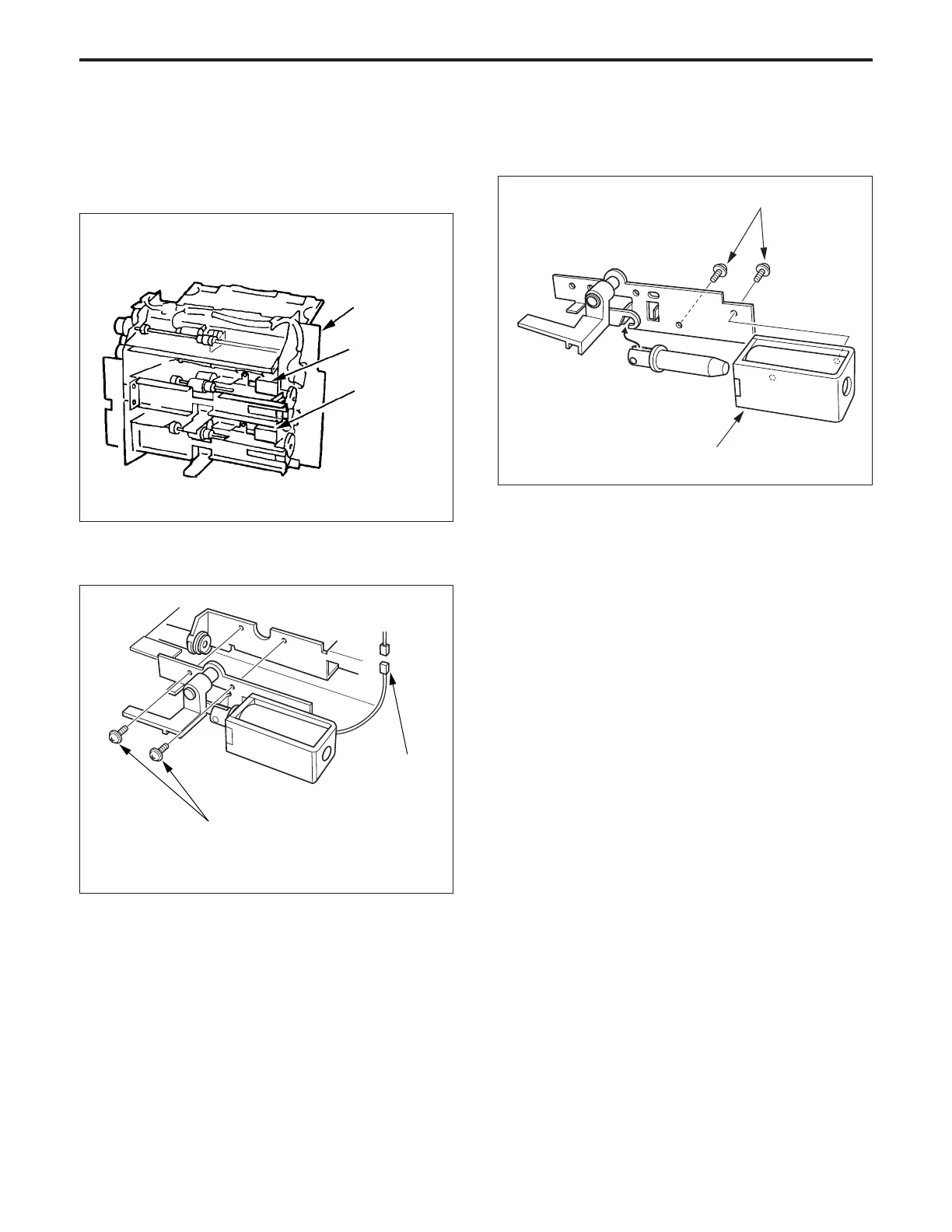
(1) Remove the paper feed unit.
(2) Remove the two set screws and the connector (CN122
or CN 123) of the solenoid then remove the solenoid.
Paper feed unit
1st paper feed
solenoid
(upper)
1st paper feed
solenoid
(lower)
CN (122/123)
Set screw
(3) Remove the two set screws, then remove the 1st paper
feed solenoid.
(4) Re-install the above parts in the opposite sequence to
removal.
1st solenoid
Set screws



 To Next Page