2 - L - 10
PAPER FEED UNIT
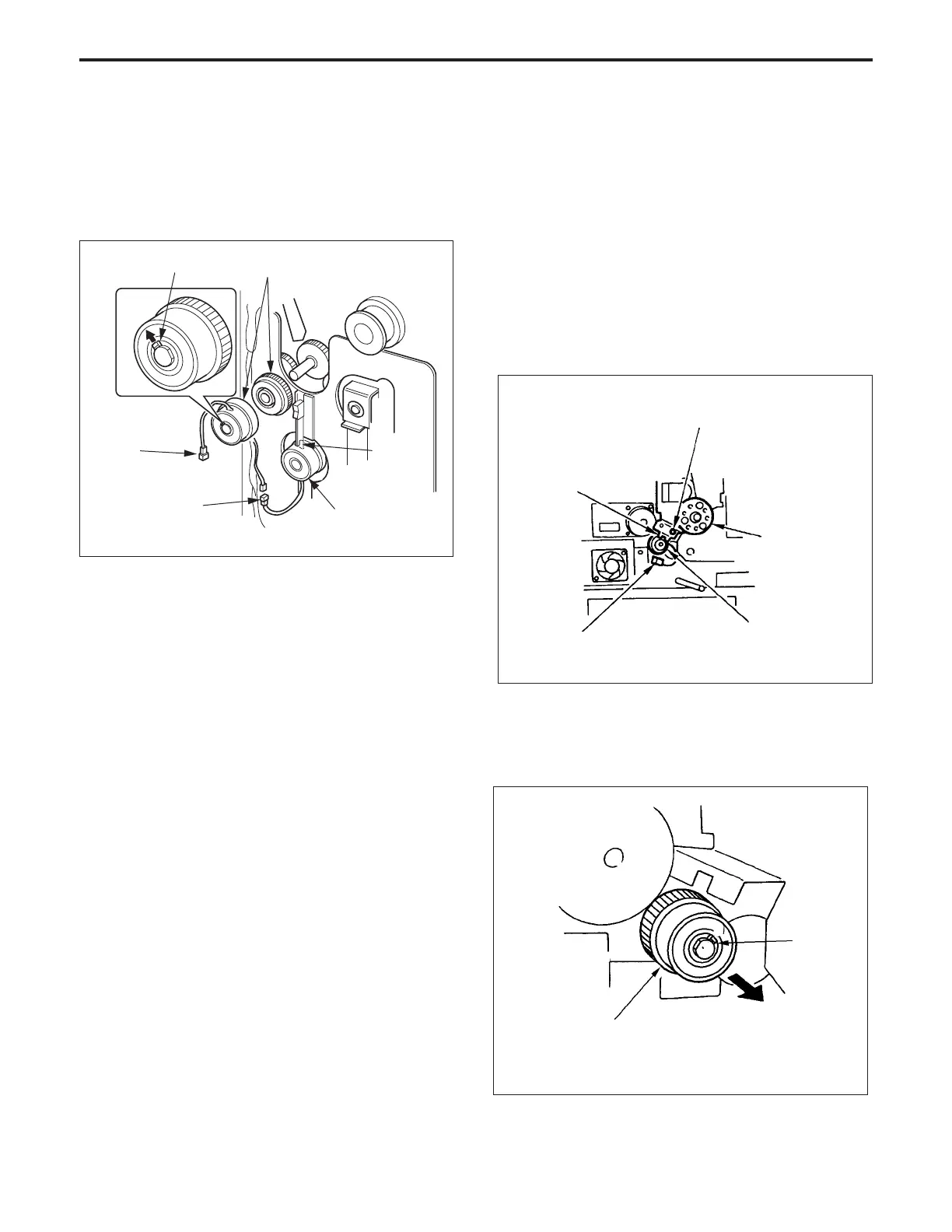
10.Replacing the intermediate conveyance clutch
a. Procedure
(1) Remove the paper feed unit.
(2) Disconnect each connector (CN234 and CN464).
(3) Remove the intermediate conveyance clutches (MC8
and MC9) while pulling the claw outward,
11.Removing and Re-installing the 2nd Paper Feed
Unit
Caution: Be sure that the power cord has been unplugged
from the power outlet.
a. Procedure
(1) Remove the drum unit, transfer/separation unit, and
paper feed unit.
(2) Remove the flywheel.
(3) Disconnect the connector (CN86).
(4) Remove the 1set screw, then remove the rotation
stopper of the 2nd paper feed clutch (MC3).
Caution: DO NOT touch the drum drive gear with a screw-
driver when removing the set screws.
(5) Loosen the set screw, then remove the 2nd paper feed
clutch and the gear.(Clutch and gear are one-part.)
Set screw
Rotation
stopper
Drum drive gear
2nd paper feed clutch (MC3)
Connector (CN86)
(4) Re-install the above parts in the opposite sequence to
removal.
(Push the end of the clutch rotation stopper against the
plate.)
Claw
Intermediate conveyance
clutch (MC9)
Rotation
stopper
Intermediate
conveyance clutch
(MC8)
Connector
(CN234)
Connector
(CN464)
2nd paper feed clutch (MC3)
Set
screw
PAPER FEED UNIT-1



 To Next Page