2 - N - 3
LCT-1500 TRAY PAPER FEED/CONVEYANCE SECTION
3. Replacing the rubber of the double feed
prevention roller
a. Procedure
(1) Remove the LCT 1500 paper feed/conveyance sec-
tion.
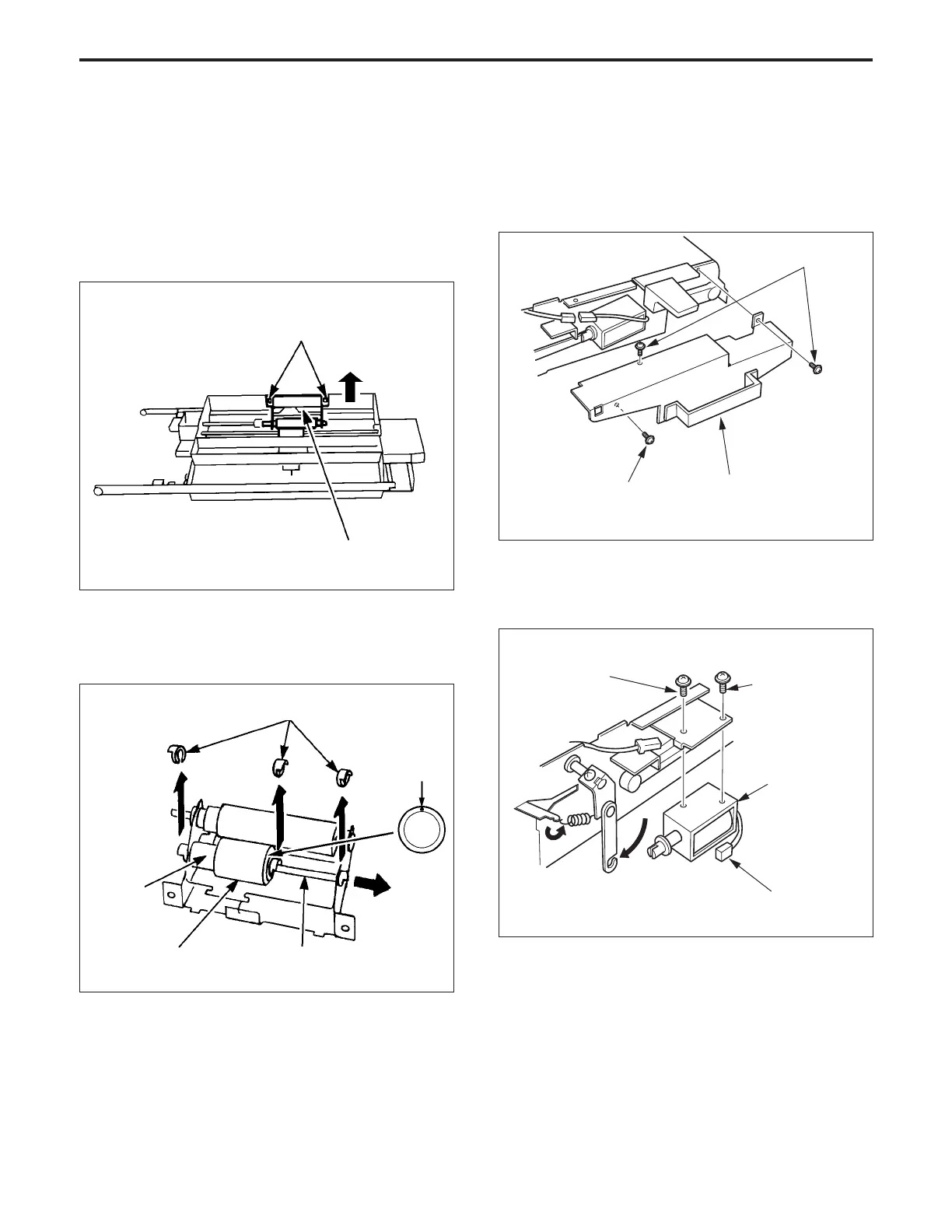
(2) Remove the two set screws, then remove the double
feed prevention roller. (When re-installing the roller
unit, push it against the rear and fix it.)
Set screws
Double feed prevention roller unit
(3) Remove the three stop rings, then pull out the shaft and
remove the double feed prevention roller.
(4) Remove the double feed prevention rubber from the
double feed prevention roller.
Paint mark
Shaft
Double feed
prevention roller
(5) Re-install the rubber in the opposite sequence to
removal. (Be careful of the direction of the paint mark
on the rubber, and also the direction in which you push
the double feed prevention roller unit.)
Pushing direction
Double feed
prevention rubber
4. Replacing the Conveyance Solenoid
a. Procedure
(1) Remove the LCT1500 paper feed/conveyance section
(2) Remove the three set screws, then remove the belt
cover.
(3) Remove the connector (CN714) of the solenoid of the
conveyance section.
(4) Remove the two set screws, then remove the convey-
ance solenoid.
(5) Re-install the above parts in the opposite sequence to
removal.
Set screws
Belt cover
Set screw
Set screw
Set screw
Conveyance
solenoid
CN714
Stop rings



 To Next Page