ADJUSTMENT
4 - 15
(1) On the second row of the message area, the data number
(No.) then the count value are displayed.
(2) The data number can be changed by pressing
key.
(3) Press and hold
key to display the next items con-
tinuously.
2. Data view method
a. Operation
b. Data details
(1) Data collection 1
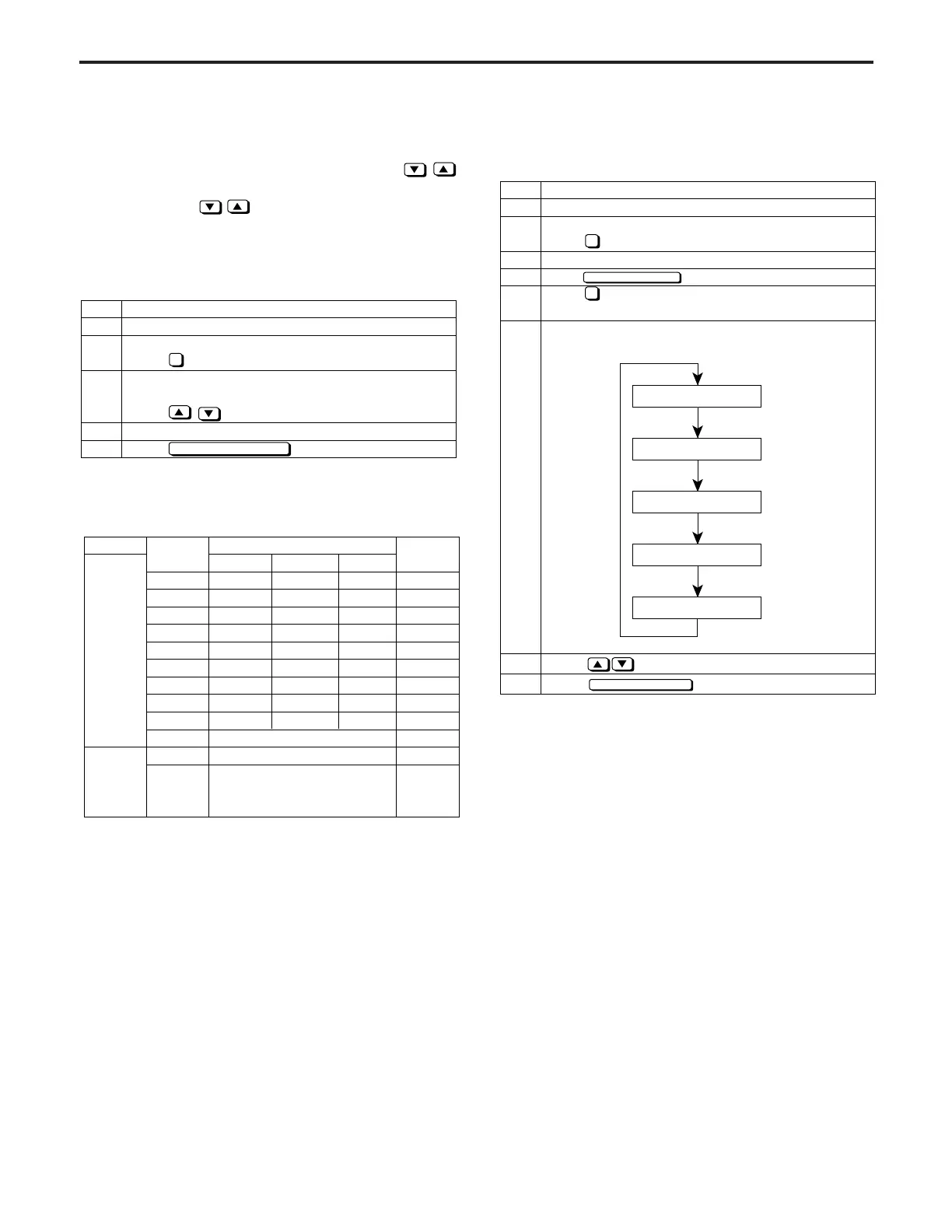
3. Data display procedure (data collection 2 - 5)
a. Operation
Step
1
2
3
4
5
6
7
8
Operation
1
PREVIOUS SCREEN
4
Enter the 25 mode.
[25 MODE SCREEN]
Press Software DIP SW Setting.
Set the switch No. 8-7 to 1.
Press key to return to 25 Mode Screen.
Press Data Collection to display the Data
Collection -1 Screen.
Pressing "Auto Reset" button enables to display
next data collection screen.
Using key, select the desired data number.
Press button to end the operation.
Data collection - 1
Data collection - 2
Data collection - 3
Data collection - 4
Data collection - 5
PREVIOUS SCREEN
Step
1
2
3
4
5
Operation
Enter the 25 mode.
[25 MODE SCREEN]
Press Data Collection.
[DATA COLLECTION SCREEN]
Change the data number.
Press key.
Repeat the step 3 to view the various data.
Press button to end setting.
4
PREVIOUS SCREEN
Type
Size No.
Paper Size
Maximum
Count No.
99,999,999
99,999,999
99,999,999
99,999,999
99,999,999
99,999,999
99,999,999
99,999,999
99,999,999
99,999,999
99,999,999
99,999,999
1
2
3
4
5
6
7
8
9
10
11
12
Copy
count by
each
size
ADF
paper
passage
count
Japan
—
A3
B4
A4
B5
A5
B6
8
1
/
2
"x14"
8
1
/
2
"x11"
U.S.A.
—
11"x17"
8
1
/
2
"x14"
8
1
/
2
"x11"
5
1
/
2
"x8
1
/
2
"
—
—
—
—
Non-standard size
ADF (1-1 or 1-2)
RADF (2-1 or 2-2)
Europe
—
A3
B4
A4
B5
A5
F4
—
—



 To Next Page