DIAGNOSTICS
4 - 33
For reference:
1. Copier system leading edge timing adjustment
This adjustment is for the
very high
mode.
• The period from when PS4 (paper feed restart) goes
ON until the write operation starts is adjusted.
2. Printer system leading edge timing adjustment
This adjustment is effective when using E-RDH.
• The period from when PS18 (no feed) goes ON until
the write operation starts is adjusted according to the
size of the paper.
Restart timing adj. (copier)
+0 +0 (-99 ~ +99) 1step = 0.1mm
(1) Copier system leading edge timing adjustment
Step
1
2
3
4
5
6
7
8
9
10
11
12
13
Operation
Enter the 36 mode.
[36 MODE SCREEN]
Press Timing adjustment.
[TIMING ADJUSTMENT SCREEN]
Press Restart timing adjustment.
[Re-start Timing Adjustment SCREEN]
Press the key until Copier:
***
is
displayed in the message area.
(
***
indicates any optional tray.)
Set an A3/11" × 17" original on the platen.
Press .
Select the A3/11" × 17" size in the paper size select
screen.
Using the copy quantity setting buttons, set the copy
quantity to 1.
Press the START PRINT button, and visually check
the leading edge timing.
If the leading edge timing is different to the standard
value, press the C button while pressing the P
button to re-display the re-start timing adjustment
screen.
Enter a value from the numeric keypad on the
screen, then touch the key.
< Input range >
-99 (slow) to 99 (fast) 1 step = 0.1 mm
Repeat steps 6 to 9 until the leading edge timing
becomes the standard value.
Touch to re-display the timing
adjustment screen.
Next Page
Copy Screen
SET
2
2
PREVIOUS SCREEN
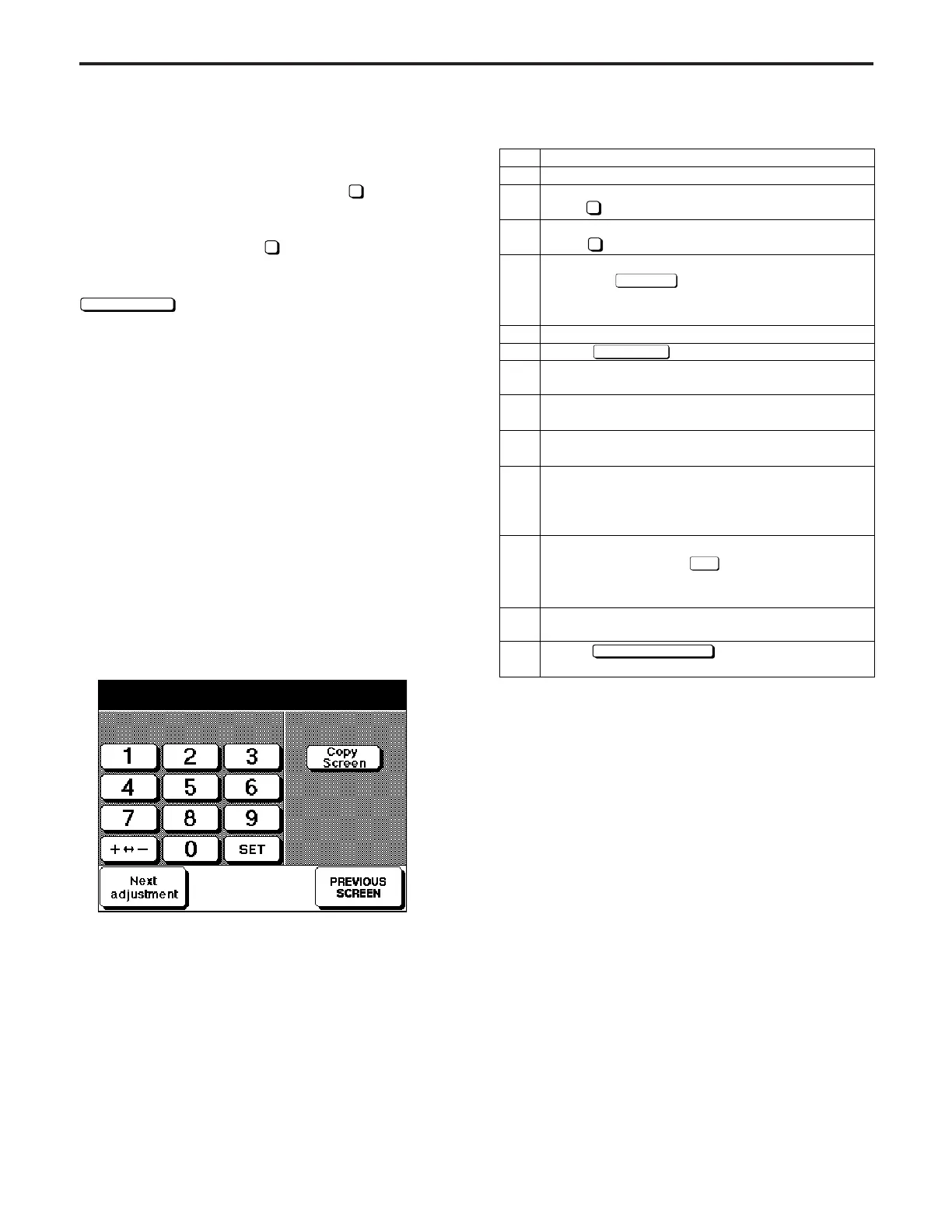
[9] Restart Timing Adjustment
Adjust the restart timing (registration) using the procedure
shown at right.
If the 36 mode menu screen is opened, then
2
Timing Adjust-
ment selected, the timing adjustment menu screen will ap-
pear.
Open this screen, then select
2
Restart Timing Adjustment.
The restart timing adjustment screen has the following kinds
of adjustments. These can be selected by touching the
Next adjustment
key.
• Copier: collective
• Copier: Tray 1
• Copier: Tray 2
• Copier: Tray 3
• Copier: Tray 4
• Copier: Tray 5
• Copier: By-pass
• Printer: collective
• Printer: tray 1
• Printer: tray 2
• Printer: tray 3
• Printer: tray 4
• Printer: tray 5
• Printer: By-pass
• Printer: Side 2
[Restart Timing Adjustment Screen (example of copy
system adjustment)]
DIAGNOSTICS-1



 To Next Page