58
C
USTOMIZING YOUR PHONE BLUETOOTH
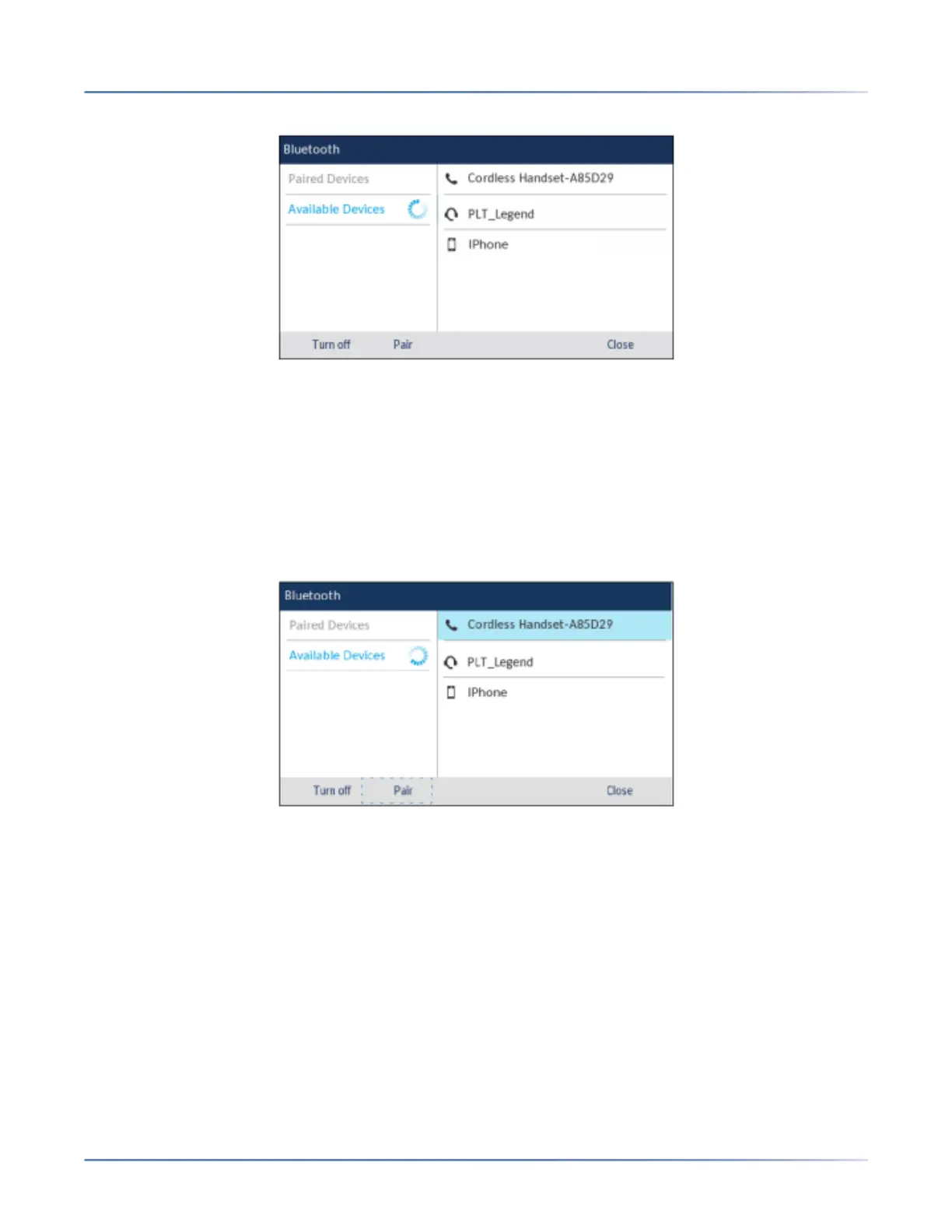
4. If required, press the down navigation key to view the list of Available Devices.
a. NOTE: The Mitel 6930 SIP IP phone scans for supported Bluetooth devices when viewing the list
of available devices. Refer to the respective Bluetooth device documentation for discovery and
pairing procedures that must be performed on your Bluetooth device.
b. When attempting to pair a Mitel cordless Bluetooth handset with the Mitel 6930 SIP IP phone,
the device name will appear in the available devices list as "Cordless Handset" followed by the
last six digits of the handset’s MAC address.
5. Press the right navigation key to move to the Bluetooth device selection column.
6. Using the up and down navigation keys, highlight the Bluetooth device you want to pair and press the
Pair softkey.
NOTE: For mobile phones and some other Bluetooth devices, a Bluetooth pairing request displays
on both the Mitel 6930 SIP IP Phone and the respective mobile phone or Bluetooth device. Ensure
the pairing code matches on both devices and press Yes on the Mitel 6930 SIP IP Phone and
acknowledge the pairing request on your mobile phone or Bluetooth device.
7. The phone attempts to pair the Bluetooth device and if successful, automatically attempts to connect
to the Bluetooth device.
a. NOTE: If pairing or connecting fails, a failed error message displays on screen. Press Retryto
attempt to pair or connect again, or Cancel to cancel the attempt.
b. If pairing and connecting a mobile phone, depending on the connection state of the mobile
phone, you may need to retry multiple times before the mobile phone pairs and connects
successfully.





 To Next Page