59
C
USTOMIZING YOUR PHONE BLUETOOTH
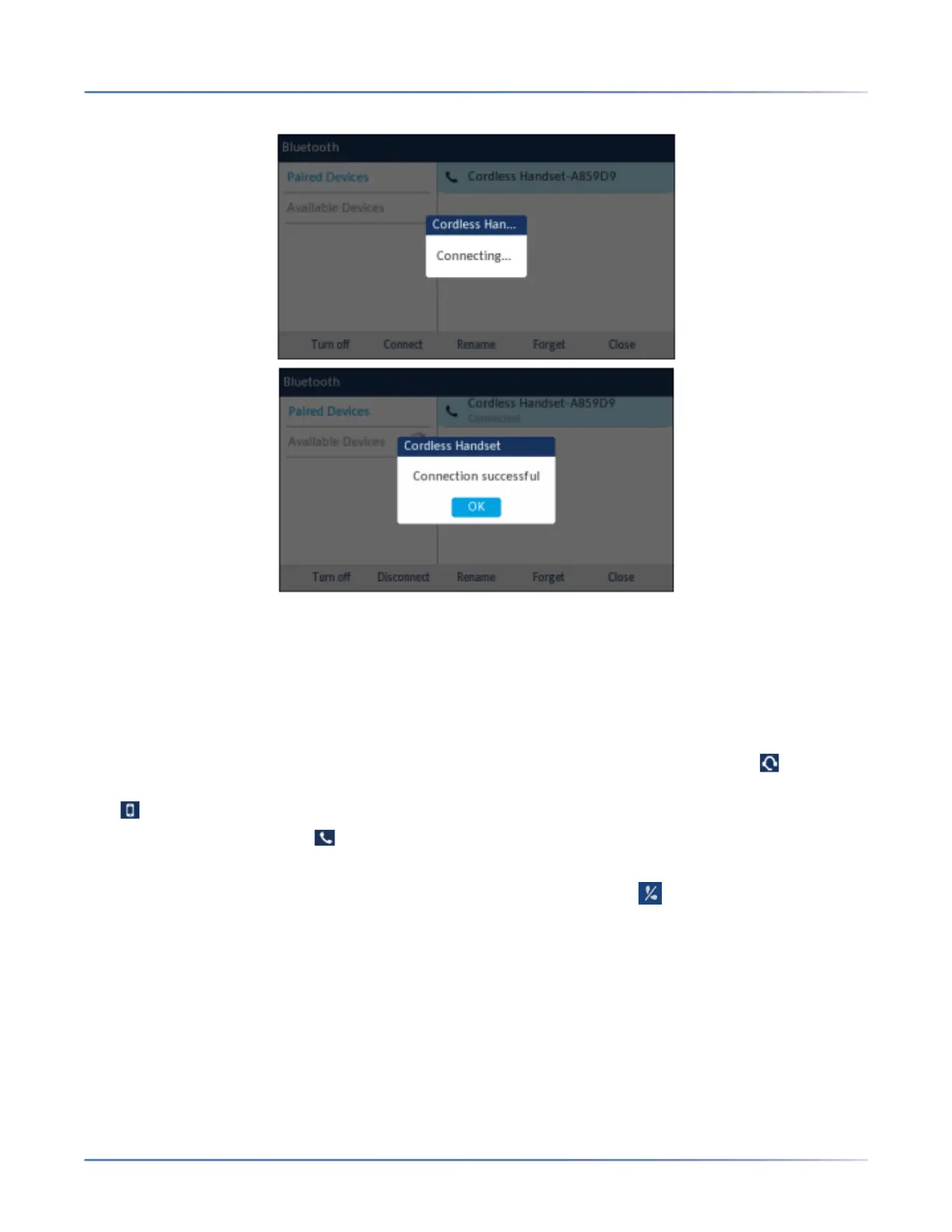
8. Press OK to acknowledge the successful connection.The connected Bluetooth device is added to the
list of Paired Devices and is ready to use.
NOTE: You can pair multiple mobile phones with the SIP IP phone, but only one mobile phone can
be connected at a time. For example, if you try to pair and connect mobile phone-2 when mobile
phone-1 is connected then mobile-phone-1 will be disconnected before connecting to mobile
phone-2.
When a Bluetooth headset is successfully connected, a Bluetooth headset connected icon appears in
the status bar on the Home screen. When a mobile phone is successfully connected, a Mobile connected
icon appears in the status bar on the Homescreen. When a Bluetooth handset is connected, a Blue-
tooth handset connected icon appears in the status bar on the Homescreen.
When a paired Bluetooth Handset loses connectivity with the 6930 SIP Phone, a warning message
"Cordless Handset disconnected" displays on the Home screen and an icon appears in the status
bar. Press OK to clear the message.





 To Next Page