B
Configuring for Switched Digital Video • Step by Step Instructions
APEX1000 All-Purpose Edge QAM Software Version 2.4.x • Installation and Operation Manual
181
573408-001-a
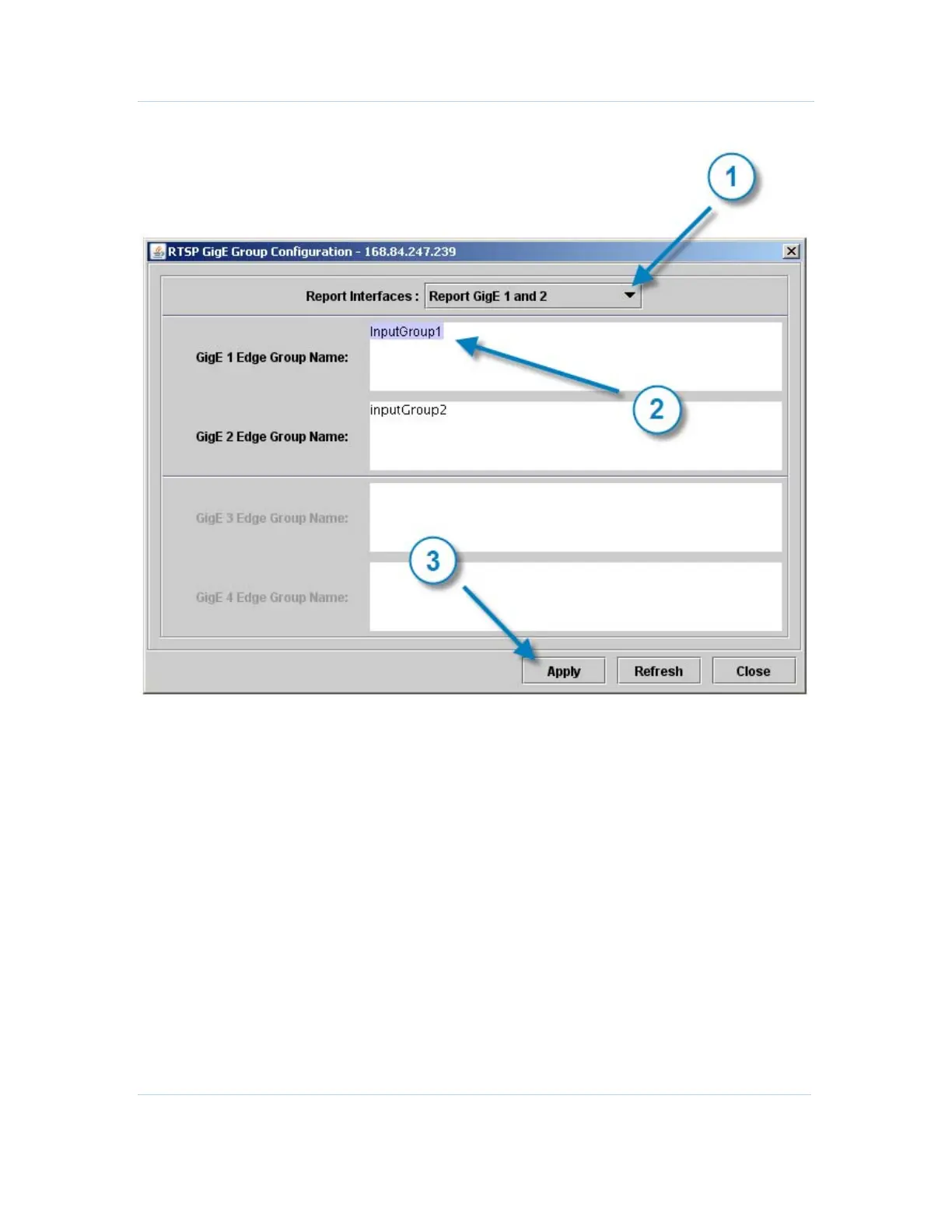
The RTSP GigE Group Configuration window displays:
To configure the RTSP GigE interface:
1. Select which pair of GigE inputs to enable.
2. Configure the GigE Edge Group Name by entering the name of the input group this
Edge device belongs to.
Note: Edge Group names must be unique within a GigE interface pair. Groups 1 and
2 should not be the same.
3. Click Apply to implement these changes in the APEX1000.
The configuration changes are reported to the session controller.


 To Next Page
 Loading...






