EasyManua.ls Logo

Muratec F-525 - Page 320

Muratec F-525
383 pages
Print Icon
To Next Page IconTo Next Page
To Previous Page IconTo Previous Page
Loading...
5-30
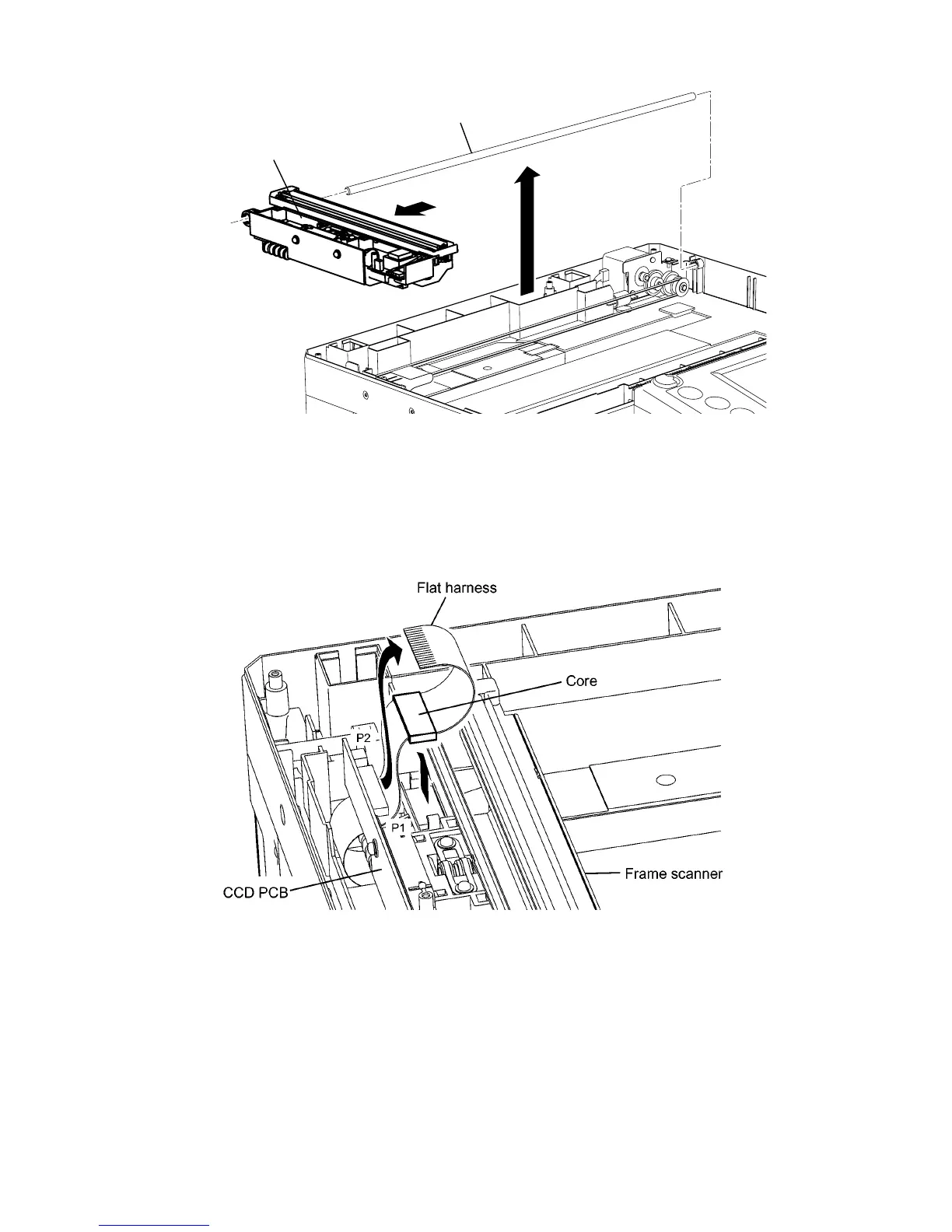
8) Slide out the Shaft guide as shown below. Then remove the FRAME SCANNER.
Shaft guide
Frame scanner
FRAME SCANNER (F-565/525)
1) Remove the Cover ADF base. (See page 5-7)
2) Remove the Cover top PPF. (See page 5-13)
3) Remove the Cover lens. (See page 5-19)
4) Disconnect the Flat harness from the connector P1 on the PCB CCD.
5) Release two locking tabs, and then remove the Core.

Table of Contents

Other manuals for Muratec F-525

Related product manuals