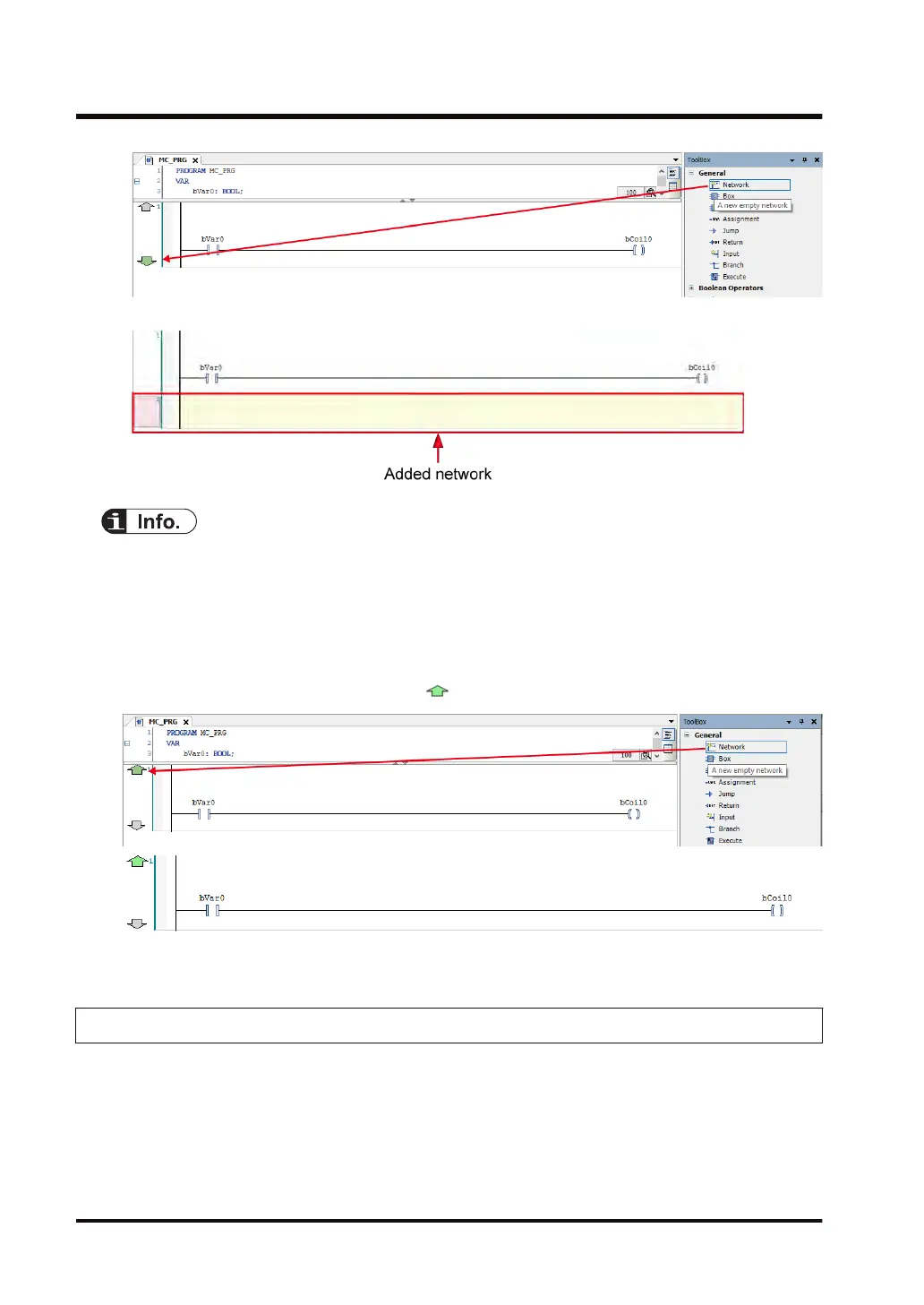
A network (circuit) will be inserted underneath.
● You can also insert a network (circuit) underneath using the following procedure:
•
Right-click in the network (circuit) and select "Insert Network (Below)" from the context-
sensitive menu that is displayed.
• From the menu bar, select FBD/LD/IL>Insert Network (below).
• Press the <Ctrl> key + <t> key simultaneously.
● To add a network (circuit) above the existing network, in Toolbox, select General>Network
and drag the mouse until the position of
is reached.
● To remove a network (circuit), select the network (circuit) and press the <Delete> key.
7.1.4 Inserting a Branch
This section explains how to add a branch by specifying the starting point and end point of the
branch.
7.1 Programming in Ladder Diagram (LD)
7-10 WUME-GM1RTXOP-01






 To Next Page