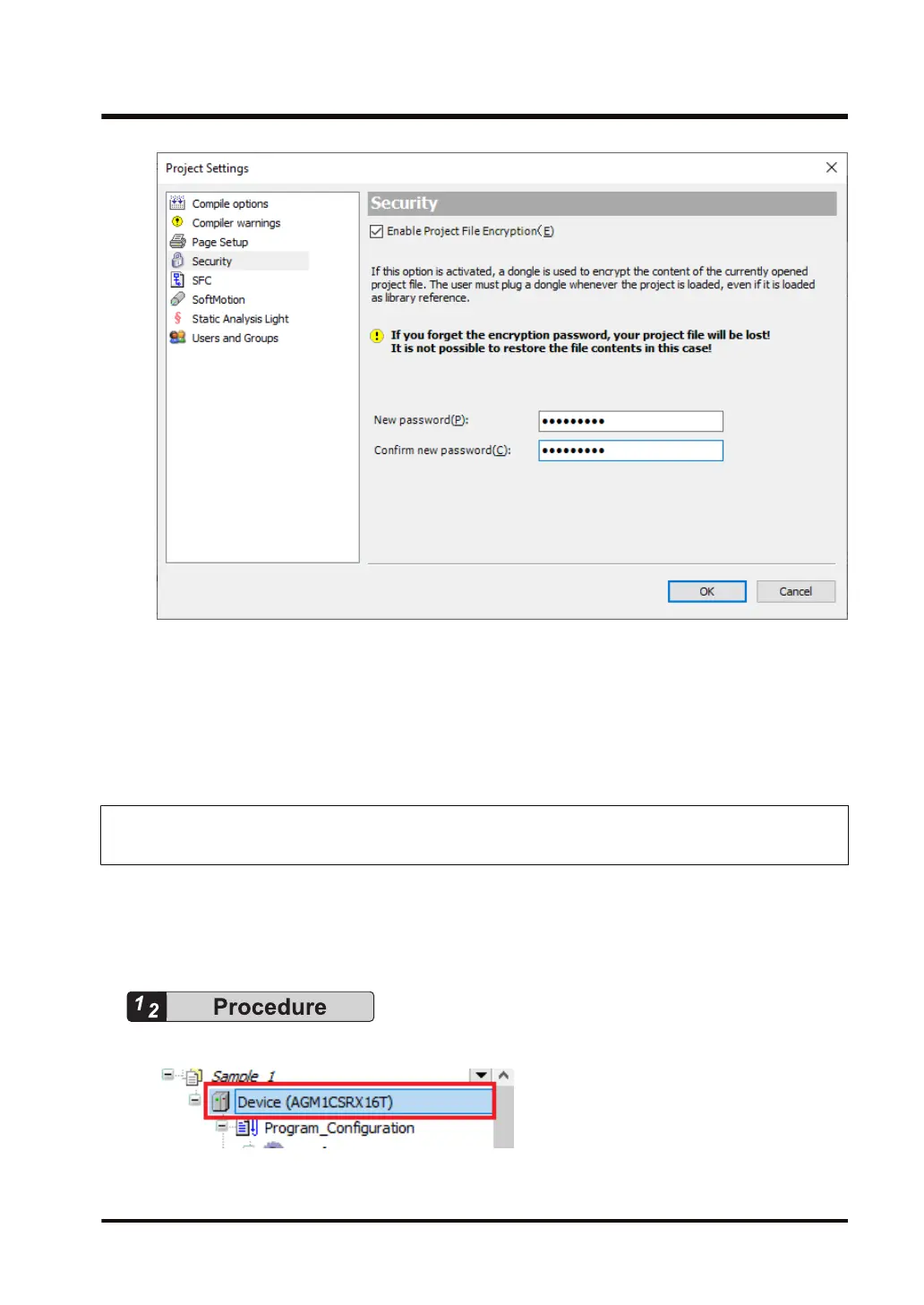
4. Click the [OK] button.
The specified password will be set for project files.
This completes the password setting procedure.
When an attempt is made to open a project file, a window is displayed, asking the user to enter
a password. In this situation, enter the specified password.
10.4.2 Encrypting the Communication Path: Encrypting Communications
Using the Certificate Possessed by the GM1 Controller
Communications between GM Programmer and the GM1 controller can be encrypted using
certificates.
This section explains how to encrypt communications by using the certificate possessed by the
GM1 controller as a trusted certificate.
1. Double-click the
[Device] object in the navigator pane.
The Device setting window will be displayed.
Open the "Communication Settings
" tab.
10.4 Security Function: Encryption
WUME-GM1RTXOP-01 10-17










 To Next Page