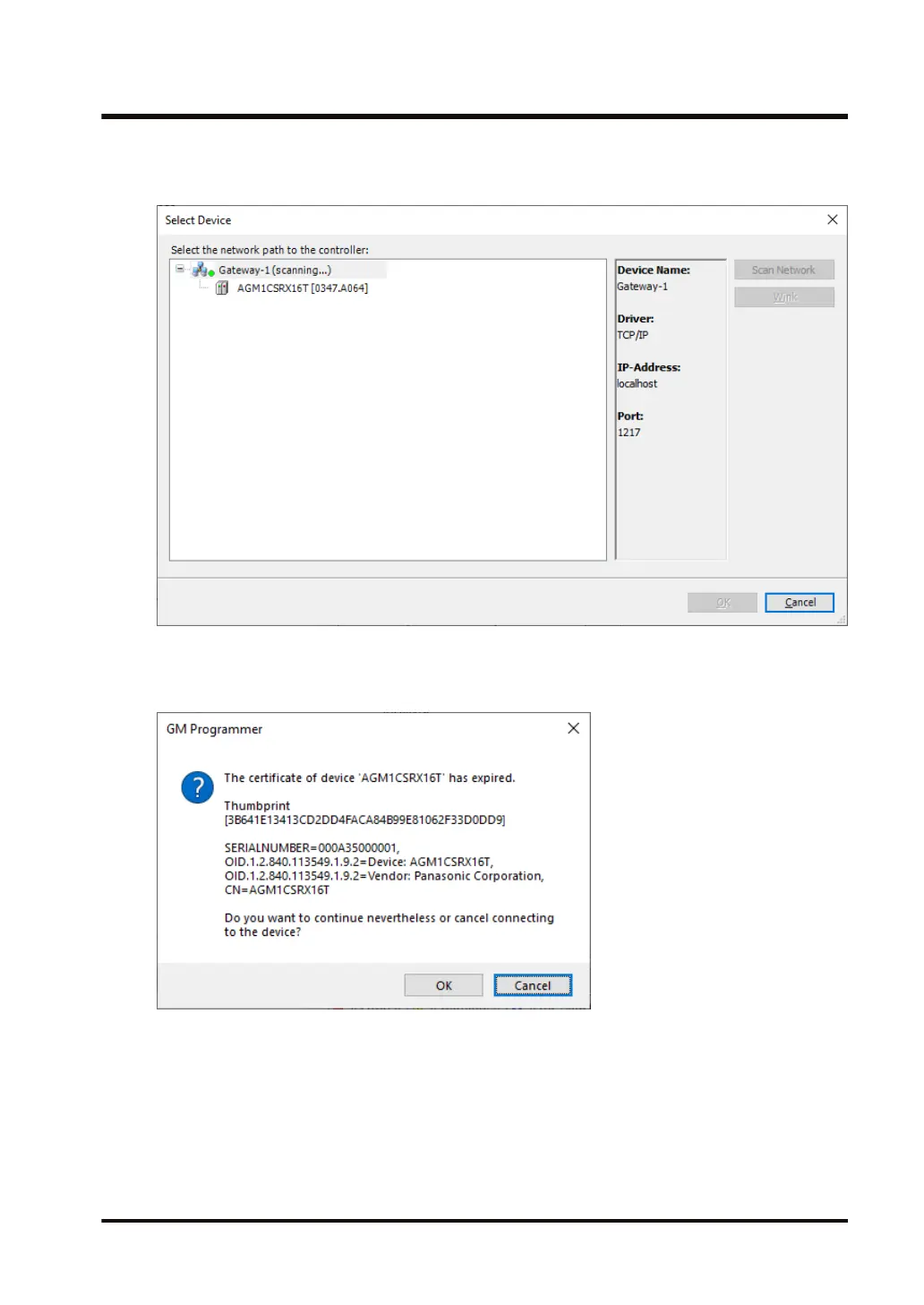
8. Click the Network Scan menu.
The "Select Device
" dialog box will be displayed.
9. Select the connected GM1 controller and click the
[OK] button.
A message window will be displayed, indicating that the certificate of the GM1 controller is
not certified with a trusted signature for encrypted communication.
10. If the [OK]
button is clicked, communications can be encrypted by installing the certificate
indicated by the message in local store "Controller Certificates" on the PC to use it as a
trusted certificate.
You can check the registered controller certificate in certmgr.msc in the C:\Windows
\System32 folder.
10.4 Security Function: Encryption
WUME-GM1RTXOP-01 10-23







 To Next Page