Data Management
R&S
®
FSPN
193User Manual 1179.4363.02 ─ 01
Startup Recall .............................................................................................................193
Selecting Storage Location - Drive/ Path/ Files...........................................................193
File Name ...................................................................................................................193
Comment ....................................................................................................................193
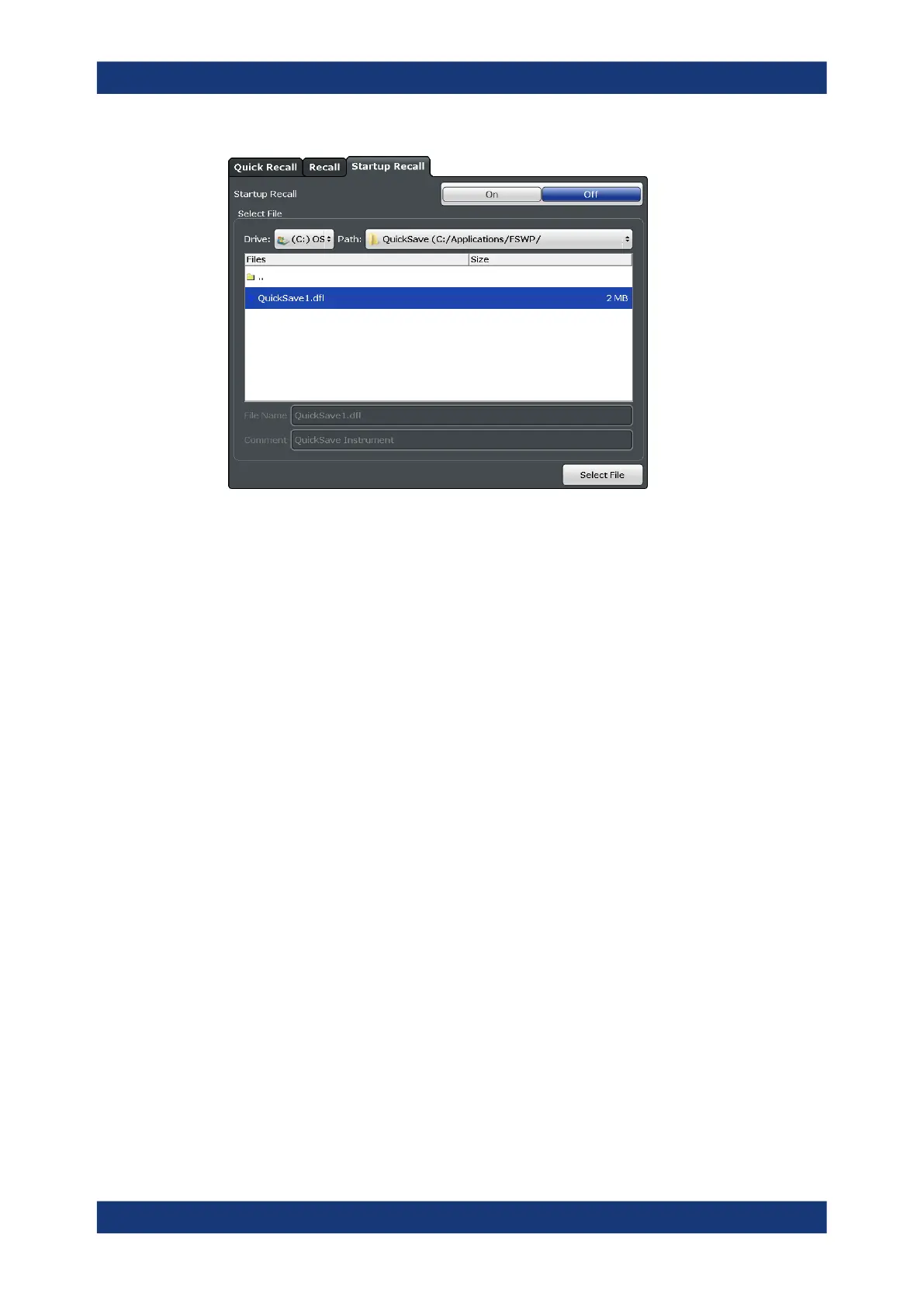
Startup Recall
Activates or deactivates the startup recall function. If activated, the settings stored in
the selected file are loaded each time the instrument is started or preset. If deactivated,
the default settings are loaded.
Note that only instrument settings files can be selected for the startup recall function,
not "Channel" files.
Remote command:
MMEMory:LOAD:AUTO on page 459
Selecting Storage Location - Drive/ Path/ Files
Select the storage location of the file on the instrument or an external drive.
Remote command:
MMEMory:CATalog on page 451
File Name
Contains the name of the data file without the path or extension.
By default, the name of a user file consists of a base name followed by an underscore.
Multiple files with the same base name are extended by three numbers, e.g.
limit_lines_005.
File names must be compatible with the Windows conventions for file names. In partic-
ular, they must not contain special characters such as ":", "*", "?".
Comment
An optional description for the data file. A maximum of 60 characters can be displayed.
Storing and Recalling Instrument Settings and Measurement Data



 To Next Page