Build 21 v21.4.1
FEBRUARY 23, 2010 © 2007-2010 RED.COM INC.
101
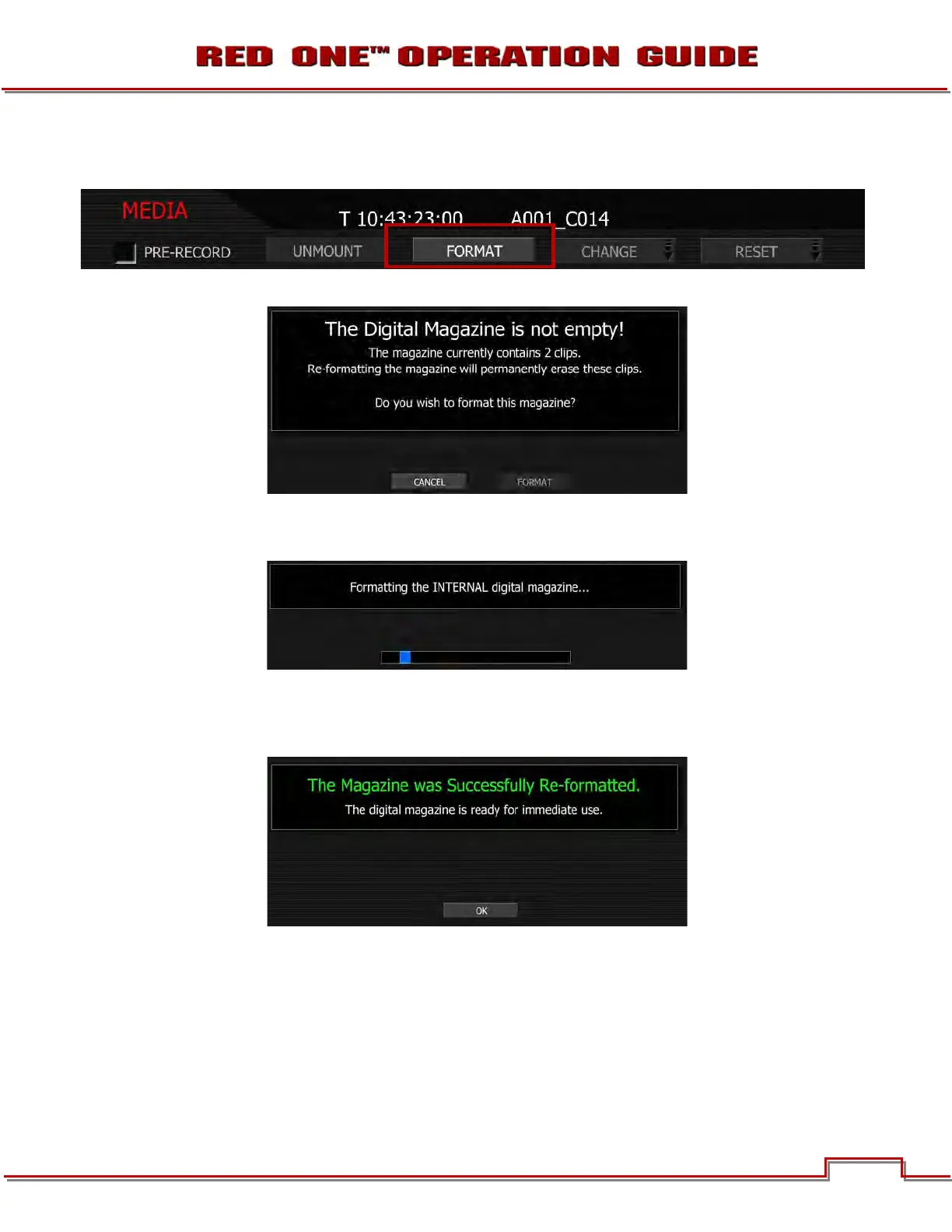
4. Select FORMAT and press Joystick in or down to enter. Camera LCD will display MAGAZINE FOR-
MAT.
5. Camera LCD will display FORMAT? CANCEL / FORMAT and all external monitors will display:
- If CANCEL is selected, camera will return to normal operation.
- If FORMAT is selected, camera will display:
NOTE: If when selecting FORMAT, the display indicates FORMAT FAILED, refer to MEDIA ERRORS.
8. Once re-formatting is completed camera LCD displays “FORMAT DONE” and all external monitors will
display:
9. Press Joystick in or down to select OK. Camera will return to normal operation.



 To Next Page