Build 21 v21.4.1
© 2007-2010 RED.COM INC. FEBRUARY 23, 2010
52 52
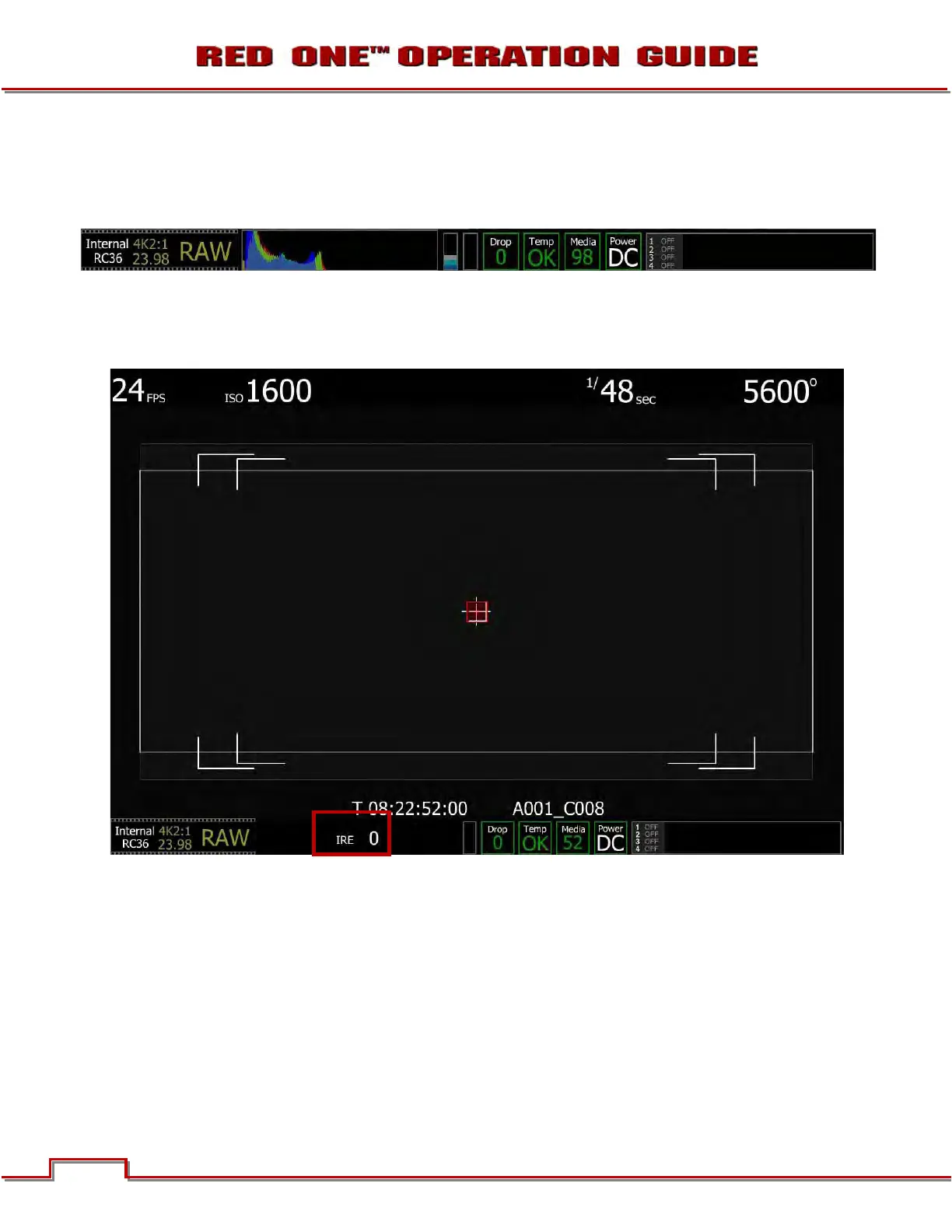
In this example the camera is significantly under exposed. The histogram is piled up to the left, the Sensor
RAW meter indicates the sensor is underexposed, and the RGB Clip meter indicates the RGB monitor
path is not clipped. When the recorded clip is color corrected in post production, the highlight information
will not be clipped, however shadow information will probably be displayed with significant noise.
SPOT METER: A red rectangular box will appear centered on the center cursor of the image. The size of
this sample box can be adjusted by rotating the joystick, and its location can be adjusted by moving the
joystick in X and Y directions. Push the joystick to fix the sample box. The average IRE value of the pixels
in the sample box is shown in the lower section of the full camera display.
ASSISTS
Assists allows the operator to choose a signal analysis waveform. Selections include Waveform Exposure,
RGB Parade Histogram, Focus Assist and Focus Overlay.
1. To select and adjust, use joystick to highlight ASSISTS checkbox.
2. Push in or down on joystick to place checkmark in ASSISTS checkbox.
3. ANALYSIS METER box will highlight to allow you to choose between WAVEFORM, RGB PARADE,
FOCUS ASSIST or FOCUS OVERLAY.
4. Twist joystick to change the highlighted ANALYSIS METER box to the desired setting.
5. Move joystick left to select and exit.



 To Next Page