Build 21 v21.4.1
FEBRUARY 23, 2010 © 2007-2010 RED.COM INC.
49
NOTE: False Color is affected by White Balance, ISO, VIEW and LOOK settings, however if VIEW is
set to RAW, the False Color bands represent the exposure levels at the sensor i.e. prior to any
White Balance, ISO, VIEW and LOOK settings.
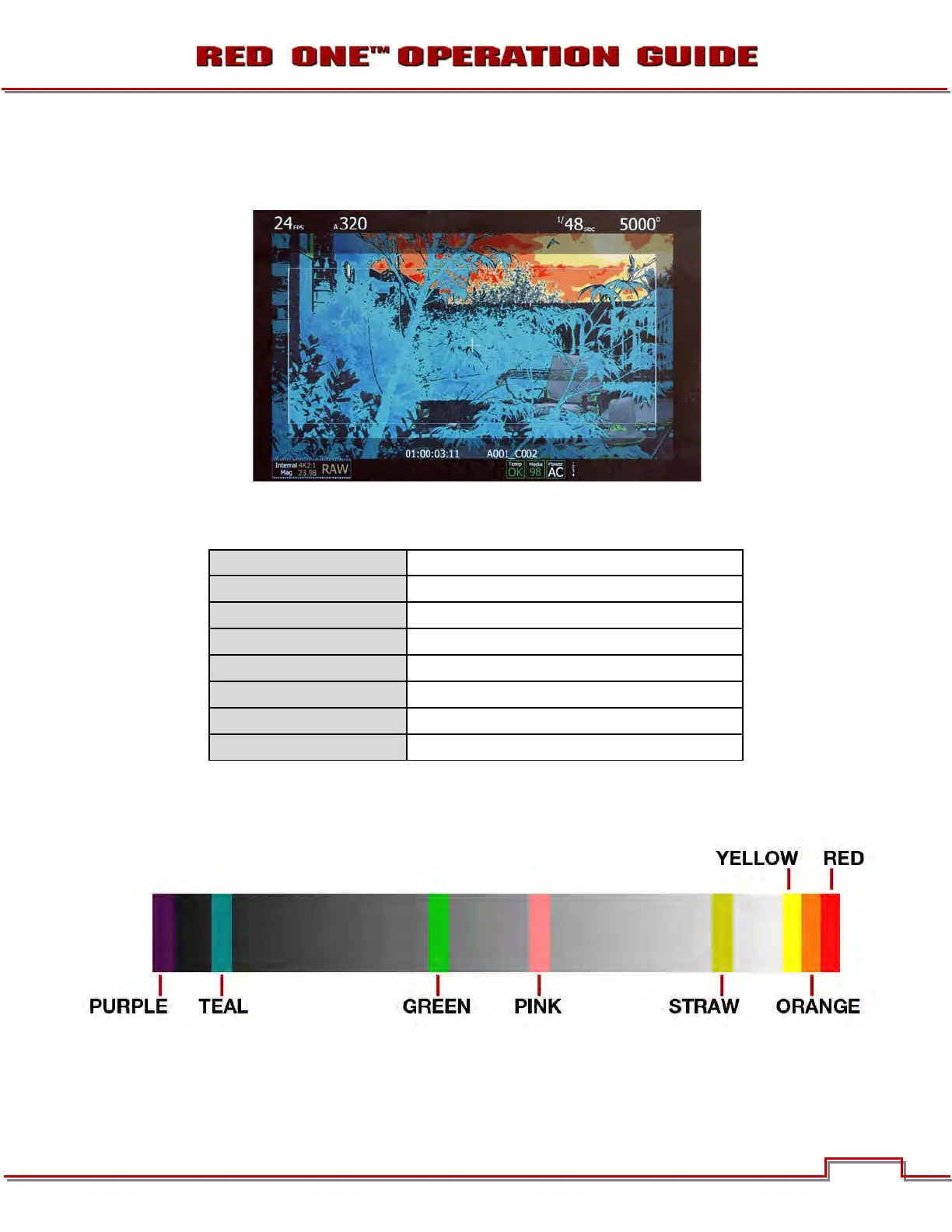
The above image is an example of false color mapping indicating the stops of exposure.
The False Colors bands provide the following information:
PURPLE
Minimum Exposure
TEAL
3 stops under reference
GREEN
Reference Exposure level with 18% Grey Card
PINK
Typical Exposure level for Caucasian Skin
STRAW
2 stops over reference
YELLOW
2/3 stop under maximum exposure
ORANGE
1/3 stop under maximum exposure
RED
Maximum Exposure
At all other values, the image displayed is the luminance value of the original scene. For example, imaging
a 5-stop Chip Chart, the Black chip will show Teal, the 18" Grey chip will show Green, the White chip will
show Straw and the Skin Tone chip will show a Pink false color band.



 To Next Page